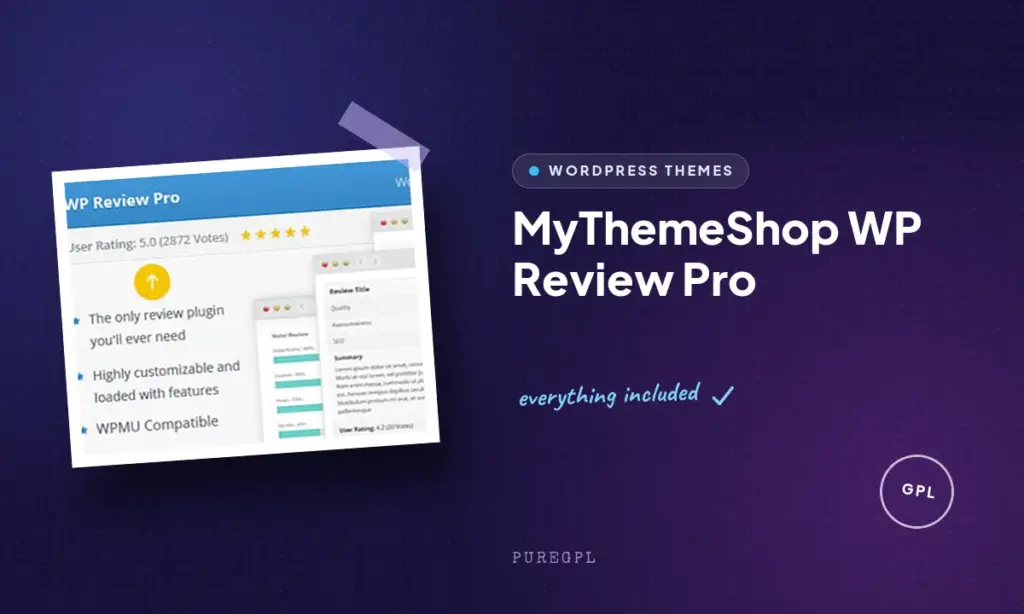
Scattering star ratings and verdict boxes across a review blog usually means wrestling with theme templates or stitching together schema plugins that half-work. This WP Review Pro review looks at MyThemeShop’s answer: a dedicated plugin that drops scored review boxes into any post via shortcode or Gutenberg block, with four display styles and visitor voting built in. For bloggers and affiliate marketers, the appeal is obvious, but so is the question of cost.
The real decision is whether the paid tier’s visitor-rating system and extra scoring styles earn their keep over the free WP Review plugin, or whether that free version already covers what most review sites need.
Quick Verdict
WP Review Pro suits bloggers and affiliate marketers who want visitor-submitted ratings tied into WordPress comments, alongside author scores displayed as stars, percentages, circles, or points. If you only need basic schema-ready review boxes without reader voting, the free WP Review plugin likely covers it and makes more sense to start with.
Pros
- Four scoring display styles (stars, percentages, circles, points) cover most review formats
- Shortcode and Gutenberg block support make it easy to insert review boxes anywhere
- Visitor ratings run alongside author scores and integrate with the standard comment system
- A separate free plugin (WP Review) lets you test core review functionality before paying
Cons
- Setting up visitor review moderation and switching between scoring styles takes some initial configuration time
Core Features
Review Boxes with Scoring
WP Review Pro’s central function is building review boxes that attach a numerical or visual score to a post or page. Instead of writing an opinion and leaving readers to guess how favorable it is, the plugin gives every review a structured scoring element that sits alongside the written content.
For bloggers and affiliate marketers, this turns a standard post into something closer to a verdict. A reader skimming a page can see the score before reading a word of the review, which matters on sites where visitors compare multiple products across several articles.
Multiple Score Display Styles
The plugin offers four distinct ways to present a score: stars, percentages, circles, and points. Each is a separate built-in display option, so the same underlying review data can be shown in whichever format fits the site’s design, rather than being locked to one visual style.
This matters more than it sounds. A tech review site might prefer percentages for precision, while a lifestyle blog leans toward stars for familiarity. Being able to switch the display style per review, or standardize one style sitewide, gives publishers control over how scoring reads visually without needing a different plugin for each format.
Shortcode and Gutenberg Block Support
Review boxes can be inserted using either a shortcode or a Gutenberg block, giving writers two ways to place structured scoring and ratings inside posts and pages. The block option fits naturally into the default WordPress editing workflow, while the shortcode offers a quicker route for those comfortable inserting it directly into content.
In practice, this means a review box isn’t confined to the top or bottom of a post. Writers can drop scoring, along with pros-and-cons style elements, wherever it makes sense within the body of an article, which suits long-form reviews that build toward a verdict partway through the text.
Visitor Ratings and Comment Integration
Beyond the author-assigned score, WP Review Pro lets site visitors submit their own ratings using the same star, point, circle, or percentage formats as the main review box. These visitor ratings are tied into the standard WordPress comment system, so reader feedback appears alongside regular comments rather than in a separate, disconnected panel.
Site administrators retain moderation control, with the ability to edit or delete user-submitted ratings and feedback. For review sites that want to show both an expert score and a crowd-sourced opinion, this combination gives readers two data points instead of one, which can add credibility to affiliate and product review content.
Installation and Setup
- Download the WP Review Pro plugin file (wp-review-pro.zip) after purchasing from MyThemeShop.
- Log in to your WordPress dashboard and navigate to Plugins → Add New Plugin → Upload Plugin.
- Upload the wp-review-pro.zip file directly — there’s no need to extract it first.
- Click Install Now, then Activate the plugin once installation finishes.
- Locate the new WP Review Pro settings menu in your dashboard and configure your preferred score display style (stars, percentage, circle, or points).
- Insert a review box into a post or page using the plugin’s shortcode or its Gutenberg block, then adjust the scoring and any visitor rating options before publishing.
Based on first-hand testing, this entire process — from upload to an active, configured plugin — took about two minutes on a standard WordPress install.
Compatibility and Requirements
| Requirement | Minimum version stated |
|---|---|
| WordPress | 4.0 |
| PHP | 5.6 |
These are the minimum versions MyThemeShop lists for the plugin to function. In practice, both are considerably older than currently supported software: PHP 5.6 reached end-of-life years ago, and running a live site on it carries real security risk regardless of plugin compatibility. For a production site, it’s worth installing WP Review Pro on the current stable WordPress release paired with a currently supported PHP version rather than the bare minimums listed above.
WP Review Pro also ships with a Gutenberg block alongside its shortcode, so it works within both the block editor and classic shortcode-based workflows.
WP Review Pro Pricing
WP Review Pro is sold as a single paid license priced at $77.00. It’s frequently discounted to $67.00, marked as a sale price on the purchase page.
MyThemeShop also offers WP Review, a separate free plugin that lets you build schema-ready reviews of products, services, or other items without purchasing the Pro version. It’s a reasonable starting point if you want basic review boxes before committing to the paid upgrade.
The paid license includes one year of automatic updates and support from the date of purchase. Licenses run on an annual subscription that renews automatically unless canceled; if the subscription lapses, the plugin keeps working on your site but stops receiving updates and support.
👉 Get WP Review Pro at the best available price
Alternatives to WP Review Pro
Before committing to the paid version, it’s worth weighing WP Review Pro against the free plugin it’s built on top of. The right pick largely depends on whether you need the extra scoring styles and visitor rating integration or just the basics.
| Product | Key Difference | Best For | Price Tier |
|---|---|---|---|
| WP Review Pro | Adds star, percentage, circle, and point scoring styles plus visitor ratings tied into WordPress comments | Bloggers and affiliate marketers who want varied, scored review boxes with reader feedback | Paid, annual subscription |
| WP Review (Free) | Schema-ready review boxes for products and services without the Pro plugin’s additional display styles | Site owners who want to test core review functionality before upgrading | Free |
Competitor data is sourced from publicly available information as of 2026 and may have changed.
Choosing between the two comes down to how much control you want over review presentation. A reviewer who only needs basic, schema-ready boxes may find the free plugin sufficient, while anyone wanting multiple scoring formats and built-in visitor ratings will likely need the Pro upgrade.
Frequently Asked Questions
What is the difference between WP Review and WP Review Pro?
WP Review is a free, separate plugin that lets users create schema-ready reviews of products, services, or other items. WP Review Pro builds on that foundation with additional scoring display styles, including stars, percentages, circles, and points, plus visitor rating support tied into the WordPress comment system.
How much does WP Review Pro cost?
WP Review Pro is priced at $77.00, though it is frequently discounted to $67.00.
Does WP Review Pro support visitor or user ratings?
Yes, WP Review Pro supports visitor reviews alongside author-assigned scores. Users can submit star, point, circle, or percentage ratings directly on review posts, with these ratings tied into the standard WordPress comment system and subject to admin moderation.
Does WP Review Pro include automatic updates and support?
Yes, a standard license includes one year of automatic updates and dedicated support from the date of purchase. Licenses operate on an annual subscription model that automatically renews unless canceled.
What happens if my WP Review Pro license expires?
If a subscription expires or auto-renewal is turned off, the plugin continues to function normally on the site. The main consequence is losing access to future updates and support until the license is renewed.
What are the minimum WordPress and PHP requirements for WP Review Pro?
WP Review Pro requires a minimum of WordPress 4.0 and PHP 5.6. For security and performance, pairing it with current, supported versions is advisable.
Can I add a review box using a shortcode or Gutenberg block in WP Review Pro?
Yes, WP Review Pro includes both a shortcode and a Gutenberg block for inserting review boxes into posts and pages. This lets you display structured review scores, pros and cons, and user ratings anywhere in your content.
Download & Pricing Options
🆓 Free Version
👉 Download the Free Version of WP Review Pro
💎 Get WP Review Pro (Best Available Price)
👉 Check Current Pricing for WP Review Pro
Pricing and availability may change — use the link above for current rates.