Elegant Themes Bloom Email Opt-Ins Review 2026: Full Breakdown

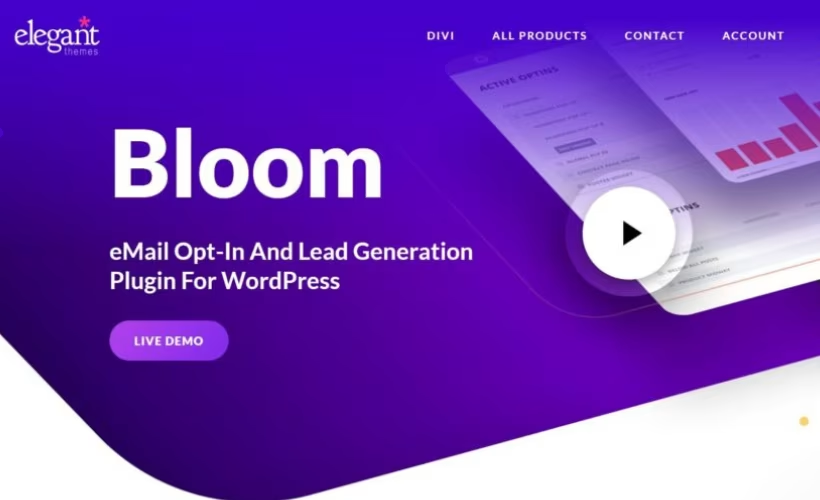
Growing an email list usually means juggling a pop-up plugin, a separate A/B testing tool, and whatever opt-in widget your theme happens to support. This Bloom plugin review looks at Elegant Themes’ answer: one plugin that handles pop-ups, fly-ins, inline forms, below-content forms, and widget-area opt-ins, backed by its own split-testing dashboard. The pitch is consolidation, but that only matters if the bundled pricing and template library actually hold up against dedicated tools.
The question is whether paying for Bloom through an Elegant Themes membership — rather than buying a single-purpose opt-in plugin outright — makes sense for your budget and workflow.
Quick Verdict
Bloom suits bloggers and site owners who already want Divi, Extra, or Monarch and would rather pay once for a bundle than stack separate subscriptions. It’s a weaker fit for anyone who wants a single standalone opt-in plugin with a free tier to test before committing.
Pros
- Five opt-in formats in one plugin: pop-up, fly-in, inline, below-content, and widget-area
- Over 100 pre-made templates spanning a range of design styles
- Built-in A/B testing and audience-targeting controls included at no extra cost
- Native integration with 19 email marketing services, including Mailchimp, AWeber, ConvertKit, ActiveCampaign, and Constant Contact
- Bundled with Divi, Extra, and Monarch under one membership covering unlimited sites
Cons
- No free tier or trial; you must purchase before using the plugin
- Only available through an Elegant Themes membership, not as a standalone single-plugin purchase
- Updates and support depend on keeping the membership active
- A/B testing and audience-targeting features carry a learning curve for teams new to them
Core Features
Here’s a closer look at what each part of Bloom includes, from display formats to the built-in testing tools.
Five Opt-In Display Formats in One Plugin
Bloom bundles pop-up, fly-in, inline, below-content, and widget-area opt-ins into a single plugin rather than forcing you to choose one display type. Each format serves a different moment in a visitor’s reading flow — a pop-up for immediate attention, a fly-in that slides in without blocking content, an inline form dropped mid-post, a below-content form after someone finishes reading, and a widget-area opt-in for sidebars or footers.
For a blog or content site, this means you can run a fly-in on long-form articles while using a below-content form on shorter posts, all from the same plugin and the same subscriber list. You’re not stitching together separate tools to cover different placements on the same site.
Pre-Made Template Library
Bloom ships with more than 100 pre-made templates covering a range of design styles, so building an opt-in form doesn’t start from a blank canvas. The library sits directly inside the plugin’s built-in templates section, alongside the display-type settings.
That volume of starting points matters most for site owners without design resources — picking a template that already matches a niche or color scheme cuts the time between installing the plugin and having a live opt-in form on the page.
Email Marketing Integrations
Bloom connects to 19 email marketing services, with named integrations including Mailchimp, AWeber, ConvertKit, ActiveCampaign, and Constant Contact. Mailchimp syncs through an account API key, while AWeber connects via authorization code login, so the setup method varies by provider rather than following one universal flow.
That breadth means a site already committed to a particular email service doesn’t need to migrate providers just to adopt Bloom — the plugin sits on top of whatever list-management tool is already in use.
A/B Testing Dashboard
Bloom includes a built-in A/B testing dashboard that lets you run variations of an opt-in form against each other rather than guessing which design converts better. This sits alongside the template library and display-type controls as one of the plugin’s core built-in tools.
For anyone running multiple campaigns across a site, this turns opt-in design into a measurable process — form copy, color, or placement can be tested directly inside the same interface used to build the form, instead of relying on a separate analytics setup.
Audience-Targeting Controls
Audience-targeting options let you tailor which opt-in appears to which visitor segment, rather than showing the same form to every site visitor. Targeting is listed as one of Bloom’s built-in features alongside the A/B testing dashboard and the multiple display types.
Combined with the five display formats, targeting makes it possible to show a fly-in offer to new visitors and a different inline form to returning readers, all managed from within the one plugin covering the entire site.
Installation and Setup
- Log in to your Elegant Themes account and download the Bloom plugin zip file (elegant-themes-bloom-email-opt-ins.zip) from your account dashboard.
- In your WordPress admin area, navigate to Plugins → Add New Plugin → Upload Plugin.
- Select the zip file and upload it directly — there is no need to extract the archive first.
- Click Install Now, then Activate the plugin once installation finishes.
- Open the new Bloom menu item in the WordPress admin sidebar to begin creating an opt-in form.
- Connect an email marketing service by entering the relevant API key or authorization credentials, then choose a template and display type (pop-up, fly-in, inline, below-content, or widget-area) to launch your first campaign.
Based on first-hand testing, the basic installation and setup process took about two minutes on WordPress 6.5 running PHP 8.4, from upload through activation. Bloom does not depend on any companion plugin to function — it operates as a standalone opt-in form builder once activated.
Compatibility and Requirements
| Requirement | Details |
|---|---|
| Support | 24/7 Premium Support via the Divi Support Center |
| License coverage | Unlimited websites per Elegant Themes membership account |
| Email service integrations | Native connections to 19 email marketing services, including confirmed support for Mailchimp, AWeber, ConvertKit, ActiveCampaign, and Constant Contact |
Bloom is distributed through an Elegant Themes membership, and the license is tied to the account rather than to a single domain or server, so the same subscription covers personal and client sites alike.
Bloom Pricing
Bloom is not sold as a standalone plugin. It comes bundled exclusively with an Elegant Themes membership, which also includes the Divi theme and builder, the Extra magazine-style theme, and the Monarch social sharing plugin.
Elegant Themes offers two membership options that unlock Bloom:
- Yearly Access — $89 per year, covering unlimited websites and ongoing updates to Divi, Bloom, and Monarch.
- Lifetime Access — $249 as a one-time payment, covering unlimited websites with lifetime updates and support.
Elegant Themes backs every membership with a 30-day money-back guarantee, so a refund is available in full if Bloom or the rest of the bundle does not work out within that window.
👉 Get Bloom at the best available price
Alternatives to Bloom
Bloom isn’t the only way to build opt-in forms in WordPress, and some site owners may prefer a single-purpose tool over a bundled membership. Here’s how it stacks up against two well-known competitors.
| Product | Key Difference | Best For | Price Tier |
|---|---|---|---|
| Bloom | Multi-format opt-ins (pop-up, fly-in, inline, below-content, widget-area) bundled with Divi, Extra, and Monarch under one membership | Site owners who want list-building plus a theme and page builder in one subscription | Paid |
| OptinMonster | Drag-and-drop lead-generation builder known for exit-intent detection and conversion-focused targeting | Marketers focused on conversion-rate optimization through behavioral triggers | Paid |
| Thrive Leads | List-building forms tightly integrated with the rest of the Thrive Themes conversion suite | Users already invested in Thrive Themes who want unified tooling | Paid |
Competitor data is sourced from publicly available information as of 2026 and may have changed.
The right pick depends on what you already use and how you want to pay for it. Bloom suits anyone who values bundled access to Divi and other Elegant Themes products, while OptinMonster and Thrive Leads appeal more to buyers who want a dedicated, single-purpose opt-in tool.
Frequently Asked Questions
Is Bloom free to use?
No, Bloom has no free tier and requires purchase before you can use it. It is only available through an Elegant Themes membership rather than as a standalone free plugin.
Does Bloom offer a money-back guarantee?
Yes, Elegant Themes provides a no-questions-asked 30-day money-back guarantee on all of its membership plans, which include Bloom. If you are not satisfied within that window, you can get a full refund.
How many websites can I use Bloom on with one license?
An Elegant Themes membership covers unlimited websites, including personal and client sites. The license is tied to your Elegant Themes account rather than to a single domain or server, so it travels with you across projects.
What email marketing services does Bloom integrate with?
Bloom integrates with 19 email marketing services in total, including Mailchimp, AWeber, ConvertKit, ActiveCampaign, and Constant Contact. Mailchimp connects via an account API key to sync new subscribers instantly, while AWeber uses an authorization code login.
Is Bloom included with Divi?
Yes, Bloom is bundled into every Elegant Themes Membership alongside Divi, Extra, and Monarch. A single membership gives access to all four products, including Bloom’s library of more than 100 templates, rather than requiring a separate purchase.
Is Bloom better than OptinMonster for building an email list?
Bloom covers more opt-in display formats in one package, with pop-up, fly-in, inline, below-content, and widget-area forms plus over 100 templates, A/B testing, and audience targeting, all bundled into an Elegant Themes membership that also includes Divi, Extra, and Monarch. OptinMonster is a dedicated single-purpose opt-in and conversion tool, which may suit sites that only need lead-generation forms without a page builder or theme attached. Which is “better” depends on whether you want a bundled suite or a standalone opt-in specialist.
Download & Pricing Options
🔍 Try Before You Buy
Bloom does not have an official free tier. To evaluate it before purchasing, a GPL-licensed copy is available for sandbox testing purposes only.
👉 Download GPL Evaluation Copy
This is a GPL-licensed redistributed copy for testing only — not an official developer product.
💎 Get Bloom (Best Available Price)
👉 Check Current Pricing for Bloom
Pricing and availability may change — use the link above for current rates.


