Loco Translate Pro + Pro Addons Review 2026: Features and Setup

Translating a WordPress theme or plugin string by string, then keeping those translations synced across updates, is tedious work for developers and freelance translators alike. This Loco Translate review looks at whether adding Pro Addons and AI-assisted translation on top of the widely used Loco Translate plugin actually speeds up that workflow, or just adds another layer to manage. With over a million active installs behind the base plugin, the question is less about adoption and more about value at the Pro tier.
The real decision here is whether string-level translation tools with AI assistance justify a paid bundle when the core plugin already ships free on WordPress.org.
Quick Verdict
Loco Translate Pro + Pro Addons suits developers, translators, and agencies who need granular control over theme and plugin strings, want a built-in collaboration workspace, and are comfortable connecting third-party AI translation APIs. It is a poor fit for site owners who need whole-site multilingual functionality out of the box, since that job typically falls to full multilingual plugins instead.
Pros
- Dedicated string management dashboard built directly into the WordPress plugin/theme editor
- Translator collaboration workspace supports team-based localization workflows
- AI-assisted auto-translation with support for connecting external machine translation API keys
- Uses the standard gettext (.po/.mo) file format, keeping translations portable across platforms
- Backed by a plugin with over 1 million active installations
Cons
- Installation involves extracting a package zip and installing several separate add-on zip files rather than one setup flow
- AI-assisted translation relies on external machine translation API keys
- Focused on theme and plugin string translation rather than whole-site content, so it may need pairing with other tools
- The “Pro” and “Pro Addons” naming doesn’t make it obvious which features live in which package
Core Features
String Management Dashboard
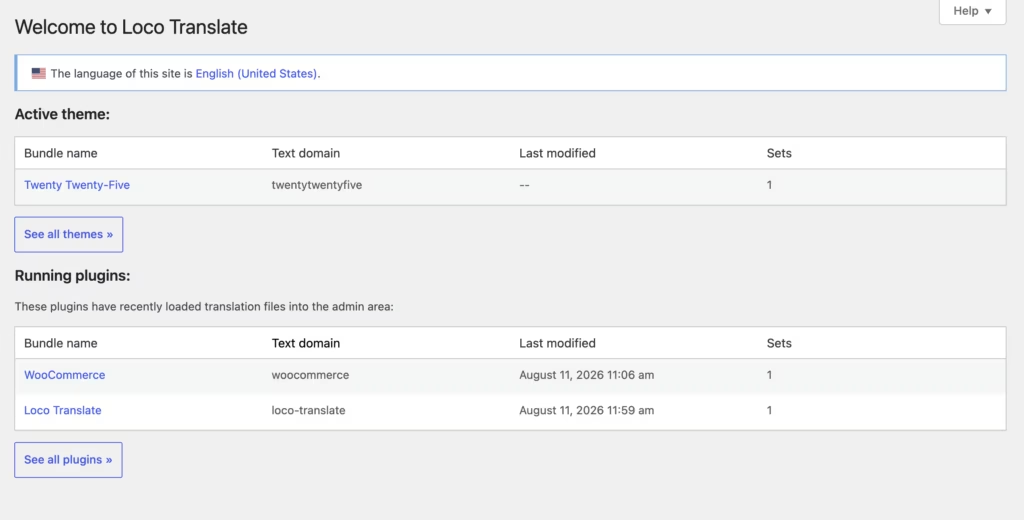
Loco Translate centers on a string management dashboard that plugs directly into the WordPress plugin and theme editor. Instead of exporting files to an external tool and re-importing them, you edit translation strings in-browser, in the same admin area where the theme or plugin already lives.
For a developer maintaining several client themes, this cuts out a step that other workflows require: no separate desktop app, no round-tripping files through email or shared drives. Strings surface as soon as Loco Translate scans a template, so new text added in a plugin update shows up ready to translate rather than buried in a changelog.
Translator Collaboration Workspace
The collaboration workspace is built for teams where a developer and a translator (or several translators) work on the same project without stepping on each other’s edits. It’s structured around the same string list the dashboard uses, so a translator working on a plugin’s German file sees the identical source strings a developer sees when checking progress.
This matters most for agencies handling multilingual WordPress sites for clients, where the person writing code and the person writing copy are rarely the same individual. Rather than sending .po files back and forth, both sides work from a shared source inside WordPress, which reduces the version-mismatch problems that come from editing translation files offline.
Multi-Platform Translation File Export
Export functionality lets you take translated strings out of WordPress and into other platforms, using the gettext (.po/.mo) file format that WordPress itself relies on for localization. Because this is the same standard WordPress core, themes, and plugins already expect, exported files load without a conversion step on the receiving end.
That standardization is the real value here: a translation file built in Loco Translate isn’t locked into the plugin. It can move to another gettext-compatible tool, be handed to a translator using different software, or be reused across a related project without reformatting.
AI-Assisted Auto-Translation
Loco Translate includes an AI-assisted auto-translation tool that connects to external machine translation provider API keys directly inside the plugin. Once a key is added, you can auto-translate an entire file in one action or pull single-string suggestions while editing inside the WordPress dashboard.
For a site with dozens of untranslated strings after a plugin update, this turns a manual, string-by-string task into a first-pass draft that a human translator then reviews and corrects. The AI-assisted translation feature connects to external machine translation provider APIs.
Installation and Setup
- Download the loco-translate-pro-package.zip file from your purchase or account area.
- Extract the package on your local machine. The archive contains several individual ZIP files rather than a single installer.
- In your WordPress dashboard, go to Plugins > Add New > Upload Plugin and select the loco-translate.zip file from the extracted package. This installs the main Loco Translate plugin.
- Activate Loco Translate once the upload finishes.
- Repeat the upload process for each remaining ZIP file in the package.
These are separate add-ons bundled alongside the core plugin, and each one installs and activates independently of the main plugin.
- Confirm all add-ons show as active under Plugins, then open the Loco Translate menu in the dashboard to begin setting up string management and translator workflows.
Based on first-hand testing, this process — from extracting the package to having every component active — took about two minutes on a standard WordPress install.
Compatibility and Requirements
| Requirement | Details |
|---|---|
| Free tier | Available |
| Support | Contact via the site’s Help & Support / Get in touch page |
In first-hand testing, the plugin and its add-ons installed and ran without issue on WordPress 6.5 with PHP 8.4. If you’re running an older, unsupported PHP branch on a production site, updating before installing any translation management tool is generally good practice.
Loco Translate Pricing
The core Loco Translate plugin is free and open source, distributed through the WordPress.org Plugin Directory, where it has passed one million active installations. That free version covers the string management dashboard, in-browser editing of gettext (.po/.mo) translation files directly in the WordPress plugin and theme editor, and the option to connect an external machine-translation API key for auto-translate suggestions inside the dashboard.
The Pro package builds on that base. Extracting the downloaded ZIP produces the main Loco Translate plugin file alongside several separate add-on ZIP files, which install as individual plugins.
Current pricing details are not available in this review. Check the official developer website for up-to-date pricing information.
👉 Get Loco Translate at the best available price
Alternatives to Loco Translate
Loco Translate is built for translating theme and plugin strings, not for running a full multilingual site. Depending on the project, one of these alternatives may fit better.
| Product | Key Difference | Best For | Price Tier |
|---|---|---|---|
| Loco Translate | String and file-level translation editor for themes and plugins, using the gettext .po/.mo format | Developers and translators localizing WordPress software | Freemium |
| WPML | Comprehensive multilingual plugin that translates site-wide content, themes, and plugins with its own management dashboard | Agencies and site owners needing full-site multilingual coverage | Paid |
| Polylang | Free-core multilingual plugin with a paid Pro tier for creating translated content across a multi-language site | Site owners who want a lighter-weight, free-to-start multilingual setup | Freemium |
| TranslatePress | Visual front-end editor that lets users translate pages as they appear live on the site | Users who prefer translating content directly on the page rather than in a backend editor | Freemium |
Competitor data is sourced from publicly available information as of 2026 and may have changed.
The right pick depends on scope: Loco Translate suits developers translating a specific theme or plugin, while WPML, Polylang, and TranslatePress are better matched to translating an entire site’s content for visitors.
Frequently Asked Questions
Is Loco Translate free to use?
Yes, Loco Translate is available free and open source through the WordPress Plugin Directory, with no official paid “Pro” tier for the core plugin. The Pro Addons package referenced in this review bundles additional add-on ZIP files alongside the main plugin.
What file format does Loco Translate use for translations?
Loco Translate uses the gettext (.po/.mo) file format, which is the standard for WordPress theme and plugin translations. This lets it integrate directly with the WordPress plugin and theme editor for in-browser string editing.
Does Loco Translate support AI or machine translation?
Yes, it supports AI-assisted auto-translation through integration with external machine translation services and APIs. Users can connect their own provider API keys within the plugin to auto-translate entire files or get single-string suggestions right inside the WordPress dashboard editor.
How do I install the Loco Translate package?
After extracting the loco-translate-pro-package.zip file, you install the loco-translate.zip file first to set up the main Loco Translate plugin. The remaining ZIP files in the package are separate add-ons that get installed individually. On a WordPress 6.5 site running PHP 8.4, this process took about two minutes from extraction to basic setup.
How many WordPress sites use Loco Translate?
Loco Translate has over 1 million active installations on the WordPress.org Plugin Directory. That makes it one of the most widely used localization and translation tools available for the platform.
Loco Translate vs WPML: what’s the difference?
Loco Translate focuses on string and file-level translation for themes and plugins, using the gettext (.po/.mo) format and a dashboard built for developers and translators working directly with source strings. WPML, by contrast, is built for whole-site multilingual management, handling pages, posts, and content across a site rather than just plugin and theme text. Sites that need full multilingual front-end functionality often pair Loco Translate with a broader tool like WPML or Polylang rather than using it alone.
Download & Pricing Options
🆓 Free Version
👉 Download the Free Version of Loco Translate
💎 Get Loco Translate (Best Available Price)
👉 Check Current Pricing for Loco Translate
Pricing and availability may change — use the link above for current rates.
Loco Translate Pro + Pro Addons is one of thousands of premium plugins available through a GPL membership. Our which GPL site to use guide compares the ten main vendors on price, catalogue size and how fast updates actually arrive.


