JetThemeCore Review 2026: Crocoblock’s Elementor Theme Builder


Rebuilding the same header, footer, or archive layout across dozens of client pages wastes hours that agencies rarely bill for. This JetThemeCore review looks at Crocoblock’s answer: a visual dashboard that manages site-wide templates from one place instead of rebuilding them page by page. For teams already inside Elementor, the pitch is consolidation rather than a new design tool.
The question is whether adding another premium plugin on top of Elementor pays off in template consistency and time saved, or just adds cost and complexity.
Quick Verdict
JetThemeCore fits WordPress site builders and agencies who already run Elementor and need centralized control over headers, footers, archives, and WooCommerce templates across a site. It’s a poor match for anyone building without Elementor day-to-day or managing a single small site where manual template edits are still manageable.
Pros
- Single visual dashboard for managing headers, footers, archives, and WooCommerce templates
- Supports both full Elementor workflows and a basic Gutenberg mode
- Stated compatibility with popular themes including Astra, OceanWP, GeneratePress, Kadence, Blocksy, and Hello Elementor
- Bundled into the All-Inclusive Plus package with 22 other JetPlugins for unlimited sites
Cons
- Requires Elementor or Elementor Pro for full functionality, adding another paid dependency
- Entry-level tier is limited to a single site, restricting scalability for multi-project use
- Coordinating template priority and conditions across headers, footers, and archives carries a learning curve
Core Features
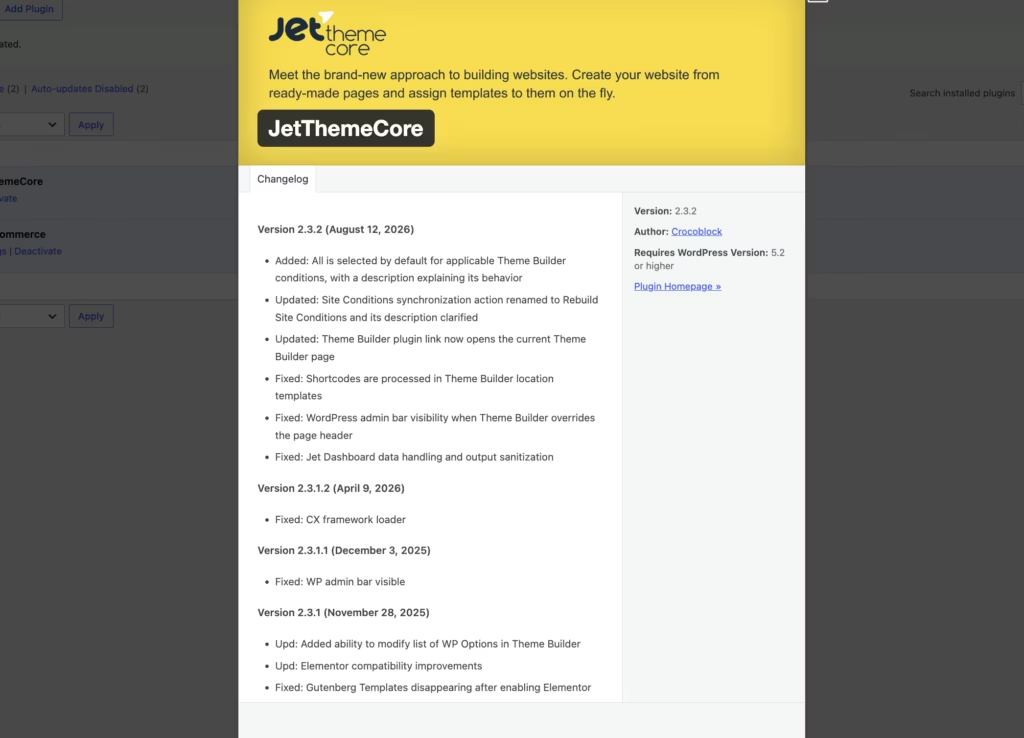
Visual Theme Builder Dashboard
JetThemeCore centers on a single dashboard where every site-wide template — headers, footers, archives, and WooCommerce pages — is created, edited, and assigned display conditions in one place. Instead of jumping between separate template editors or theme files, you manage the structural pieces of a site from one screen.
For agencies handling several client projects, this matters because it turns template management into a repeatable workflow rather than a scattered set of one-off edits. You can see which templates exist and where they apply without digging through menus.
In our testing on WordPress 6.5 with PHP 8.4, installation and basic setup took about 2 minutes. The plugin zip file (jet-theme-core.zip) installed directly through Plugins → Add New Plugin → Upload Plugin without needing to extract it first, which made getting to the dashboard a quick process.
Header and Footer Template Creation
The plugin lets you build custom headers and footers that apply across the entire site rather than being locked to a single page or post type. Once a header or footer template is built, it becomes the default structural element for whichever pages you assign it to.
This is the practical value for site builders: change a logo, navigation layout, or footer widget area once, and the update propagates everywhere the template is active. There’s no need to re-edit the same section on every individual page.
Archive Page Template Control
JetThemeCore extends template control to archive pages — the listing views for blog posts, custom post types, and taxonomy pages. You design the layout for how items appear in a listing context and set conditions for which archives it governs.
For anyone running a blog, portfolio, or content-heavy site, this closes a gap that page builders alone don’t always cover well: consistent, branded archive layouts instead of a theme’s default listing style.
WooCommerce Page Template Management
Shop and product page templates are handled through the same dashboard, letting store owners design custom layouts for WooCommerce archive and single-product views. This sits alongside the header, footer, and archive tools rather than requiring a separate WooCommerce-specific plugin.
Store owners get a way to make product pages match the rest of the site’s branding, and to apply conditional logic so different product categories or shop sections can use different templates.
Elementor and Gutenberg Compatibility
JetThemeCore works with both Elementor and Gutenberg, giving it reach beyond a single page builder ecosystem. Sites built primarily on Elementor get full access to the visual builder tools, while Gutenberg-based sites can still use the plugin’s template management functions.
This flexibility matters for agencies whose client base isn’t uniform — some sites run on Elementor, others stick with the WordPress block editor — since it means one plugin can serve both without maintaining two separate template workflows.
The dashboard itself doubles as the plugin’s built-in interface for managing header, footer, archive, and WooCommerce templates, so no additional companion tool is needed to access these controls.
Installation and Setup
- Purchase a Crocoblock subscription (Custom Subscription or All-Inclusive Plus) and download the JetThemeCore plugin zip file from your Crocoblock account dashboard.
- In your WordPress admin area, go to Plugins → Add New Plugin → Upload Plugin, then select the downloaded zip file. The file can be uploaded directly without extracting it first.
- Click Install Now, then Activate once the upload finishes. On a standard setup, this process takes only a couple of minutes.
- Activate Elementor or Elementor Pro if you plan to use the full visual builder workflow.
- Enter your Crocoblock license key when prompted, either during activation or from the plugin’s settings screen, to enable updates and dashboard access.
- Open the JetThemeCore dashboard from your WordPress admin menu to begin creating templates for headers, footers, archive pages, and WooCommerce shop or product pages.
- Assign display conditions to each template so it appears on the correct pages, then publish the template to apply it site-wide.
Compatibility and Requirements
| Requirement | Details |
|---|---|
| Page builder | Works with Elementor and Elementor Pro; also supports a basic Gutenberg mode |
| Theme compatibility | Astra, OceanWP, GeneratePress, Kadence, Blocksy, Hello Elementor, and any WordPress.org theme |
| Plugin compatibility | Works alongside any WordPress.org plugin |
Crocoblock states that JetThemeCore is built to work with any theme from the WordPress.org repository, not just the named list above. That gives it broad flexibility for agencies managing varied client sites. For full functionality — building custom headers, footers, and archive templates visually — Elementor or Elementor Pro needs to be active, since the Gutenberg mode covers only basic use.
Because the plugin relies on Elementor for its full feature set, it’s worth keeping both Elementor and your WordPress installation on currently supported versions. Running end-of-life releases can introduce compatibility and security issues over time.
JetThemeCore Pricing
JetThemeCore is sold on a subscription basis, billed annually, with no free tier. A 30-day money-back guarantee gives buyers a window to test the plugin risk-free before committing long term.
Custom Subscription — $55 per year for use on 1 site. This is the entry-level plan for anyone who wants JetThemeCore as a standalone theme builder without the wider Crocoblock plugin catalog.
All-Inclusive Plus — $249 per year for unlimited sites. This tier bundles 22 JetPlugins, including JetThemeCore, making it the better value option for agencies or freelancers managing multiple client sites who would otherwise need to buy several Crocoblock add-ons separately.
Support is included with either subscription: one year of Zoom and chat support runs alongside the license. Renewing the subscription keeps that support and any plugin updates active past the first year.
Since annual pricing can shift and promotional rates are common in the WordPress plugin space, check the official Crocoblock pricing page for the current rate before purchasing.
👉 Get JetThemeCore at the best available price
Alternatives to JetThemeCore
JetThemeCore is one of several ways to build site-wide templates for headers, footers, archives, and WooCommerce pages, but it isn’t the only path available to Elementor users. Depending on whether you want tighter builder integration, standalone performance, or full code control, one of these alternatives may fit better.
| Product | Key Difference | Best For | Price Tier |
|---|---|---|---|
| JetThemeCore | Adds a dedicated visual dashboard for headers, footers, archives, and WooCommerce templates on top of Elementor or Gutenberg | Agencies and builders wanting centralized template management alongside Elementor | Paid |
| Elementor Theme Builder | Native theme building module built into Elementor Pro, tightly integrated with the Elementor page builder ecosystem | Users already on Elementor Pro who want theme building without a third-party add-on | Paid |
| Bricks | A standalone visual builder with its own lightweight rendering engine, positioned as a performance-focused alternative to Elementor | Site builders prioritizing speed and independence from the Elementor ecosystem | Paid |
| Oxygen | A code-level visual builder aimed at developers wanting fine-grained control over markup and structure | Developers who need precise control over output code and structure | Paid |
Competitor data is sourced from publicly available information as of 2026 and may have changed.
The right pick depends on what you’re already invested in. If Elementor is central to your workflow, JetThemeCore or Elementor Theme Builder make sense; if you want to move away from Elementor entirely, Bricks or Oxygen are worth evaluating instead.
Frequently Asked Questions
Does JetThemeCore require Elementor to work?
Yes, JetThemeCore needs Elementor or Elementor Pro to access its full set of features. It is built as a theme builder add-on for Elementor, letting you construct headers, footers, and archive pages using Elementor’s editor. It also includes a basic Gutenberg mode for users who don’t run Elementor.
What is the difference between JetThemeCore and JetStyleManager?
JetThemeCore is the core Crocoblock plugin for building and managing full-site structures — headers, footers, archives, and single templates — along with the global layout conditions that control where each template applies. JetStyleManager, by contrast, is focused specifically on block styling options for Gutenberg-based JetPlugins rather than site-wide template structure.
Can JetThemeCore be used with Gutenberg instead of Elementor?
Yes, JetThemeCore supports a basic Gutenberg mode alongside its Elementor integration. Users who don’t run Elementor can still use this mode, though the fuller feature set is tied to Elementor or Elementor Pro.
Is JetThemeCore compatible with themes like Astra or GeneratePress?
Yes, JetThemeCore is stated to be compatible with Astra, OceanWP, GeneratePress, Kadence, Blocksy, Hello Elementor, and any theme or plugin from the WordPress.org repository. This broad compatibility list makes it a flexible option for builders who aren’t tied to a specific theme.
Does JetThemeCore support WooCommerce page templates?
Yes, WooCommerce page template management is one of JetThemeCore’s core features. Store owners can use the visual dashboard to design custom templates for shop and product pages alongside their site-wide headers, footers, and archives.
How much does JetThemeCore cost?
JetThemeCore is available through Crocoblock’s Custom Subscription tier at $55 per year for use on a single site. It’s also included in the All-Inclusive Plus bundle at $249 per year, which covers unlimited sites and bundles in 22 JetPlugins total. Both plans are billed annually and come with a 30-day money-back guarantee.
Download & Pricing Options
🔍 Try Before You Buy
JetThemeCore does not have an official free tier. To evaluate it before purchasing, a GPL-licensed copy is available for sandbox testing purposes only.
👉 Download GPL Evaluation Copy
This is a GPL-licensed redistributed copy for testing only — not an official developer product.
💎 Get JetThemeCore (Best Available Price)
👉 Check Current Pricing for JetThemeCore
Pricing and availability may change — use the link above for current rates.
Wondering where to get JetThemeCore without the annual licence fee? We ranked the options in our best GPL sites comparison, and we say plainly which ones we would avoid.


