Gravity Forms Review 2026: Is the Elite License Worth It?

Agencies juggling multiple client sites often end up buying separate form plugin licenses for each one, then paying again for add-ons like Zapier connectors or payment gateways. This Gravity Forms review looks at whether the Elite License solves that specific problem by bundling unlimited sites, every official add-on, and priority support into a single annual cost. For developers managing WordPress Multisite networks, the pitch is consolidation over per-site licensing sprawl.
The question is whether paying for the top tier upfront actually saves money and hassle compared to starting with Basic or Pro and upgrading later.
Quick Verdict
The Elite License makes sense for agencies, developers, and multisite administrators who need unlimited site coverage and want every add-on available without separate purchases. Freelancers running one or two sites, or anyone testing form plugins for the first time, will likely get more value from a lower tier or a freemium competitor. Budget-conscious buyers who don’t need the full add-on library should look elsewhere.
Pros
- Elite License covers unlimited sites, all official add-ons, and WordPress Multisite support in one purchase
- Drag-and-drop builder with conditional logic handles contact forms, payment forms, and surveys
- Zapier add-on connects submissions to thousands of third-party apps
- Native payment gateway integrations cover most payment form needs
Cons
- No free tier, so every feature sits behind a paid license unlike freemium rivals
- Priority support and the full add-on library are locked to the Elite tier only
- The breadth of automation and add-on options adds a learning curve for newcomers
Core Features
Drag-and-Drop Form Builder
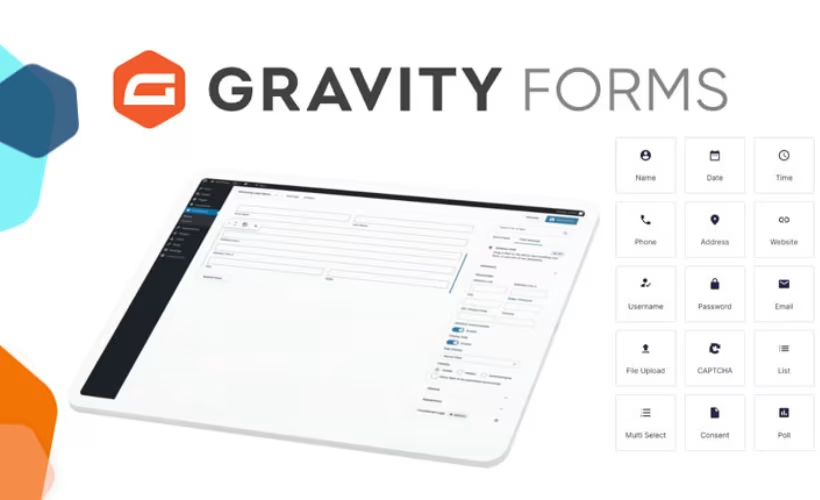
The form builder is the interface every other feature in Gravity Forms sits on top of. You drag fields into position and the layout updates in real time as you build out a contact form, payment form, or survey.
For most site owners this removes the need to touch code for standard forms. The builder handles field arrangement, labeling, and structure, leaving custom development for edge cases rather than everyday form creation.
Conditional Logic
Conditional logic lets fields, sections, or entire pages appear or hide based on how a user answers earlier questions in the same form. It’s listed as a built-in capability, so it works across form types without needing a separate add-on.
It matters most on longer forms — surveys with branching questions, or quote-request forms where the fields needed depend on what the visitor selects. Instead of building several separate forms for different scenarios, one form adapts to the respondent.
Payment Forms with Native Gateway Integrations
Gravity Forms supports building payment forms directly in the builder, backed by native integrations with Stripe, PayPal Checkout, and Square. These are treated as the primary, actively supported payment paths, while older setups such as Authorize.net integrations rely on legacy credit card fields rather than a current native add-on.
For anyone collecting payments — deposits, donations, product orders, event fees — this means the form itself can process the transaction rather than just capturing an intent to pay. Sticking to the native Stripe, PayPal, or Square add-ons keeps the setup on the actively maintained path rather than a deprecated one.
Surveys
Survey creation is one of the named core features, using the same drag-and-drop builder as contact and payment forms. Combined with conditional logic, surveys can branch based on prior responses rather than presenting every question to every respondent.
That makes it useful for feedback collection, research forms, or internal assessments where the questions that matter change depending on the audience segment answering them.
Workflow Automations
Beyond single-form submissions, Gravity Forms supports workflow automations — using form entries to trigger multi-step processes rather than a one-off notification. This extends the plugin’s role from form capture into ongoing process handling.
For teams managing approvals, onboarding, or multi-stage requests, this reduces manual follow-up after a form is submitted, since the workflow itself carries the entry forward.
Zapier Integration
The Zapier add-on connects form submissions to over 9,000 third-party web services and applications. Form entries can trigger actions in other tools, and, in the other direction, external events in connected apps can create new entries inside Gravity Forms.
The integration turns a form into a connection point for a site’s wider toolset — CRMs, email platforms, spreadsheets, project management apps — without custom API work on the site owner’s part.
WordPress Multisite Support (Elite License)
Multisite support is specific to the Elite License tier, allowing the plugin to be deployed across a WordPress Multisite network rather than a single install. This is a structural feature aimed squarely at network administrators rather than single-site users.
For agencies or organizations running multiple sites under one network, this avoids managing separate licenses per site within that network — a direct fit for the unlimited-sites positioning of the Elite tier.
Entry Management Dashboard
Submitted forms land in a built-in entry management dashboard, where responses can be reviewed and organized after collection. This is listed among the plugin’s built-in features rather than a bolt-on add-on.
For site owners handling any meaningful form volume, this gives a central place to review survey responses, payment form submissions, and contact inquiries without digging through email notifications.
Also included: access to all official add-ons under the Elite License, including named examples such as User Registration, Advanced Post Creation, and Signature, extending the core builder into user account creation, content publishing from form entries, and signature capture.
Installation and Setup
- Purchase a license (Basic, Pro, or Elite) from the official Gravity Forms site and download the plugin ZIP file from your account dashboard.
- In the WordPress admin area, go to Plugins → Add New Plugin → Upload Plugin, then select the downloaded ZIP file. The file can be uploaded directly without extracting it first.
- Click Install Now, then Activate once the upload finishes.
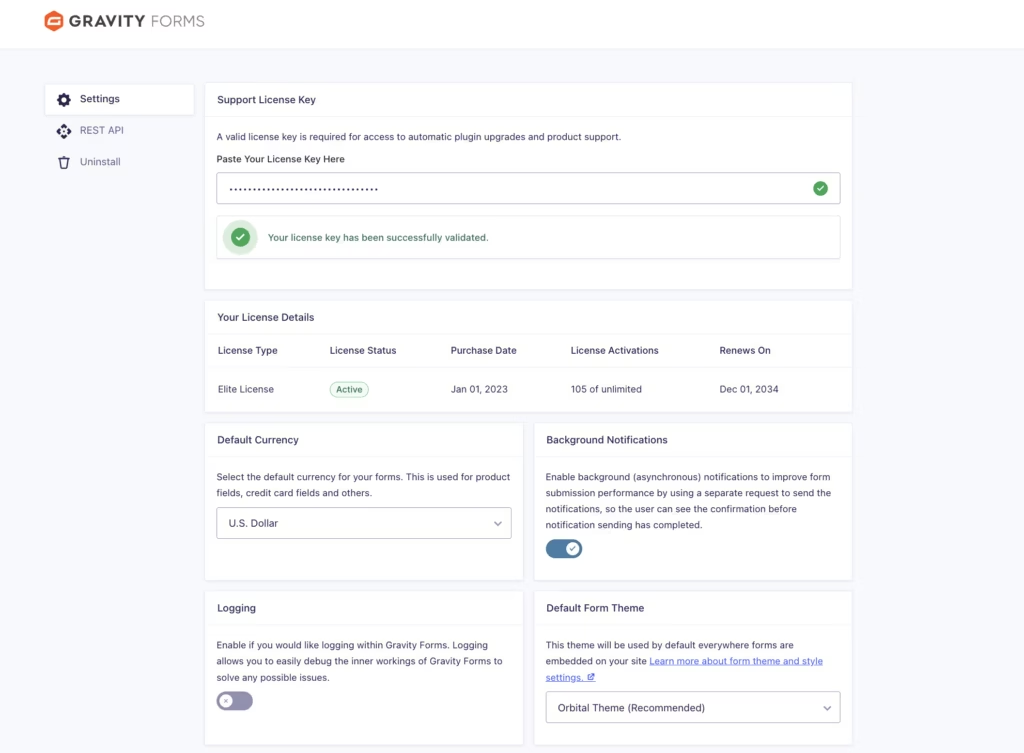
- Enter your license key under Forms → Settings to unlock automatic updates and, on the Elite License, access to the full add-on library.
- Use the built-in drag-and-drop form builder to create your first form, configuring fields, conditional logic, and notifications as needed.
- Publish the form to a page or post using the provided shortcode or block, and check the entry management dashboard to confirm submissions are being recorded.
Installation is quick in practice: on a WordPress 6.5 site running PHP 8.4, uploading the gravityforms-3.0.2.2.zip file and completing basic setup took about 2 minutes from upload to a working form. No companion plugins are required for the core installation — additional add-ons such as Zapier, User Registration, Advanced Post Creation, or Signature can be installed separately afterward depending on the license tier and workflow needs.
Compatibility and Requirements
| Requirement | Minimum |
|---|---|
| WordPress | Latest version of WordPress |
| PHP | 7.4+ |
| MySQL | 5.7+ |
The developer states Gravity Forms should run on the latest version of WordPress rather than citing a fixed minimum, so keeping WordPress core updated is the safest way to stay within supported compatibility. For PHP, choose a supported version above the 7.4 floor, since older branches that have reached end-of-life carry known security risks even where a plugin still technically loads.
Support level also varies by license: Basic and Pro Licenses come with Standard Support, while the Elite License includes Priority Support along with WordPress Multisite compatibility and access to the full catalog of official add-ons.
Gravity Forms Pricing
Gravity Forms is a premium-only plugin — there’s no free version to test before you buy. All three license tiers unlock the core form builder, but they differ in site count, support level, and add-on access.
Basic License — $44 for the first year, renewing at $59 per year. Covers 1 site with standard support.
Pro License — $119 for the first year, renewing at $159 per year. Covers 3 sites with standard support.
Elite License — $194 for the first year, renewing at $259 per year. Covers unlimited sites, includes priority support, WordPress Multisite support, and access to all official add-ons — among them User Registration, Advanced Post Creation, and Signature.
Note that first-year pricing is lower than the ongoing renewal rate across every tier, so budget for the higher annual figure in year two and beyond.
For agencies or anyone managing more than a handful of sites, the Elite License is the only tier that removes the site cap entirely and bundles every add-on rather than requiring separate purchases.
Gravity Forms backs all new purchases — Basic, Pro, and Elite — with a 30-day money-back guarantee, so you can request a full refund by contacting support within that window if the plugin doesn’t fit your workflow.
Check the official Gravity Forms website for the current pricing page before purchasing, since license costs can change.
👉 Get Gravity Forms at the best available price
Alternatives to Gravity Forms
Gravity Forms is not the only serious option for building forms on WordPress. Depending on budget and how much you need out of the box for free, one of these alternatives might fit better.
| Product | Key Difference | Best For | Price Tier |
|---|---|---|---|
| Gravity Forms | Premium-only form builder with unlimited-site Elite tier, bundled add-ons, and priority support | Agencies and multisite administrators wanting everything included at one license level | Paid |
| WPForms | Beginner-friendly drag-and-drop builder with a free Lite version and tiered paid plans | Users who want to start free and upgrade only as needs grow | Freemium |
| Ninja Forms | Free core builder monetized through paid add-ons for extended functionality | Budget-conscious users who only need a handful of extra features | Freemium |
| Formidable Forms | Built around complex forms, calculators, and application-style workflows | Users building data-heavy forms or app-like front-end tools | Freemium |
Competitor data is sourced from publicly available information as of 2026 and may have changed.
The right pick depends on how the site will use forms. A simple contact form favors a free-first tool like WPForms or Ninja Forms, while agencies running multiple client sites or building automated workflows may find Gravity Forms’ Elite tier a better long-term fit despite the higher upfront cost.
Frequently Asked Questions
Does Gravity Forms have a free version?
No, Gravity Forms is a premium-only plugin with no free tier. Every license, including the entry-level Basic tier, requires payment before installation and use.
What is included in the Gravity Forms Elite license?
The Elite license covers unlimited sites, WordPress Multisite support, and access to all official add-ons, including User Registration, Advanced Post Creation, and Signature. It also comes with priority support, which sits above the standard support offered on the Basic and Pro tiers.
Does Gravity Forms integrate with Stripe and PayPal?
Yes, Gravity Forms connects with major payment processors including Stripe, PayPal Checkout, and Square through native add-ons. Older integrations, such as those for Authorize.net, rely on deprecated credit card fields, so official support focuses on the modern native add-ons.
Does Gravity Forms work with Zapier?
Yes, Gravity Forms includes a Zapier add-on that links WordPress forms to over 9,000 third-party apps and services. This allows form submissions to trigger actions in other tools, or lets external events create new entries directly within Gravity Forms.
Is there a refund policy if Gravity Forms doesn’t work for me?
Yes, Gravity Forms offers a no-questions-asked, 30-day money-back guarantee on all new license purchases, covering the Basic, Pro, and Elite tiers. Contacting support within 30 days of the original purchase secures a full refund.
How much does Gravity Forms cost per year?
Pricing depends on the tier: the Basic License starts at $44 for the first year and renews at $59 per year, the Pro License starts at $119 and renews at $159, and the Elite License starts at $194 and renews at $259 per year. Each tier’s first-year price differs from its ongoing renewal price, so budgeting should account for the higher cost from the second year onward.
Is Gravity Forms better than WPForms for agencies?
For agencies managing multiple client sites, the Gravity Forms Elite license offers unlimited site usage, full access to all official add-ons, and WordPress Multisite support in a single license, along with priority support. Whether this makes it a better fit than WPForms depends on how many sites an agency manages and which add-ons or integrations it needs, since licensing structures and included features differ between the two.
Download & Pricing Options
🔍 Try Before You Buy
Gravity Forms does not have an official free tier. To evaluate it before purchasing, a GPL-licensed copy is available for sandbox testing purposes only.
👉 Download GPL Evaluation Copy
This is a GPL-licensed redistributed copy for testing only — not an official developer product.
💎 Get Gravity Forms (Best Available Price)
👉 Check Current Pricing for Gravity Forms
Pricing and availability may change — use the link above for current rates.
A GPL membership covers Gravity Forms along with thousands of other premium products. Our best GPL site guide sets out what each vendor charges and what you give up in return.


