WhatsApp Chat WordPress Plugin Review 2026: Is It Worth It?

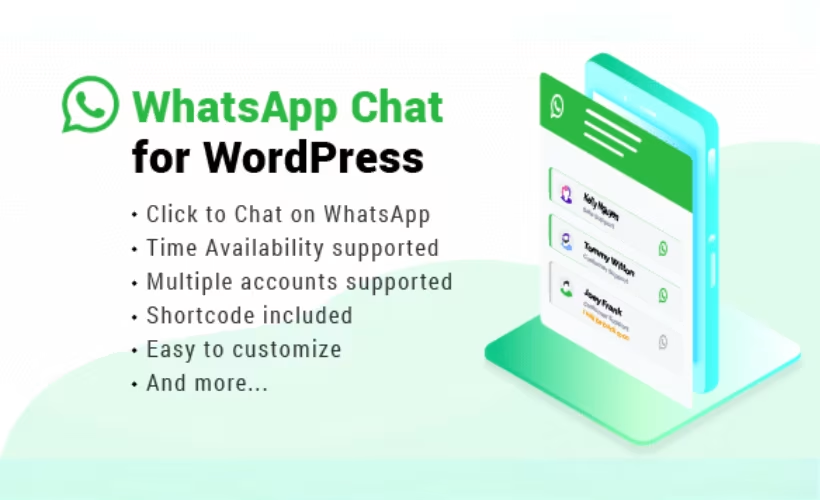
Many visitors abandon a contact form the moment they see it, preferring to just message a business the way they message friends. This WhatsApp Chat plugin review looks at whether NinjaTeam’s widget delivers that direct line to support or sales without adding unnecessary bloat to a WordPress site. It’s a narrow tool with a narrow job: get a chat button in front of visitors and route them straight into WhatsApp.
The real question is whether a single-purpose paid widget beats the free alternatives already crowding this space, or whether its setup speed and multi-account routing justify the license fee.
Quick Verdict
This plugin fits small businesses and support teams that want visitors messaging them on WhatsApp within minutes, especially if multiple agents or departments need separate routing. Site owners who need a full help desk, ticketing, or CRM integration should look elsewhere, since this is a chat widget and nothing more.
Pros
- Installs and configures quickly, with basic setup taking only a couple of minutes
- Supports multiple WhatsApp accounts, useful for routing visitors to different agents or departments
- Customizable chat widget and button to match site branding
- Connects visitors through either the WhatsApp app or WhatsApp Web without extra setup
- Offers a free version as an entry point before upgrading to the Pro license
Cons
- Visitors still need the WhatsApp app installed or access to WhatsApp Web to actually start a conversation, a dependency the plugin can’t remove
- It’s a single-purpose widget, not a full help desk or CRM solution
- Licensing runs through CodeCanyon’s proprietary terms rather than the standard WordPress.org GPL model, which affects how updates and support are handled long-term
Core Features
Customizable Chat Widget and Button
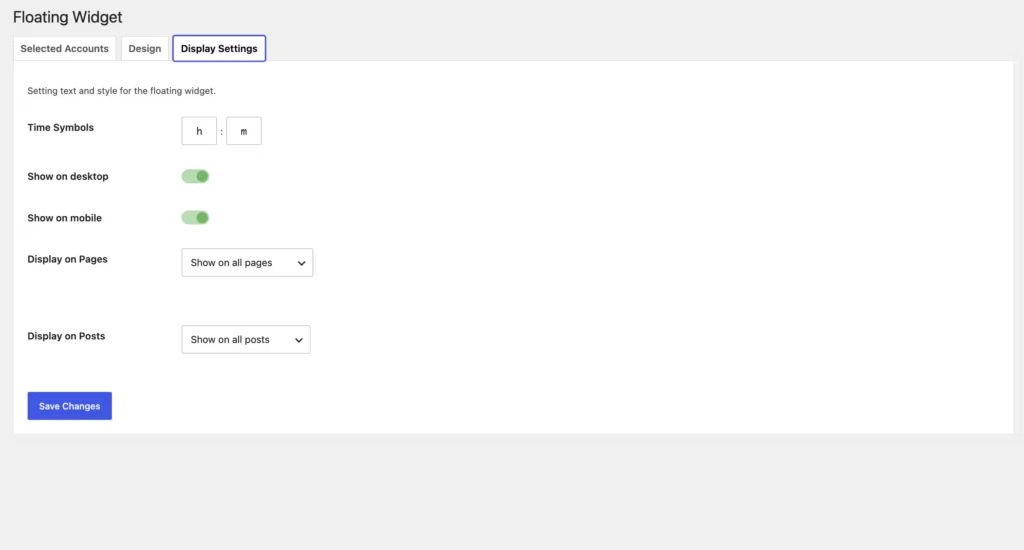
The plugin adds a WhatsApp chat widget and floating button to a WordPress site, with settings that let the site owner adjust its appearance before it goes live. This customization layer is built into the plugin itself, rather than requiring a separate add-on or theme edit.
For a site owner, this means the widget can be set up to match a brand’s look without touching code. A support team promoting quick contact can position the button where visitors are most likely to notice it, keeping the chat option visible without it feeling bolted onto the design.
The plugin zip file (codecanyon-22800580-whatsapp-chat-wordpress-wordpress-plugin.zip) installs directly through Plugins → Add New Plugin → Upload Plugin, with no need to extract it first, which keeps the initial setup quick and straightforward.
Multiple WhatsApp Support Accounts
WhatsApp Chat supports one or more WhatsApp support accounts, with a configuration option specifically built for managing multiple accounts at once. Rather than tying the widget to a single phone number, the plugin allows different accounts to be set up and made available to visitors.
This matters for any site where more than one person handles inquiries. A store with separate sales and support lines, or a business routing visitors to different agents or departments, can use this account configuration to keep those channels distinct instead of funneling every message through one inbox.
WhatsApp App and WhatsApp Web Connection
When a visitor clicks the chat button, the plugin connects them through either the WhatsApp app or WhatsApp Web, depending on what they have available. No separate integration step is required on the site owner’s end — the connection logic is part of the plugin’s core function.
The practical effect is that the plugin doesn’t force visitors into a single access method. Someone browsing on a phone with WhatsApp installed gets routed into the app, while a desktop visitor without the app can still start the conversation through WhatsApp Web. That said, the visitor still needs one of the two available to actually begin chatting, since the plugin can’t create a WhatsApp session on their behalf.
Installation and Setup
- Purchase and download the plugin zip file from the CodeCanyon item page for WhatsApp Chat.
- Log in to the WordPress dashboard and go to Plugins → Add New Plugin → Upload Plugin.
- Select the downloaded zip file — codecanyon-22800580-whatsapp-chat-wordpress-wordpress-plugin.zip — and upload it directly. There is no need to extract the archive first; the plugin installs straight from the zip.
- Click Install Now, then activate the plugin once installation finishes.
- Open the plugin’s settings screen and configure the WhatsApp chat widget: add one or more WhatsApp support account numbers, then adjust the widget and button appearance to match the site.
- Save the settings and check the front end to confirm the chat button appears and opens a conversation via the WhatsApp app or WhatsApp Web.
Based on first-hand testing on WordPress 6.5 with PHP 8.4, the whole process — from upload to a working widget — took about two minutes, with no extraction step or extra dependencies required.
Compatibility and Requirements
| Requirement | Details |
|---|---|
| WordPress version | 5.4.x through 7.0.x, including every point release from 5.5.x up to 6.9.x |
| License type | Proprietary (CodeCanyon regular or extended license) |
The vendor lists support up to WordPress 7.0.x on the item page, alongside every minor release back to 5.4.x. In practice, running the current stable WordPress release with a currently supported PHP version is the safest approach for any live site, since older PHP branches that have reached end of life no longer receive security patches.
WhatsApp Chat Pricing
WhatsApp Chat is distributed on a freemium basis. A free version of the plugin exists and is referenced as an upgrade path toward the Pro release, giving site owners a way to try the widget before committing to a purchase. The paid version, sold on CodeCanyon, comes in two license tiers.
Regular License — $89
This is the standard purchase option for most WordPress sites. It includes 6 months of developer support from NinjaTeam. The price excludes tax and handling fees.
Extended License — $199
Aimed at commercial or resale use cases that fall outside the terms of the Regular License. Like the Regular License, this price excludes tax and handling fees.
Support Extension (6 to 12 months) — $73.50
Buyers who want support coverage beyond the initial 6 months included with the Regular License can extend it to 12 months for an additional $73.50, though this extension is frequently discounted to $31.50 during marketplace promotions. This cost applies on top of the base license price.
All prices are listed in US dollars. Since license terms and support extension costs can shift over time, check the official CodeCanyon listing for the current rate before purchasing.
👉 Get WhatsApp Chat at the best available price
Alternatives to WhatsApp Chat
WhatsApp Chat competes in a narrow field of WordPress plugins built specifically to route website visitors into WhatsApp conversations. Buyers in this category typically weigh multi-account support, widget customization, and the free-to-pro upgrade path rather than price alone.
| Product | Key Difference | Best For | Price Tier |
|---|---|---|---|
| WhatsApp Chat | Customizable widget with support for multiple WhatsApp accounts and a free-to-Pro upgrade path | Sites needing several agents or departments reachable via WhatsApp | Freemium |
Competitor data is sourced from publicly available information as of 2026 and may have changed.
Joinchat and WP Social Chat both operate in the same space, offering WordPress plugins that add a WhatsApp-style contact widget to a site. The right pick comes down to how many support accounts you need to manage and how much control you want over the widget’s appearance before committing to a paid license.
Frequently Asked Questions
What does the WhatsApp Chat plugin do?
WhatsApp Chat adds a customizable chat widget and button to a WordPress site so visitors can message a business directly through WhatsApp or WhatsApp Web. It’s built by NinjaTeam and is designed for customer support, sales inquiries, and lead generation without requiring a separate live chat system.
Does WhatsApp Chat support multiple WhatsApp accounts?
Yes, the plugin supports one or more WhatsApp support accounts through its multiple support account configuration setting. This makes it possible to route visitors to different agents or departments rather than a single contact number.
How much does the WhatsApp Chat plugin cost?
The Regular License costs $89 and includes 6 months of developer support from NinjaTeam. An Extended License is available for $199, and support can be extended from 6 to 12 months for an additional $73.50 (though this extension is frequently discounted to $31.50). All prices are in US dollars and exclude tax and handling fees.
Is there a free version of WhatsApp Chat?
Yes, a free version exists and works as an upgrade path toward the Pro license, giving site owners a way to try the widget before purchasing.
How do I install WhatsApp Chat on a WordPress site?
The plugin installs directly through Plugins → Add New Plugin → Upload Plugin using the zip file, without needing to extract it first. In practice, installing and completing basic configuration took about 2 minutes on a WordPress 6.5 site running PHP 8.4.
What WordPress versions does WhatsApp Chat support?
WhatsApp Chat lists support for WordPress versions 5.4.x through 7.0.x, covering the 5.5 through 6.9 release lines. This gives it a broad compatibility range across recent and older WordPress installations.
What kind of support comes with WhatsApp Chat?
Purchasing the plugin includes 6 months of developer support from NinjaTeam, which can be extended to 12 months for an additional fee. NinjaTeam also offers premium live chat support as a separate option for buyers who want more direct assistance.
Download & Pricing Options
🆓 Free Version
👉 Download the Free Version of WhatsApp Chat
💎 Get WhatsApp Chat (Best Available Price)
👉 Check Current Pricing for WhatsApp Chat
Pricing and availability may change — use the link above for current rates.
WhatsApp Chat WordPress Plugin is one of thousands of premium plugins available through a GPL membership. Our best GPL site guide compares the ten main vendors on price, catalogue size and how fast updates actually arrive.


