Perfmatters Review 2026: Is This Lightweight Speed Plugin Worth It?

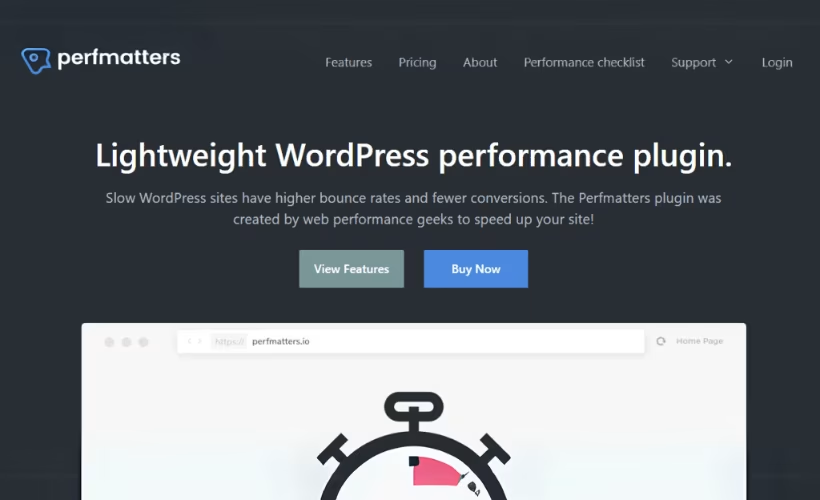
WordPress sites often slow down not because of one big problem, but from dozens of small ones: scripts loading on pages that don’t need them, bloated databases, and third-party trackers dragging down every page load. This Perfmatters review looks at whether a dedicated, lightweight optimization plugin can actually clean up that mess without turning into another layer of complexity. The plugin’s pitch is narrow and specific — cut unnecessary requests, trim scripts per page, and tidy the database — rather than trying to replace your caching setup entirely.
The real question is whether adding Perfmatters alongside a caching plugin delivers enough Core Web Vitals improvement to justify the ongoing cost and setup effort.
Quick Verdict
Perfmatters suits site owners and agencies who already run a caching plugin and want granular control over which scripts load on which pages, plus straightforward database cleanup. It’s less suited to beginners who want a single “install and forget” fix, since getting the most out of it means understanding what each disabled script actually does.
Pros
- Script and plugin manager lets you disable unused assets on a per-page basis
- Built-in database optimization tools included
- Local Analytics feature hosts Google Analytics scripts on your own server, reducing third-party script impact
- JavaScript-based lazy loading covers images, CSS background images, iframes, and embedded videos
- Installation and setup is fast and straightforward
Cons
- No free tier, so there’s no way to trial the plugin before purchasing
- Per-page script disabling requires technical judgment to avoid breaking site functionality
Core Features
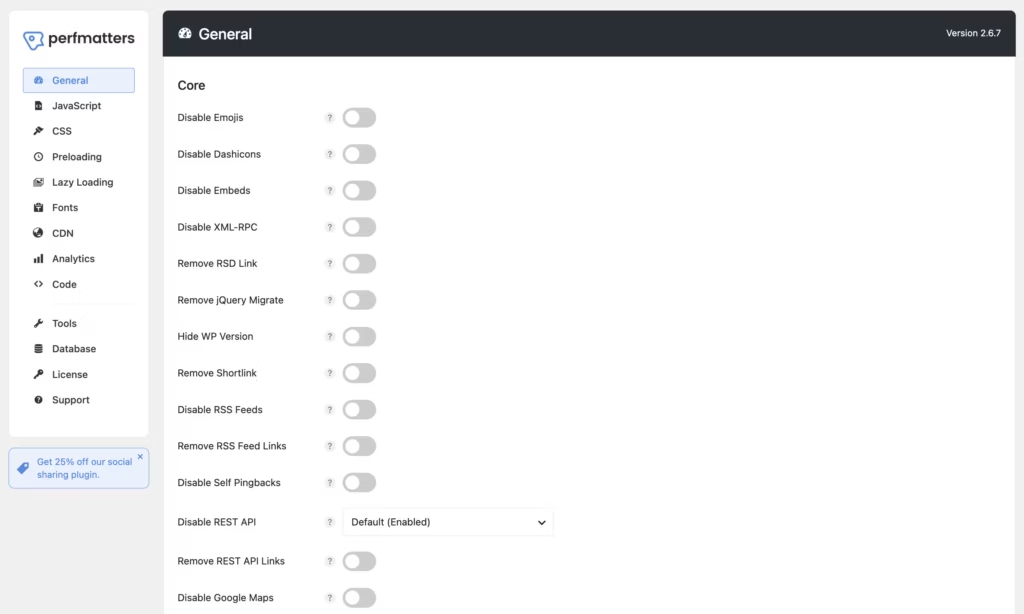
Script and Plugin Manager
Perfmatters centers on a script and plugin manager that lets you disable individual plugins and scripts on a per-page or per-post basis. Rather than deactivating a plugin site-wide, you can turn it off on pages where it serves no purpose — a contact form plugin on a blog post, for instance, or a WooCommerce script on pages with no cart activity.
The practical result is fewer scripts loading on pages that don’t need them, which cuts down on the HTTP requests each page has to make. For sites running dozens of plugins, this kind of targeted control tends to matter more for real-world load times than blanket optimization settings.
In our testing on WordPress 6.5 with PHP 8.4, setup took about 2 minutes from install to basic configuration. The file perfmatters-2.6.7.zip could be installed directly through Plugins → Add New Plugin → Upload Plugin without needing to extract it first, which made getting into the script manager and adjusting per-page settings a quick process.
Database Optimization Tools
The plugin includes built-in database optimization tools aimed at clearing out the clutter that accumulates in a WordPress database over time — things like post revisions, trashed items, and spam comments. This runs from within the same interface as the script manager, so cleanup doesn’t require a separate utility.
A leaner database means faster queries, which contributes to quicker page generation, particularly on sites that have been running for years and have never had their tables cleaned.
Local Analytics
Perfmatters includes a Local Analytics feature that hosts Google Analytics scripts on your own server or CDN instead of pulling them from Google’s servers on every page load. This is a specific answer to one of the most common third-party script penalties flagged in site speed audits.
By serving the analytics script locally, the plugin reduces the performance drag that third-party requests typically add, which can help pages score better without sacrificing the tracking data site owners rely on.
Lazy Loading
The plugin ships a JavaScript-based lazy loading module that covers a wider surface than just images — it also applies to inline and CSS background images, iframes, and embedded video from sources like YouTube and Vimeo. Content in these formats only loads once it’s about to enter the viewport.
For pages heavy with embedded video or image galleries, this defers the request cost of off-screen media until it’s actually needed, which shortens initial page load and reduces wasted bandwidth for visitors who never scroll that far.
Core Web Vitals Optimization
Reducing HTTP requests and disabling unused scripts are aimed squarely at Core Web Vitals, the metrics Google uses to judge page experience. Fewer requests and less script execution translate directly into improvements for metrics tied to loading speed and interactivity.
Site owners tracking these scores in tools like PageSpeed Insights or Search Console get a plugin built around the same metrics those tools report on, rather than generic speed claims that don’t map to any specific benchmark.
Installation and Setup
- Purchase a Perfmatters license and download the plugin ZIP file from your account area on the official site.
- Log in to your WordPress dashboard and navigate to Plugins → Add New Plugin → Upload Plugin.
- Upload the ZIP file directly — there’s no need to extract it first, as WordPress handles the installation from the compressed file itself.
- Click Activate once the upload finishes. The whole process, from upload to activation, typically takes only a couple of minutes.
- Enter your license key when prompted, then open the Perfmatters settings panel to begin configuring options such as script management, database optimization, and lazy loading.
- Review the per-page script and plugin manager to disable assets that aren’t needed on specific pages or post types, which is where most of the measurable performance gains come from.
Perfmatters doesn’t rely on any companion plugin to function. It installs and runs as a standalone plugin, with its optimization tools built directly into it.
Compatibility and Requirements
Perfmatters is coded and tested to work with all themes and plugins, and it’s built to run alongside caching plugins rather than conflict with them. This makes it a flexible addition to most existing WordPress setups, regardless of the theme framework or page builder already in use.
Running an outdated, end-of-life PHP version on a live site is a security risk on its own, independent of Perfmatters, so it’s good practice to update that first if needed.
Support is provided directly by the plugin’s developers rather than outsourced to a third party.
Perfmatters Pricing
Perfmatters is sold exclusively as a paid plugin, with no free version available for testing before purchase. The developer, forgemedia LLC, licenses the plugin through annual subscriptions tied to how many sites you plan to run it on.
Three license tiers are offered: a Single Site plan for one WordPress installation, a 3-Site plan covering three installations, and an Unlimited plan for agencies or developers managing any number of sites. All three renew annually, so continued access to updates and support depends on keeping the subscription active.
Every tier comes with a 30-day money-back guarantee, giving buyers a full month to run the plugin on a live site and confirm it delivers the expected speed gains before the purchase becomes final.
Current pricing details are not available in this review. Check the official developer website for up-to-date pricing information.
👉 Get Perfmatters at the best available price
Alternatives to Perfmatters
Perfmatters focuses narrowly on script control, database cleanup, and Core Web Vitals gains, but it isn’t the only performance tool WordPress site owners consider. Here’s how it stacks up against other well-known optimization and caching plugins.
| Product | Key Difference | Best For | Price Tier |
|---|---|---|---|
| Perfmatters | Lightweight script/plugin manager plus database tools, designed to run alongside a caching plugin rather than replace one | Site owners wanting granular per-page control over scripts and Core Web Vitals tuning | Subscription-based |
| WP Rocket | All-in-one caching plugin with built-in page caching, file optimization, and lazy loading in a single install | Users who want a full caching solution without combining multiple plugins | Paid |
| WP-Optimize | Combines database cleanup with caching and image compression in one plugin | Site owners who want cleanup, caching, and image compression bundled together | Freemium |
| Autoptimize | Concentrates on aggregating and minifying CSS, JavaScript, and HTML | Users who need file optimization without paying for a premium plugin | Free |
| W3 Total Cache | Long-established caching plugin with extensive configuration options for CDN, browser, and page caching | Site owners comfortable with detailed manual configuration | Freemium |
Competitor data is sourced from publicly available information as of 2026 and may have changed.
The right pick depends on how much control you want versus how much setup time you’re willing to invest. A site already running a caching plugin may only need Perfmatters for script management and database cleanup, while a site with nothing installed yet might prefer an all-in-one option like WP Rocket or W3 Total Cache.
Frequently Asked Questions
What does Perfmatters do for WordPress performance?
Perfmatters is a lightweight performance plugin that speeds up WordPress sites by reducing HTTP requests, disabling unused plugins and scripts on a per-page basis, and optimizing the database. It’s aimed specifically at improving Core Web Vitals scores rather than functioning as a full caching solution.
Does Perfmatters have a free version?
No, Perfmatters is a premium-only plugin with no free tier available. There’s no way to trial the plugin’s features before purchasing a license.
Does Perfmatters offer a money-back guarantee?
Yes, Perfmatters offers a 30-day money-back guarantee. Buyers can request a full refund within 30 days of their original purchase date.
Who develops Perfmatters?
Perfmatters is developed and maintained by forgemedia LLC, a company founded by brothers Brian Jackson and Brett Jackson. The plugin has dedicated support behind it rather than being a side project.
Do I still need a caching plugin if I use Perfmatters?
Yes, Perfmatters is designed to work alongside a caching plugin rather than replace one. It’s coded and tested to work with all themes and plugins, focusing on script management and database cleanup while a separate caching plugin handles page caching.
Does Perfmatters include lazy loading for images and videos?
Yes, Perfmatters includes a JavaScript-based lazy loading module. It covers images, inline and CSS background images, iframes, and embedded videos such as YouTube and Vimeo.
What pricing plans does Perfmatters offer?
Perfmatters offers three license plans billed as annual subscriptions: a single-site plan, a 3-site plan, and an unlimited-site plan. The single-site plan covers one WordPress website, while the higher tiers scale up for agencies or those managing multiple sites.
Download & Pricing Options
🔍 Try Before You Buy
Perfmatters does not have an official free tier. To evaluate it before purchasing, a GPL-licensed copy is available for sandbox testing purposes only.
👉 Download GPL Evaluation Copy
This is a GPL-licensed redistributed copy for testing only — not an official developer product.
💎 Get Perfmatters (Best Available Price)
👉 Check Current Pricing for Perfmatters
Pricing and availability may change — use the link above for current rates.
A GPL membership covers Perfmatters along with thousands of other premium products. Our best GPL websites guide sets out what each vendor charges and what you give up in return.


