Tutor LMS Review 2026: Features, Pricing, and Setup

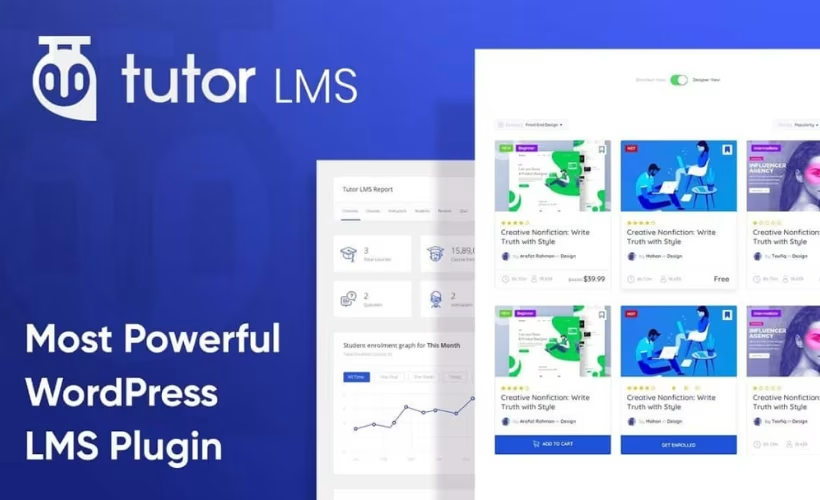
Selling online courses through WordPress usually means bolting together a separate LMS plugin, a payment processor, and a handful of add-ons just to handle quizzes, drip content, and checkout. This Tutor LMS review looks at whether Themeum’s plugin closes that gap on its own, and whether the free version covers enough ground before the Pro upgrade becomes necessary. For anyone building a course site rather than renting space on a third-party marketplace, that distinction matters from day one.
The real question is whether the jump from Tutor LMS’s free tier to Pro pays for itself once you factor in selling, live classes, and grading at scale.
Quick Verdict
Tutor LMS suits WordPress site owners and educators who want course creation, selling, and live class delivery handled inside one plugin rather than stitched together from several.
Pros
- Free version lets you test the course builder before paying for anything
- Pro adds native checkout, subscriptions, and membership options for selling courses directly
- Live classes run through Zoom and Google Meet integration built into the curriculum
- Works with Elementor, Gutenberg, and standard WordPress themes
- Content Drip, Course Bundles, and Gradebook add-ons extend delivery and grading
Cons
- Bundles, content drip, and other advanced selling tools sit behind the paid Pro tier
- Business plan licensing tops out at 10 sites, a constraint for larger agencies
- Live classes rely on external Zoom or Google Meet accounts instead of a built-in conferencing system
Core Features

Course Creation
Tutor LMS is built around a dedicated course builder that structures content into lessons, topics, and modules directly inside the WordPress editor. The builder works alongside standard WordPress themes and Gutenberg, and Themeum also provides dedicated add-ons for Elementor, so course layouts aren’t locked to a single design workflow.
For a site owner, this means course content can slot into an existing WordPress build rather than forcing a rebuild around the LMS. Instructors working in Elementor keep their existing page templates while still using Tutor’s curriculum structure underneath.
Quizzes
The quiz builder lets instructors attach graded assessments to individual lessons or course sections, a common way to check whether students absorbed the material before moving forward. Quizzes sit inside the same course structure as lessons, so grading and progression can be tied together.
This gives course creators a way to gate advancement on comprehension rather than just video completion, which matters for certification-style courses where a passing score is part of the credential.
Assignments
Assignment management in Tutor LMS handles submission-based coursework — the kind of task that can’t be auto-graded by a quiz engine, such as written work or project files. Instructors review and score submissions through the same admin interface used for the rest of the course.
For trainers running skills-based programs, this covers the gap that multiple-choice quizzes leave open, letting a course combine automated testing with manual review in one platform.
Live Classes
Live class integration connects course delivery to Zoom and Google Meet, letting instructors schedule and run interactive sessions from inside the course curriculum rather than switching to a separate conferencing tool. Students join live sessions through the same interface where they access recorded lessons and quizzes.
Because the integration relies on Zoom or Google Meet accounts rather than a bundled conferencing system, instructors need active accounts with one of those providers, but they gain live delivery without leaving the course structure students already navigate.
Certificates
Certificate generation produces completion credentials automatically once a student finishes a course, closing the loop on the quiz and assignment grading built into the same platform. Completion rules trigger certificates automatically, rather than requiring manual issuance.
For educators selling credential-based training, this removes a manual administrative step and gives students a tangible deliverable the moment they finish, without a separate certificate plugin.
Subscriptions
Subscription management lets course creators charge recurring fees for access rather than a single one-time price. It sits inside Tutor’s own commerce layer, tying recurring billing directly to course access rules.
For sites built around an ongoing content library — ongoing skill training, for example — subscriptions turn a course catalog into a recurring revenue model instead of a one-off sale.
Memberships
Membership management works alongside subscriptions to control access at a broader level than a single course, grouping content so students pay for a tier of access rather than individual titles. The same built-in management tools that run the rest of the course structure handle these access levels too.
Businesses selling a library of training content, rather than one course at a time, can package multiple courses under a membership tier and manage access from one admin screen.
Native eCommerce
Tutor LMS includes its own eCommerce checkout for course sales, meaning transactions run through the plugin itself rather than requiring a separate store plugin bolted on afterward. Subscriptions and memberships both build on top of this same checkout layer.
For a WordPress site owner who wants to sell courses without standing up a full store plugin, this native checkout removes a layer of integration work — course, price, and purchase flow all live in the same system.
Installation and Setup
- Install the free version of Tutor LMS from the WordPress plugin directory to test core course-building tools before committing to Pro.
- Purchase Tutor LMS Pro and download the plugin package from your account. In testing, the package arrived as tutor-pro-4.0.7.zip.
- In the WordPress dashboard, go to Plugins → Add New Plugin → Upload Plugin.
- Upload the zip file directly. It does not need to be extracted first — the packaged file installs as-is through the standard WordPress uploader.
- Activate the plugin once the upload completes.
- Enter your license key when prompted to unlock Pro features and enable automatic updates.
In testing on WordPress 6.5 with PHP 8.4, the entire process — from upload to a working install — took about two minutes, with no manual extraction or server-side steps required.
For configuring individual course settings, quiz options, certificates, and payment setup, refer to Themeum’s official documentation, which covers each module in more depth than a general install walkthrough can.
Compatibility and Requirements
| Component | Version confirmed |
|---|---|
| WordPress | 6.5 |
| PHP | 8.4 |
These versions reflect a working, tested environment rather than a stated minimum.
If you’re running a much older WordPress or PHP version, updating to a currently supported PHP release is generally advisable regardless of which plugin you install, since unsupported PHP versions no longer receive security patches.
Tutor LMS Pricing
Tutor LMS follows a freemium model. The free version, available through the WordPress plugin directory, includes core course-building functionality — enough to create and publish courses before deciding whether the Pro upgrade is worth the cost.
Tutor LMS Pro is sold as annual subscriptions or lifetime licenses, split across individual, business, and agency tiers.
| Plan | Annual price | Lifetime price | Site license |
|---|---|---|---|
| Individual | $199/year | $499 | 1 site |
| Business | $399/year | $999 | Up to 10 sites |
The Individual plan covers a single site with the full set of Pro features. The Business plan extends that same feature set to as many as ten site licenses, making it the more practical choice for agencies or consultants managing multiple client installs on a smaller scale. An Agency tier also exists above these two.
Themeum backs Tutor LMS Pro with a 30-day money-back guarantee, letting buyers request a refund within 30 days of their original purchase if the plugin doesn’t fit their needs.
For the most current figures, confirm pricing on the official tutorlms.com site before purchasing.
👉 Get Tutor LMS at the best available price
Alternatives to Tutor LMS
Tutor LMS is not the only WordPress LMS plugin built around a freemium model. LearnDash and LifterLMS are two established alternatives worth comparing before deciding which fits your course-selling plans.
| Product | Key Difference | Best For | Price Tier |
|---|---|---|---|
| Tutor LMS | Freemium LMS with native eCommerce checkout, subscriptions, and live class integration built into the paid tier | Site owners who want to test course features free before upgrading | Freemium |
| LearnDash | Long-established plugin with a structured course-building framework and strong gamification features like badges and points | Educators who prioritize gamification and a proven, structured course layout | Paid |
| LifterLMS | Free core plugin extended through paid add-ons for e-commerce, gamification, and reporting | Users who want to build up functionality gradually through individual add-ons | Freemium |
Competitor data is sourced from publicly available information as of 2026 and may have changed.
The right pick depends on how you plan to grow your course business. If gamification is central to student engagement, LearnDash’s badge and points system may be worth the investment, while LifterLMS suits those who prefer adding paid features one at a time rather than committing to a full Pro tier upfront.
Frequently Asked Questions
Is there a free version of Tutor LMS?
Yes, Tutor LMS has a free version with core course-building functionality, including tools for creating courses, quizzes, and assignments. It lets users test the plugin’s basic workflow before deciding whether to upgrade to Pro for features like subscriptions, memberships, and native eCommerce checkout.
How much does Tutor LMS Pro cost?
Tutor LMS Pro is sold in individual, business, and agency tiers with both annual and lifetime license options. The Individual plan runs $199 per year or $499 for lifetime access on one site, while the Business plan costs $399 per year or $999 for lifetime access and covers up to 10 site licenses.
Does Tutor LMS offer a refund if I’m not satisfied?
Yes, Tutor LMS Pro offers a customer-friendly 30-day money-back guarantee on its plans. [1] (/goto?url=CAESUwHrOzAV6EzY5hrCSuqmhcXAiWzRgQGNhPGB38J28j8uf9LD6Js1qHXgBW2I4VOx2yMoTgAbWXCiL3YrBQZ74Z7W2PQgvsHPBNnY4PWB91bdms7Y), [2] (/goto?url=CAESdwHrOzAVORn2XFWXR3yXRprU6Qd9dR1DRVqNQf-xzQIY8cPcjEnslHKGnwojbeSEfWWXicM-JUFWBYSwsgbgaUpNPxNf8Qm4yjTdN9vF8c2BlE8JeZ-BNCulFnBj9jZDT9l-oZ7BSoR7tZLdzfJS9b87rvqu7b) Refund requests must be submitted within 30 days of the original purchase date.
Can I host live classes with Tutor LMS?
Yes, Tutor LMS integrates directly with Zoom and Google Meet to run live classes from within the course curriculum. This lets instructors schedule and deliver live sessions without leaving the course structure to manage a separate conferencing setup.
Is Tutor LMS compatible with Elementor?
Yes, Tutor LMS works with Elementor through dedicated add-ons, alongside native support for Gutenberg and standard WordPress themes. This gives site owners flexibility in how they design course pages regardless of which builder their theme relies on.
What add-ons come with Tutor LMS Pro?
Tutor LMS Pro includes add-ons such as Content Drip, Course Bundles, and Gradebook. Content Drip releases course material on a schedule using dates, enrollment delays, sequential unlocks, or prerequisites; Course Bundles let instructors package multiple courses together with custom pricing; and Gradebook tracks and manages student grades and quiz performance.
How does Tutor LMS compare to LearnDash?
Tutor LMS and LearnDash are both established WordPress LMS plugins built to handle course creation, quizzes, and selling content directly from a WordPress site. Tutor LMS differentiates itself with a free tier for testing core functionality plus built-in Zoom and Google Meet integration for live classes, while LearnDash is a longtime category competitor with its own course and monetization tools.
Download & Pricing Options
🆓 Free Version
👉 Download the Free Version of Tutor LMS
💎 Get Tutor LMS (Best Available Price)
👉 Check Current Pricing for Tutor LMS
Pricing and availability may change — use the link above for current rates.
Wondering where to get Tutor LMS without the annual licence fee? We ranked the options in our best GPL site comparison, and we say plainly which ones we would avoid.


