Smart Slider 3 Pro Review 2026: Is the Upgrade Worth It?

Most WordPress sliders either look dated or drag page speed down, and finding one that works cleanly with your existing page builder often means testing several plugins before settling. This Smart Slider review looks at the plugin behind more than 900,000 active installs and asks whether its paid Pro tier — extra slide types, templates, and features layered on the free base — earns its place on a site that already runs the free version. Nextend built its reputation on this plugin over years, so the question isn’t whether Smart Slider works, but whether Pro’s added capability changes what you can build.
The real decision point is cost versus need: does the Pro upgrade solve a problem the free version genuinely can’t, or is it paying for headroom you’ll never use.
Quick Verdict
Smart Slider 3 Pro suits site owners and builders who have outgrown the free plugin’s slide types and templates and need deeper presentation options within a page builder workflow. It’s less compelling for single-site owners happy with basic sliders, or anyone put off by per-site pricing tiers. Agencies managing several domains should weigh the licensing structure carefully before committing.
Pros
- Built by Nextend, a long-established developer in the WordPress slider space
- Native integration with major WordPress drag-and-drop page builders
- Pro unlocks extra slide types, templates, and features beyond the free plugin
- Installation is quick, using the standard WordPress plugin upload process
Cons
- The free version’s settings panel is dense enough to create a learning curve for new users
- Advanced slide types and templates are Pro-only, leaving the free version limited for complex presentations
Core Features
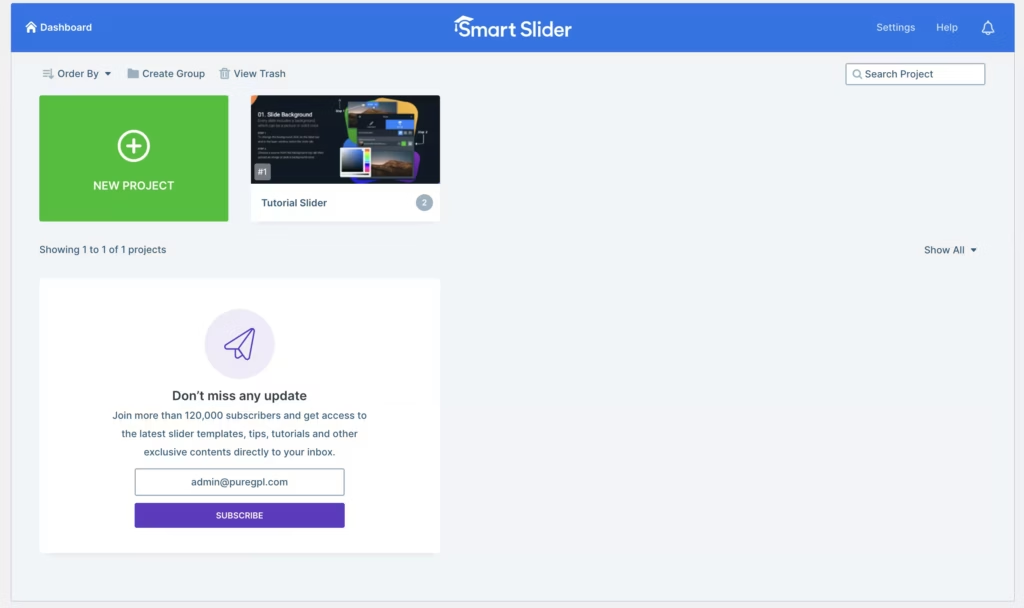
Slider and Carousel Building
Smart Slider’s core job is building sliders and carousels directly inside WordPress, through a dedicated slider building interface. The same interface serves both the free and Pro versions, so the actual construction process — adding slides, arranging layers, setting transitions — stays consistent whether or not you’ve upgraded.
For a site owner, this means no separate learning curve when moving from free to Pro. You keep the same working environment and simply gain more material to build with, rather than having to relearn a different tool.
The nextend-smart-slider3-pro.zip file can be uploaded directly in WordPress without extracting it first, through Plugins → Add New Plugin → Upload Plugin → Choose File → select the ZIP → Install Now → Activate.
Dynamic Content Presentations
Beyond static image sliders, Smart Slider is built to handle dynamic content presentations — layouts that go beyond a simple rotating banner. That makes it a tool for more than just a homepage hero image.
That flexibility matters if your site needs to present content in varied formats, such as promotional blocks, featured post carousels, or mixed media sections, rather than a single repeated slide pattern.
Extra Slide Types (Pro)
The Pro upgrade adds extra slide types on top of what’s available for free. These give you more starting points when a project calls for a presentation style the free tier doesn’t cover.
The practical benefit is fewer workarounds. Instead of forcing a free-tier slide type to do a job it wasn’t designed for, Pro users have additional formats ready to select from within the same builder.
Additional Templates (Pro)
Templates are a built-in part of Smart Slider at every tier, giving users a starting design rather than a blank canvas. Pro expands this template library with additional options beyond what ships in the free version.
For anyone building sliders on a deadline, a larger template pool cuts down the time spent designing from scratch — you pick a closer starting match and adjust from there instead of assembling every layer manually.
Page Builder Integration
Smart Slider includes native integration with major WordPress drag-and-drop page builders. Rather than embedding sliders through a generic shortcode workaround, the plugin is built to slot into the page builder workflow directly.
For site owners already standardized on a particular builder, this means inserting and editing a Smart Slider slide happens inside the same editing screen as the rest of the page, without breaking out into a separate admin flow.
Additional Pro Features Beyond the Free Version
Pro also carries a set of features beyond the free version’s slide types and templates, layered on top of the settings panel that’s already part of the base plugin. The free tier is noted for including a substantial number of settings on its own, and Pro builds further on that same foundation rather than replacing it.
The result is a single settings-driven system that scales with the license rather than forcing a switch to a different configuration model after upgrading.
Installation and Setup
- Download the Smart Slider plugin package from your account after purchase. It arrives as a file named nextend-smart-slider3-pro.zip and does not need to be extracted before uploading.
- Log in to your WordPress dashboard and navigate to Plugins → Add New Plugin.
- Click Upload Plugin, then Choose File, and select the nextend-smart-slider3-pro.zip file.
- Click Install Now to upload and install the plugin files.
- Click Activate once the installation finishes.
- Open the Smart Slider interface from the dashboard to begin building a slider. The setup process, from upload to an active plugin ready for use, typically takes only a couple of minutes.
Compatibility and Requirements
The plugin is built and maintained for use on the current stable WordPress release and a currently supported PHP version. Running an outdated, end-of-life PHP version on a live site is generally inadvisable, since it affects overall site security.
Smart Slider is developed by Nextend and is distributed as a responsive slider plugin for both WordPress and Joomla. The free version, available on WordPress.org, is fully GPL-licensed and includes slider building features, templates, and a settings panel — users note that even the free tier ships with a lot of configurable settings.
Pro tiers add extra slide types and additional templates on top of the free feature set.
Support for Smart Slider Pro is described as dedicated.
Smart Slider Pricing
Smart Slider is available as a free plugin on WordPress.org. The free version includes the core slider building interface, a set of templates, and a settings panel that users describe as surprisingly deep for a no-cost tool.
Smart Slider is the paid upgrade, and it’s sold in tiered packages where the main differentiator between plans is the number of sites or domains covered under a single purchase, rather than a difference in feature sets. Upgrading to Pro unlocks extra slide types, additional templates, and other features layered on top of the free base.
Current pricing details are not available in this review. Check the official developer website for up-to-date pricing information.
👉 Get Smart Slider at the best available price
Alternatives to Smart Slider
Several WordPress slider and carousel plugins compete in the same space as Smart Slider. The table below summarizes Smart Slider’s own position in this category.
| Product | Key Difference | Best For | Price Tier |
|---|---|---|---|
| Smart Slider | Free tier with over 900,000 active installs, GPL-licensed, Pro tiers scale by number of sites/domains and unlock extra slide types, templates, and page builder integrations | WordPress site owners wanting a widely adopted slider plugin with a clear free-to-paid upgrade path | Freemium |
Competitor data is sourced from publicly available information as of 2026 and may have changed.
The right pick ultimately depends on how many sites you need to cover, how deeply you rely on drag-and-drop page builder integration, and whether the free tier’s feature set already meets your needs before considering a paid upgrade.
Frequently Asked Questions
Who develops Smart Slider?
Smart Slider is developed by Nextend, an established name in the WordPress slider space. The plugin is also built for Joomla, and it holds top ratings as a responsive slider tool across both platforms.
Is Smart Slider free to use?
Yes, a free version is available on WordPress.org with slider building features, templates, and a full settings panel. It’s one of the most widely adopted responsive slider builders on the platform, with over 900,000 active installations.
Is Smart Slider GPL licensed?
Yes, the free version of Smart Slider is fully GPL-licensed under the GNU General Public License. This is required for any plugin hosted on the WordPress.org Plugin Directory, which enforces GPL v2 or later for all listed code and derivative works.
How is Smart Slider priced?
Smart Slider is sold in tiered packages, with the primary differentiator being the total number of sites or domains allowed under a single purchase. This means the cost scales with how many websites you plan to activate the license on, which matters most for agencies or anyone managing multiple sites.
Does Smart Slider work with page builders like Elementor?
Yes, Smart Slider features deep, native integration with major WordPress drag-and-drop page builders. This allows sliders built in the plugin to be inserted and managed directly within a builder’s own editing workflow rather than through a separate interface.
How do I install Smart Slider on WordPress?
Installation is handled through the standard WordPress plugin upload flow and takes only a couple of minutes. Go to Plugins → Add New Plugin → Upload Plugin, choose the nextend-smart-slider3-pro.zip file without extracting it, then click Install Now and Activate.
Download & Pricing Options
🆓 Free Version
👉 Download the Free Version of Smart Slider
💎 Get Smart Slider (Best Available Price)
👉 Check Current Pricing for Smart Slider
Pricing and availability may change — use the link above for current rates.
Smart Slider 3 Pro is one of thousands of premium plugins available through a GPL membership. Our best GPL websites guide compares the ten main vendors on price, catalogue size and how fast updates actually arrive.


