Saasland Theme Review 2026: Best for SaaS & Startups?

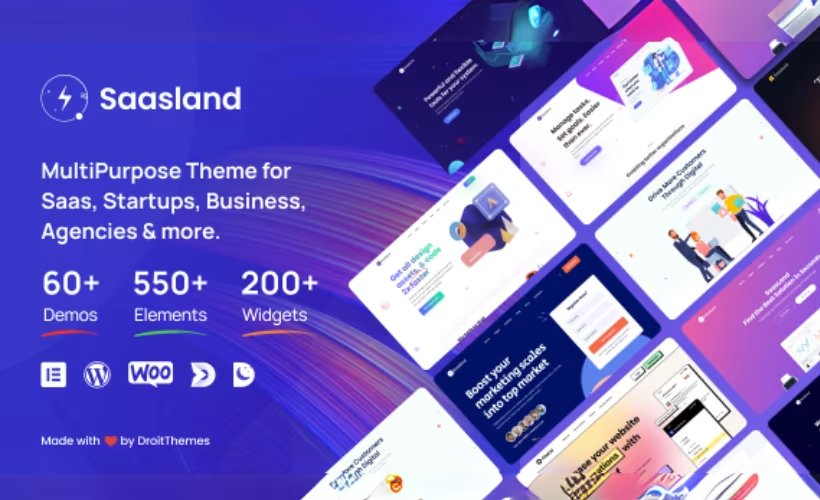
Most WordPress themes are built for everyone, which means they’re optimized for no one. SaaS founders and tech startups end up wrestling generic multipurpose themes into shape — stripping out irrelevant demos, hunting for the right pricing table layout, and bolting on plugins that should have been there from the start. This Saasland theme review examines a theme designed specifically for that audience: 60+ demos targeting SaaS, software, and technology verticals, with Elementor baked in from the ground up.
Whether Saasland’s vertical focus justifies its price over broader multipurpose alternatives is what this review settles.
Quick Verdict
Saasland is a strong fit for SaaS companies, software startups, and tech agencies that want a purpose-built starting point rather than a blank canvas. Buyers who need a lightweight theme with minimal plugin overhead, or who want eCommerce and multilingual features without third-party dependencies, should look elsewhere.
Pros
- 60+ pre-built demos purpose-built for SaaS, software, and technology verticals
- 550+ Elementor elements and blocks give granular layout control
- One-click demo import with a child theme, PSD assets, and documentation included in the package
- WooCommerce and WPML support covers eCommerce and multilingual use cases
- Tested on WordPress 6.5 and PHP 8.4; basic installation completes quickly
Cons
- No free version or trial tier — buyers commit to the $59 purchase before testing the theme on their own setup
- Full feature set requires installing several plugins across both required and recommended categories
- Plugin dependency stack increases both performance overhead and long-term maintenance complexity
- eCommerce and multilingual capabilities depend entirely on WooCommerce and WPML — neither is built into the theme itself
Core Features
60+ Pre-Built Demos Targeting SaaS and Tech Verticals
Saasland ships with more than 60 home demos, each designed around a specific niche within the SaaS, software, and technology space — mobile app landing pages, IT service companies, startup promotional sites, and digital agency portfolios. This isn’t a general-purpose demo library with a few tech-flavored options bolted on; the catalog is built from the ground up for those target verticals.
Each demo arrives with full demo content files included in the package, so the layouts you see in previews are the layouts you can import. Combined with One Click Demo Import support, getting from a blank WordPress install to a populated site takes minutes rather than hours of manual configuration.
Elementor Integration with 550+ Elements and Blocks
The page-building layer is built around Elementor, and the depth of that integration shows in the 550+ elements and blocks available for constructing pages. That figure covers purpose-built components for SaaS-specific layouts — pricing tables, feature showcases, app screenshots, and similar — rather than generic content blocks that happen to work with the theme.
For teams that want to move beyond the included demos, this element library provides the raw material to build custom pages without touching code. The companion plugins Droit Addons For Elementor and Droit Elementor Templating extend this further, adding templating workflows on top of the core Elementor environment.
The required plugins for this layer include Saasland Core, Droit Elementor Templating, Droit Addons For Elementor, and Elementor itself. Droit Dark Mode is listed among the recommended additions for teams that want to offer visitors a dark mode toggle.
One-Click Demo Import and Bundled Assets
The package includes everything needed to replicate a demo environment: demo content files, a child theme, PSD source files, and documentation, all bundled at purchase. The child theme matters in practice — customizations survive theme updates without being overwritten, which is a common pain point when working with heavily modified premium themes.
PSD files are included for teams that want to prototype or hand off designs to a developer before building in WordPress. That combination of importable demo content, a ready-to-use child theme, and source design files reduces setup overhead considerably for agencies or founders working under time pressure.
The reviewed package includes the saasland-3.7.8.zip theme file, a Child Theme folder, a Plugins folder, a Documentation folder, a Demo Contents folder, an Assets folder, a PSDs folder, and a Licensing folder. Check the official ThemeForest listing for the latest available version, as newer releases may be available after this review.
Slider Revolution
Slider Revolution is bundled with Saasland rather than sold separately. For SaaS and startup sites, this typically means animated hero sections, feature carousels, and app showcase sliders — the kinds of presentation elements that appear in nearly every demo in the library.
Slider Revolution appears in the recommended plugins list rather than the required list, meaning the core theme installs without it — but activating it is straightforward from the bundled Plugins folder.
WooCommerce Integration
Saasland includes WooCommerce integration for sites that need to sell digital products, software licenses, or subscriptions alongside their main marketing content. The eCommerce layer is not built into the theme itself — WooCommerce must be installed as a plugin — but the theme is built to accommodate it, and WooCommerce Wishlist is listed among the recommended companion plugins for a more complete store experience.
This makes Saasland a workable option for SaaS businesses that combine a marketing site with a direct sales channel, without needing a separate storefront theme.
Both WooCommerce and WooCommerce Wishlist sit in the recommended plugins list. Neither is required to install the theme, so buyers with no eCommerce needs can skip them entirely without affecting the rest of the setup.
WPML Integration for Multilingual Sites
Multilingual support is handled through WPML integration. As with WooCommerce, the capability depends on the WPML plugin being installed and licensed separately — the theme provides compatibility, not a built-in translation engine.
For technology companies or SaaS products serving international markets, this integration means the same Elementor-built layouts and demo structures can be replicated across language versions without rebuilding pages from scratch.
Gutenberg Compatibility
Beyond Elementor, Saasland declares compatibility with the Gutenberg block editor. This gives site owners the option to use the native WordPress editor for content-heavy pages — documentation, blog posts, knowledge base articles — while reserving Elementor for the more design-intensive marketing pages.
The EazyDocs plugin, included among the required plugins, supports knowledge base and documentation site builds, which pairs naturally with Gutenberg for structured content that doesn’t require the full visual editing environment.
EazyDocs — listed by its full name as EazyDocs – Knowledge Base, Wiki, Documentation & FAQ Builder — is a required plugin alongside Saasland Core, Advanced Custom Fields Pro, Redux Framework, and HubSpot – CRM, Email Marketing, Custom Fonts. Contact Form 7, One Click Demo Import, Slider Revolution, WooCommerce, WooCommerce Wishlist, Droit Dark Mode, and WP Travel Engine are among the recommended plugins.
Installation and Setup
- Purchase Saasland from ThemeForest and download the full package. Inside you will find the theme ZIP file, a child theme, a plugins folder, demo content files, PSD assets, and bundled documentation.
- Log in to your WordPress dashboard, navigate to Appearance → Themes → Add New → Upload Theme, and upload the main theme ZIP file. Activate the theme once the upload completes.
- Install and activate all required plugins. Saasland requires Saasland Core, Elementor, Redux Framework, Advanced Custom Fields Pro, Droit Elementor Templating, Droit Addons For Elementor, EazyDocs – Knowledge Base, Wiki, Documentation & FAQ Builder, and HubSpot – CRM, Email Marketing, Custom Fonts — all must be installed and activated before importing any demo content.
Several of these plugins ship inside the bundled plugins folder; install them from there rather than searching the WordPress plugin directory.
- Install the recommended plugins that match your intended site type:
- Slider Revolution — for slider-based hero sections and animated blocks
- WooCommerce — needed if you plan to sell digital products or run an online store
- WooCommerce Wishlist — extends WooCommerce with wishlist functionality
- Droit Dark Mode — adds a dark mode toggle to the front end
- WordPress Travel Booking Plugin – WP Travel Engine — needed for travel-related demo layouts
- Contact Form 7 — powers contact and lead-capture forms across demos
- One Click Demo Import — enables the one-click demo installation workflow in the next step
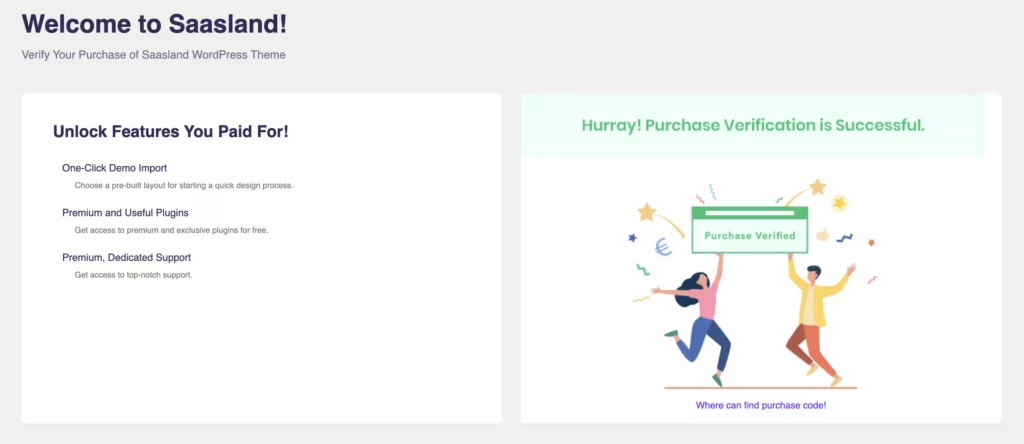
- Once all plugins are active, go to Appearance → Import Demo (or the equivalent panel surfaced by the Saasland Core plugin) and choose from the 60+ available demos. Click import and allow the process to finish — demo content, widgets, and settings will populate automatically.
- After the import completes, review your site’s menus, homepage assignment, and widget areas under Appearance → Customize to confirm everything mapped correctly. Consult the bundled documentation for any post-import configuration specific to your chosen demo.
Compatibility and Requirements
| Requirement | Detail |
|---|---|
| WordPress | Latest version of WordPress (tested on WordPress 6.5) |
| PHP | Tested on PHP 8.4 |
| Page Builder | Elementor |
| eCommerce | WooCommerce (required for store features) |
| Multilingual | WPML (required for multilingual functionality) |
| Child Theme | Included in the theme package |
Saasland is compatible with the latest version of WordPress and has been tested on PHP 8.4.
The theme’s eCommerce and multilingual capabilities depend on separate plugins. WooCommerce must be installed and active to use any store or product-listing features, and WPML is required to run a multilingual site. WooCommerce is available in the bundled plugins folder; WPML must be obtained and licensed separately.
Gutenberg compatibility is built in, so the native WordPress block editor works alongside the Elementor-based workflow without conflict.
Saasland Pricing
Saasland is a premium theme available exclusively through ThemeForest at a one-time purchase price of $59. There is no free version or trial tier.
The purchase is governed by Envato’s standard licensing terms, which cover permitted use cases and site counts.
Advanced Custom Fields Pro (ACF Pro) is listed as a required plugin. Check the theme package or the official ThemeForest product page to confirm whether it is bundled with your purchase or requires a separate license, as this may vary by release.
For the current license options, support extension pricing, and any active marketplace discounts, check the Saasland listing on ThemeForest directly.
👉 Get Saasland at the best available price
Alternatives to Saasland
Saasland sits in a focused niche — SaaS, software, and technology verticals — where most competing themes take a broader, industry-agnostic approach. The table below maps out how the main alternatives differ in focus and audience fit.
| Product | Key Difference | Best For | Price Tier |
|---|---|---|---|
| Saasland | Purpose-built for SaaS and tech verticals with 60+ niche-specific demos and deep Elementor integration | SaaS businesses, software startups, and technology companies | Paid |
| Avada | Broadly multipurpose theme powered by its proprietary Fusion Builder, targeting the widest possible range of site types | Generalist site builders who need maximum template variety across industries | Paid |
| Divi | Combines a theme and visual page builder under a subscription or lifetime license model | Agencies and generalist builders who want an all-in-one design environment | Paid |
| Betheme | High-volume multipurpose theme offering hundreds of pre-built sites across many industries | Teams prioritizing breadth of templates over vertical-specific depth | Paid |
| Flatsome | WooCommerce-focused theme with its own UX Builder, built primarily for online stores | eCommerce businesses rather than SaaS or technology marketing sites | Paid |
| Kalium | Premium theme oriented toward creative portfolios and agencies with strong design aesthetics | Creative studios and portfolio-driven agencies | Paid |
Competitor details reflect publicly available information and may have changed.
If your site needs to communicate a software product, a SaaS pricing model, or a technology company’s services, Saasland’s vertical-specific demos give it a clear edge over generalist alternatives. Teams building eCommerce stores or creative portfolios will find Flatsome or Kalium a more natural fit for those specific goals.
Frequently Asked Questions
What is Saasland WordPress theme used for?
Saasland is built for SaaS businesses, software startups, and technology companies that need a professional web presence quickly. It covers use cases including SaaS product landing pages, mobile app showcase sites, digital agency portfolios, IT service company websites, and eCommerce stores for digital products. Knowledge base and documentation sites are also supported through the bundled EazyDocs integration.
How much does Saasland theme cost?
Saasland costs $59 as a one-time purchase on ThemeForest. Envato’s standard license terms govern permitted use cases, and the purchase includes the theme package, bundled plugins, demo content, PSD assets, and documentation.
Does Saasland work with Elementor?
Yes, Saasland is built around Elementor as its primary page builder. The theme ships with 550+ elements and blocks designed for Elementor, and companion plugins — including Droit Addons For Elementor and Droit Elementor Templating — extend that integration further.
How many demo templates does Saasland include?
Saasland includes 60+ pre-built home demos covering SaaS, software, startup, agency, and technology verticals. All demos are importable via One Click Demo Import, which is included as a companion plugin in the theme package.
Is Saasland compatible with WooCommerce?
Yes, Saasland supports WooCommerce for eCommerce functionality. WooCommerce and WooCommerce Wishlist are listed as recommended companion plugins for Saasland, making it suitable for selling digital products or software licenses directly from the site.
Does Saasland support multilingual websites?
Saasland integrates with WPML to support multilingual sites. WPML is not bundled with the theme and must be obtained separately; it is the mechanism through which multilingual functionality is delivered.
What plugins are required for Saasland?
The required plugins are Saasland Core, Advanced Custom Fields Pro, Droit Elementor Templating, Droit Addons For Elementor, Elementor, Redux Framework, HubSpot – CRM, Email Marketing, Custom Fonts, and EazyDocs.
Download & Pricing Options
🔍 Try Before You Buy
Saasland does not have an official free tier. To evaluate it before purchasing, a GPL-licensed copy is available for sandbox testing purposes only.
👉 Download GPL Evaluation Copy
This is a GPL-licensed redistributed copy for testing only — not an official developer product.
💎 Get Saasland (Best Available Price)
👉 Check Current Pricing for Saasland
Pricing and availability may change — use the link above for current rates.
Buying Saasland Theme outright is not the only route. See our best GPL site comparison for how ten GPL vendors differ on file integrity, update speed and licence keys.


