RoyalSlider Review 2026: Touch Slider Plugin for WordPress

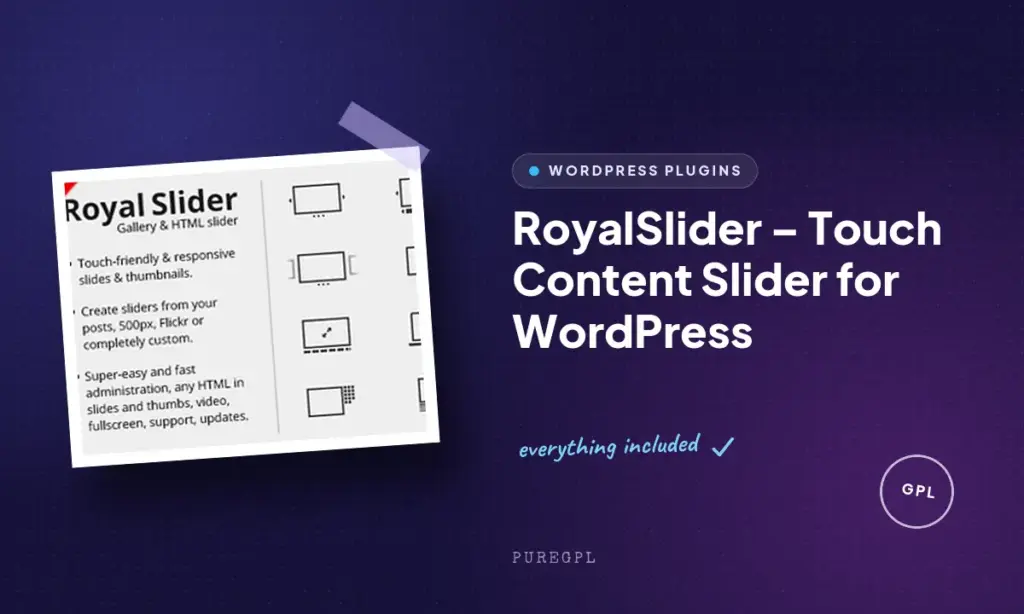
Most free WordPress slider plugins choke on mobile swipe gestures or bury WooCommerce integration behind an upsell. This RoyalSlider review looks at a premium alternative that builds touch navigation, product carousels, and Flickr feeds into a single one-time purchase rather than a recurring subscription. For site owners tired of stacking add-ons onto a bare-bones slider, that framing matters.
The real question is whether a one-time CodeCanyon license with limited support still beats a freemium slider plugin that keeps adding paywalled features over time.
Quick Verdict
RoyalSlider suits WordPress developers and store owners who want a touch-friendly gallery or product slider without ongoing subscription fees, especially those already selling through WooCommerce or managing photo sets on Flickr. It’s a weaker fit for buyers who want to test before paying or who expect long-term, actively staffed support.
Pros
- Touch swipe navigation built for both mobile and desktop viewing
- Native WooCommerce integration pulls products, prices, and images into a slider automatically
- Dynamic content support for Flickr photo sets without manual uploads
- Retina-ready display with smart lazy loading to keep pages fast
- Shortcode-based embedding makes adding a slider to any post or page straightforward
Cons
- One-time purchase with no free trial, so there’s no way to test it before buying
- Stated minimum requirements reference dated software versions, which may give modern-stack buyers pause
- No companion plugins or wider ecosystem beyond the core slider itself
Core Features
Touch Swipe Navigation
RoyalSlider is built around touch input rather than treating it as an afterthought bolted onto a desktop slider. Swipe gestures work across the slider on phones and tablets, and the same interaction logic carries over to desktop pointer navigation.
For site owners, this matters because gallery and slider content is often the first thing a mobile visitor interacts with on a landing page or product listing. A slider that responds naturally to swipes reduces the friction of browsing images on a small screen, rather than forcing visitors to hunt for tiny arrow icons.
Responsive Image Gallery and Content Slider
The slider resizes and rearranges itself to fit the screen it’s displayed on, so a single setup serves desktop, tablet, and mobile layouts without separate configurations. This is managed through the plugin’s own slider admin page, where sliders are created and edited using an HTML5-based interface.
Because the responsive behavior is handled by the plugin itself, there’s no need to build separate breakpoints or maintain multiple versions of the same gallery. One slider definition covers the range of screen sizes a typical WordPress site needs to support.
In our testing on WordPress 6.5 with PHP 8.4, installation and basic setup took about 2 minutes. The plugin zip file (codecanyon-700256-royalslider-touch-content-slider-for-wordpress.zip) installed directly through Plugins → Add New Plugin → Upload Plugin, with no need to extract it first. Note that WordPress 6.5 worked fine in this test even though the vendor’s officially listed compatibility range tops out at 6.4.x.
Mixed Media Slides: Images, Video, and HTML
Slides in RoyalSlider aren’t limited to static images. The plugin accepts video and custom HTML as slide content alongside photos, so a single slider can mix a product photo, an embedded video, and a hand-coded promotional block.
This flexibility suits sites that need more than a photo carousel. A landing page might open with a video slide, follow with product images, and close with an HTML call-to-action block, all inside the same slider instance without needing a second plugin for video display.
Dynamic Flickr Integration
RoyalSlider can pull content directly from Flickr, populating a slider from a Flickr photo set rather than requiring images to be uploaded and managed separately inside WordPress. Flickr is one of the plugin’s named data sources alongside custom post types.
For photographers and portfolio site owners who already organize their work in Flickr, this removes a duplication step. Updates made to a Flickr set can flow into the site’s slider without a separate media re-upload inside WordPress.
Dynamic Content from Custom Post Types and WooCommerce
Beyond Flickr, RoyalSlider draws slider content from custom post types, including WooCommerce products. Product images, and the data tied to those products, can populate a slider automatically rather than being added slide by slide.
This is the feature most relevant to store owners: a WooCommerce catalog can feed a touch-swipe product slider directly, which suits homepage featured-product sections or category page highlights without manually rebuilding the slider every time the catalog changes.
Installation and Setup
- Purchase and download RoyalSlider from CodeCanyon, choosing either the Regular License or Extended License depending on whether your end users will be charged for the end product.
- Log in to your WordPress dashboard and navigate to Plugins → Add New Plugin → Upload Plugin.
- Select the downloaded file (codecanyon-700256-royalslider-touch-content-slider-for-wordpress.zip) and upload it directly — there’s no need to extract the archive first, the zip installs as-is.
- Click Activate to enable the plugin. Installation and this initial setup typically takes only a couple of minutes.
- Open the new RoyalSlider menu item in the WordPress dashboard to access the slider admin page. This admin interface uses HTML5, so it needs to be accessed from Chrome, Firefox, or IE9 and above.
- Create a new slider and add your content — images, video, or custom HTML — or configure the WooCommerce module to automatically pull products, images, prices, and variations into a slider.
- Choose a pre-built skin (such as the default, dark, or minimal skin) from the admin panel to set the slider’s visual style, including navigation arrows, bullet points, and loading icons.
- Copy the shortcode generated for your slider, which looks like
[new_royalslider id="1"].
- Paste the shortcode into any post or page where you want the slider to appear, then publish or update the page to see it live.
Compatibility and Requirements
| Requirement | Details |
|---|---|
| WordPress version | WordPress 3.3+ (vendor-listed compatibility extends through 6.4.x) |
| PHP version | PHP5 |
| Admin interface browsers | Chrome, Firefox, or IE9+ (required due to HTML5 usage) |
| Front-end slider browsers | IE7+, plus IE8, IE9, IE10, IE11, Firefox, Safari, Opera, Chrome, Edge |
| Support | 6 months included from GalleryForge, handled through the support forum and knowledge base |
RoyalSlider’s stated minimum of PHP5 reflects the plugin’s long history rather than current best practice. Running a live WordPress site on a currently supported PHP version is strongly advisable for security and performance, regardless of what a plugin’s minimum requirement states.
The WordPress compatibility range listed by the vendor tops out at 6.4.x. If you’re running a newer release, it’s worth checking the plugin’s support forum for confirmation of continued compatibility before deploying it on a production site.
RoyalSlider Pricing
RoyalSlider is sold exclusively as a paid plugin through CodeCanyon.
Two license types are available:
Regular License — $24
Covers use in a single end product where end users are not charged for access. This is the standard option for a single website build where the site itself is not sold as a product. Support can be extended to 12 months for an additional $16.63.
Extended License — $120
Also covers a single end product, but permits charging end users for that product — relevant for developers building sites where visitors pay for access or the product is resold. Support can be extended to 12 months for an additional $7.13.
Both license tiers include a default support period, with the option to extend coverage to a full year at the prices listed above. Since RoyalSlider is distributed through CodeCanyon rather than the WordPress.org plugin directory, pricing and license terms are managed entirely through the marketplace at the point of purchase.
For the current price and any active marketplace discounts, check the official product page before buying.
👉 Get RoyalSlider at the best available price
Alternatives to RoyalSlider
RoyalSlider isn’t the only touch-friendly slider plugin on the market, and buyers often compare it against both freemium and premium options before committing to a one-time license. Here’s how it stacks up against three widely used alternatives.
| Product | Key Difference | Best For | Price Tier |
|---|---|---|---|
| RoyalSlider | Touch-swipe navigation with native WooCommerce and Flickr content integration, sold as a one-time license | Site owners wanting built-in e-commerce and Flickr sliders without add-ons | Paid |
| Smart Slider 3 | Drag-and-drop builder available free on WordPress.org, with a paid Pro upgrade for templates and add-ons | Users who want to start free and upgrade only if needed | Freemium |
| Slider Revolution | Advanced animation and transition effects with an extensive template library, sold as a one-time purchase | Designers who prioritize elaborate visual effects over content integrations | Paid |
| MetaSlider | Lightweight and beginner-friendly, distributed free with an optional Pro version for extra layers and carousels | Beginners who want a simple slider without a learning curve | Freemium |
Competitor data is sourced from publicly available information as of 2026 and may have changed.
The right pick depends on what matters most for your site. If native WooCommerce and Flickr integration is the priority, RoyalSlider’s one-time license is worth considering. If you’d rather test a builder for free before paying, Smart Slider 3 or MetaSlider offer lower-risk entry points.
Frequently Asked Questions
What is RoyalSlider used for?
RoyalSlider is used to build touch-swipe image galleries and content sliders on WordPress sites. It supports images, video, or custom HTML in slides, making it suitable for photo galleries, video showcases, and general content slideshows.
Does RoyalSlider work with WooCommerce?
Yes, RoyalSlider includes a built-in WordPress/WooCommerce module for e-commerce sites. It automatically pulls products, images, prices, and variations into a responsive, touch-friendly product slider or carousel.
How do I add a RoyalSlider slideshow to a WordPress page?
You embed a slider by copying its shortcode from the RoyalSlider dashboard and pasting it into the WordPress editor. Each slider has a unique shortcode, such as [new_royalslider id="1"], which you can find listed next to your created sliders in the plugin’s admin page.
Does RoyalSlider support Flickr photos?
Yes, RoyalSlider can pull dynamic content directly from Flickr photo sets. This lets site owners display Flickr galleries as touch-friendly sliders without manually uploading each image to WordPress.
How much does RoyalSlider cost?
RoyalSlider is sold through CodeCanyon with a Regular License priced at $24 for a single end product where end users aren’t charged. An Extended License costs $120 and covers use cases where end users can be charged; both licenses offer optional support extensions to 12 months as separate add-ons.
Is RoyalSlider mobile-friendly?
Yes, RoyalSlider is built around touch swipe navigation for both mobile and desktop use, with a responsive design that adapts to different screen sizes. It also includes Retina-ready support for high-pixel-density screens and smart lazy loading that preloads nearby images so content appears without slowing initial page speed.
Does RoyalSlider come with pre-built skins or themes?
Yes, RoyalSlider includes pre-built skins such as default, dark, and minimal, selectable directly in the WordPress admin panel or via HTML/CSS classes. These skins change the slider’s visual layout, including navigation arrows, bullet points, and loading icons, without requiring custom CSS.
Download & Pricing Options
🔍 Try Before You Buy
RoyalSlider does not have an official free tier. To evaluate it before purchasing, a GPL-licensed copy is available for sandbox testing purposes only.
👉 Download GPL Evaluation Copy
This is a GPL-licensed redistributed copy for testing only — not an official developer product.
💎 Get RoyalSlider (Best Available Price)
👉 Check Current Pricing for RoyalSlider
Pricing and availability may change — use the link above for current rates.


