MainWP Sucuri Extension Review 2026: Free Malware Scanning?

Agencies managing dozens of client sites can’t manually check each one for malware or blacklist flags every week. This MainWP Sucuri extension review looks at whether a free add-on to the MainWP Dashboard can actually cover that gap, using Sucuri’s SiteCheck engine to scan for infections without requiring a paid Sucuri.net plan. It’s a compelling pitch for anyone already centralizing site management through MainWP, but the manual-only scanning model changes how useful it is in practice.
The question is whether free, on-demand scanning is enough security coverage for a real client portfolio, or whether it’s only a starting point before you need something more automated.
Quick Verdict
This extension suits freelancers and small agencies who already run MainWP Dashboard and want a no-cost way to spot-check client sites for malware and blacklist status. It’s less suited to larger operations that need hands-off, scheduled monitoring across many sites, since every scan here has to be triggered manually, one site at a time.
Pros
- Runs Sucuri’s SiteCheck scans for malware, malicious JavaScript, and blackhat SEO spam without a paid Sucuri.net subscription
- Monitors blacklist status across Google Safe Browsing, Norton Safe Web, Phish Tank, and SiteAdvisor from a single dashboard
- Works across an unlimited number of MainWP Dashboards
- Classified as an Essential/Free extension, so every MainWP user can access it regardless of tier
- Installs and activates in minutes directly from the plugin zip file
Cons
- Only manual scans are supported, with no option to automate recurring checks
- Cannot scan multiple sites simultaneously, which slows monitoring for larger client portfolios
- Only functions as an add-on to MainWP Dashboard rather than as a standalone security tool
👉 See Sucuri Extension pricing
Core Features
SiteCheck Malware Scanning
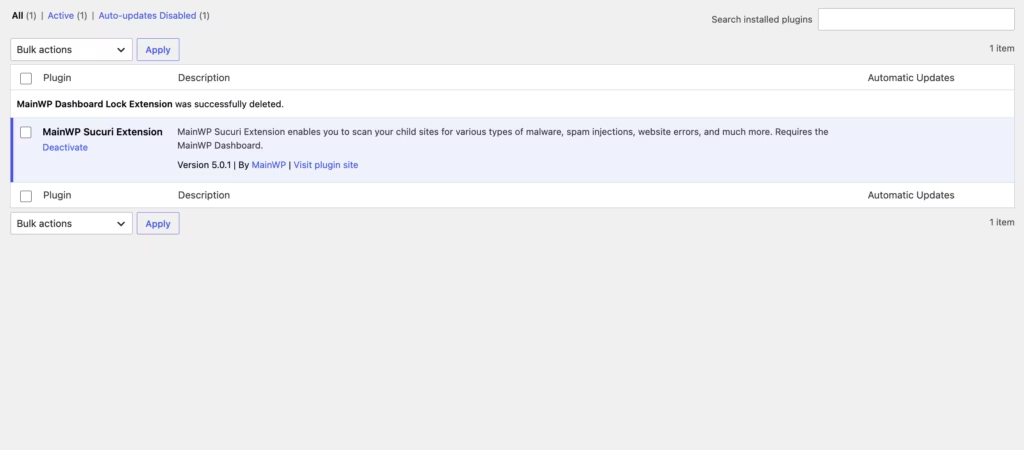
The extension runs its scans through Sucuri’s SiteCheck tool, triggered directly from the MainWP Dashboard rather than from each individual child site. A built-in scan trigger sits inside the dashboard interface, so a site manager checking a client’s site doesn’t need to log into that site’s own wp-admin to run the check.
For anyone managing a handful of client sites, this keeps malware checks inside the same screen already used for updates and backups. It removes the need to bounce between separate admin panels just to confirm a site is clean.
Malicious JavaScript, Drive-By Download, and Redirect Detection
Beyond generic malware signatures, SiteCheck looks specifically for malicious JavaScript injections, drive-by download scripts, and suspicious redirections planted on a page. These are common symptoms of a compromised WordPress install, often added by attackers to funnel visitors to another destination without the site owner noticing.
Catching this category early matters because these issues tend to affect visitors before they affect the site owner — a client may not know anything is wrong until a browser warning or a lost customer tips them off. Running the check from MainWP means that discovery happens on the agency’s schedule, not the client’s.
Blackhat SEO Spam Detection
SiteCheck also flags blackhat SEO spam: hidden text, spam links, or doorway content injected into a site to manipulate search rankings on someone else’s behalf. This type of compromise can sit unnoticed for months since it rarely breaks the visible site design.
Spam injections like this can quietly damage a client’s search visibility long before anyone spots the cause. Having this check bundled into the same scan as malware detection means one pass covers both the security and SEO angles of a compromise.
Blacklist Status Monitoring
The extension checks whether a domain has landed on any of four major blacklist services: Google Safe Browsing, Norton Safe Web, Phish Tank, and SiteAdvisor. This runs through a dedicated blacklist status panel built into the dashboard, separate from the malware scan itself.
A blacklisting on any of these services can block traffic outright or trigger browser warnings that scare visitors away. Surfacing that status across a whole client portfolio from one screen is a genuine time-saver compared to checking each domain manually against each service.
No Sucuri.net Subscription Required
Core scanning and blacklist monitoring work without a paid Sucuri.net account. The extension draws on Sucuri’s free SiteCheck tool, so the malware and blacklist checks described above are available without adding another vendor subscription to a client’s stack.
For agencies weighing security tooling costs across dozens of sites, this keeps a baseline layer of monitoring inside the existing MainWP setup instead of requiring a separate paid Sucuri plan just to get scan results.
Unlimited MainWP Dashboards
The extension isn’t capped to a single MainWP Dashboard installation — it can be used across an unlimited number of them. Combined with its classification as an Essential/Free extension, that makes it available the same way regardless of how many dashboards a business runs.
An agency running separate MainWP dashboards for different clients or business units doesn’t need to buy the extension multiple times or worry about a dashboard-count restriction eating into how it deploys security monitoring across its book of business.
Installation and Setup
Setting up the Sucuri Extension follows the same process as most MainWP add-ons, since it plugs directly into an existing MainWP control panel rather than running as a standalone plugin.
- This product requires the MainWP Dashboard plugin — it must be installed and activated on your control site before the extension can be added. The Dashboard is free and open-source, and is meant to run on a private, self-hosted WordPress install that manages your client sites.
- Download the Sucuri Extension package (mainwp-sucuri-extension.zip) from your MainWP account or the extensions area of your Dashboard.
- In your WordPress admin, go to Plugins → Add New Plugin → Upload Plugin.
- Choose File and select the zip — it installs directly without needing to be extracted first.
- Click Install Now, then Activate.
- Open the MainWP Dashboard and locate the Sucuri panel to begin scanning connected child sites.
Based on first-hand testing on WordPress 6.5 with PHP 8.4, the entire install and activation process took about two minutes from upload to an active extension ready to run scans.
Compatibility and Requirements
| Requirement | Detail |
|---|---|
| Required plugin | MainWP Dashboard |
| Extension version | 5.0.3 |
| External integration | Sucuri API (SiteCheck) |
The extension pulls its scan data through the Sucuri API rather than a bundled scanner, so its functionality depends on that service being reachable rather than on local server resources.
If you’re running MainWP Dashboard on an older server, check that PHP is still on a supported version. End-of-life PHP branches no longer receive security patches and can affect plugin stability across the board.
Sucuri Extension Pricing
The Sucuri Extension itself carries no separate price tag. It’s classified as an Essential/Free extension, meaning it’s available to all MainWP users rather than gated behind a paid tier. The core scanning functionality — running Sucuri’s SiteCheck tool for malware detection and blacklist monitoring — can be used across an unlimited number of MainWP Dashboards.
MainWP’s broader pricing structure is built around annual and lifetime subscription tiers, scaled by the number of connected child sites rather than by locking individual features behind specific plans. The Sucuri Extension is distributed through both the Free Bundle and the Pro Bundle.
Current pricing details are not available in this review. Check the official developer website for up-to-date pricing information.
👉 Get Sucuri Extension at the best available price
Alternatives to Sucuri Extension
Agencies weighing MainWP’s Sucuri Extension against other security options should first consider what they actually need: a quick, no-cost malware and blacklist check, or a fuller monitoring suite with automation. The table below summarizes where this extension fits.
| Product | Key Difference | Best For | Price Tier |
|---|---|---|---|
| Sucuri Extension | Manual-only SiteCheck scans and blacklist monitoring built into MainWP Dashboard, with no Sucuri.net subscription required | Agencies and site managers already on MainWP who want basic scanning without added cost | Freemium |
Competitor data is sourced from publicly available information as of 2026 and may have changed.
The right pick ultimately depends on how much automation and depth of monitoring a given client portfolio actually requires.
Frequently Asked Questions
Is the MainWP Sucuri extension free to use?
Yes. It’s classified as an Essential/Free extension, so it’s available to all MainWP users regardless of tier, and it doesn’t require a Sucuri.net subscription for its core scanning features. It can also be used across an unlimited number of MainWP Dashboards.
Does the MainWP Sucuri extension require a Sucuri.net subscription?
No. The extension uses Sucuri’s free SiteCheck tool to scan for malware and monitor blacklist status without needing a paid Sucuri.net account. This makes it usable as a basic security check without adding a separate subscription cost.
Can the MainWP Sucuri extension run scheduled or automatic scans?
No. Only manual scans are supported, a limitation tied to Sucuri’s API terms of service. There’s no option for scheduled scanning or for scanning multiple sites at the same time, so each check has to be triggered individually from the dashboard.
What does the MainWP Sucuri extension actually scan for?
It checks for malware, malicious JavaScript, drive-by downloads, suspicious redirections, and blackhat SEO spam using Sucuri’s SiteCheck tool. Alongside malware detection, it also monitors whether a site appears on major blacklists.
How do I install the MainWP Sucuri extension on MainWP Dashboard?
The extension ships as a zip file (mainwp-sucuri-extension.zip) and installs directly without needing to extract it first. From the WordPress Dashboard, go to Plugins → Add New Plugin → Upload Plugin, choose the zip file, then click Install Now and Activate; the whole process takes about two minutes.
Does the MainWP Sucuri extension check blacklist status?
Yes. It monitors blacklist status through Google Safe Browsing, Norton Safe Web, Phish Tank, and SiteAdvisor. This runs alongside its malware scanning, giving site managers a combined view of both security threats and blacklist standing from one panel.
Download & Pricing Options
🆓 Free Version
👉 Download the Free Version of Sucuri Extension
💎 Get Sucuri Extension (Best Available Price)
👉 Check Current Pricing for Sucuri Extension
Pricing and availability may change — use the link above for current rates.
Buying MainWP Sucuri Extension outright is not the only route. See our best GPL sites comparison for how ten GPL vendors differ on file integrity, update speed and licence keys.


