JetStyleManager Review 2026: Free Gutenberg Style Controls

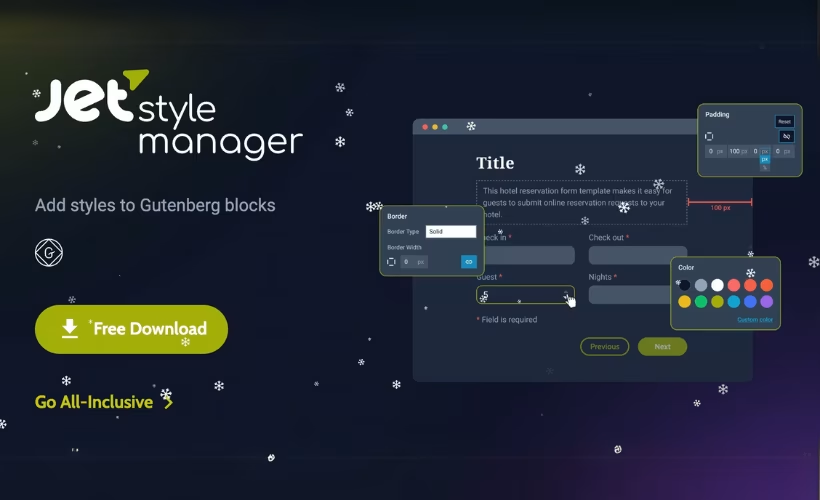
Styling native Gutenberg blocks usually ends the same way: a trip to the Additional CSS panel for a border radius here, a bit of padding there, and a stylesheet nobody wants to maintain six months later. This JetStyleManager review looks at Crocoblock’s free answer to that problem — a plugin that bolts border, spacing, alignment, color, dimension, and typography controls directly onto the block editor, and extends the same panel to Gutenberg-compatible JetPlugins like JetEngine, JetSmartFilters, and JetFormBuilder. The question is whether a single-purpose utility this narrow earns a permanent slot in your plugin list.
Quick Verdict
JetStyleManager is an easy recommendation for anyone building with the Gutenberg block editor who already runs Crocoblock JetPlugins — it turns dynamic listing and form blocks into visually editable elements without touching a stylesheet. Standalone Gutenberg users still gain a useful style panel, though the payoff is smaller. Elementor-based sites should skip it entirely.
Pros
- Distributed free under GPLv2 or later, with no paid tier gating any of the style controls
- Adds a full style panel to Gutenberg blocks covering borders, padding, margins, alignment, color, dimensions, and typography
- Extends the same controls to Gutenberg-compatible JetPlugins including JetEngine, JetSmartFilters, and JetFormBuilder
- Installs from the WordPress plugin directory and updates through the standard WordPress update mechanism
- Plugin developers can integrate its style controls into their own custom blocks
Cons
- Gutenberg-only by design, so it adds nothing to sites built with Elementor
- Narrow scope: it styles existing blocks rather than offering a block library, layout system, or global design presets
- Most of the value depends on already running Crocoblock JetPlugins
Core Features
The plugin does one job: it attaches a style panel to blocks that would otherwise offer little or no visual formatting. That panel covers borders, padding and margins, alignment, color, dimensions, and typography, and it appears on native Gutenberg blocks as well as on Gutenberg-compatible JetPlugins. Here is what each control group actually gives you.
A style panel for native Gutenberg blocks
The block editor’s own design options vary block by block — some give you a color picker and little else. JetStyleManager adds a consistent styling panel across blocks, so the same set of controls sits where you expect it regardless of which block is selected.
For a site builder, the practical result is fewer trips to the theme’s additional CSS box. Adjustments that would normally require a custom class and a rule in a stylesheet get handled in the editor sidebar, with the change visible on the block as you make it.
Border controls
Borders sit in the style panel alongside the other properties, which matters because border styling on native blocks is one of the more common reasons people reach for CSS in the first place.
Framing a group block, adding a rule beneath a heading, or outlining a form field becomes an editor-side decision rather than a code change — and it stays editable by whoever maintains the page later.
Padding and margin controls
Spacing is handled through dedicated padding and margin controls in the same panel. Because these apply to both native blocks and supported JetPlugins blocks, the spacing logic across a page stays in one place.
That consistency is the real benefit. A listing grid built with JetEngine and the content blocks around it can be spaced with the same controls, instead of one being theme-driven and the other hand-styled.
Alignment and dimension controls
Alignment and dimension settings round out the layout side of the panel. Together they cover how a block sits within its container and how much space it occupies.
For anyone assembling templates rather than single posts, this reduces the number of wrapper blocks needed just to nudge something into position.
Color controls
Color settings are part of the same panel, applied per block. Backgrounds, text, and the other color-bearing properties of a supported block are set visually.
The payoff shows up on client sites, where a non-technical editor can adjust a section’s color scheme without touching a stylesheet or breaking a selector someone else wrote.
Typography controls
Typography controls give per-block type settings inside the editor. That is a notable addition on native blocks, where font handling is usually inherited wholesale from the theme.
Where a heading or caption needs to deviate from the theme’s defaults, the override happens on the block itself. No child theme edit, no !important rule fighting the theme stylesheet.
Style controls for Gutenberg-compatible JetPlugins
Here is where the plugin earns its place for Crocoblock users. The same style panel extends to Gutenberg-compatible JetPlugins, including JetEngine, JetSmartFilters, and JetFormBuilder. Crocoblock built it specifically to bring styling capability to JetEngine blocks inside the block editor.
If you build dynamic listings with JetEngine, filter interfaces with JetSmartFilters, and forms with JetFormBuilder, those blocks gain the same border, spacing, color, and typography options as everything else on the page. This is a Gutenberg-side solution, though. Inside Elementor, every JetPlugin widget already ships its own style tab, so the plugin adds nothing there.
Integration into custom plugins
Beyond end-user styling, the control set can be integrated into custom plugins. A developer building their own blocks can hook into JetStyleManager rather than writing a styling interface from scratch.
For agencies maintaining bespoke plugins for clients, that means custom blocks can present the same styling panel as the rest of the site’s blocks — a familiar interface for the client, less UI code to maintain in-house. Crocoblock’s DevHub is the reference point for developers going down this route.
Installation and Setup
Setup is short. On a test site running WordPress 6.5 with PHP 8.4, installation and basic activation took about two minutes from start to finish.
- Install the plugin from your WordPress dashboard. Go to Plugins → Add New Plugin, search for JetStyleManager, then click Install Now followed by Activate.
- If you downloaded the ZIP archive instead, go to Plugins → Add New Plugin → Upload Plugin, select the file, and install it. The archive works as-is — there is no need to extract it first.
- Activate the plugin. No license key entry is required, since the full plugin is offered free of charge.
- Open any page or post in the Gutenberg block editor and select a block. The style controls panel becomes available, giving you borders, padding, margins, alignment, color, dimensions, and typography settings.
- Optionally, pair it with Gutenberg-compatible JetPlugins for wider styling coverage. The blocks from these Crocoblock tools pick up the same style controls:
- JetEngine
- JetSmartFilters
- JetFormBuilder
- Developers who want the same panel inside their own blocks can hook the style controls into a custom plugin.
Because the plugin is available through the official WordPress.org directory, updates arrive through the standard WordPress plugin update mechanism once it is installed and activated from there — no manual re-download cycle.
Compatibility and Requirements
| Requirement | Details |
|---|---|
| WordPress version | 5.x or higher |
| PHP version | 7.0 or higher |
| Editor | Gutenberg block editor required |
| License | GPLv2 or later |
To check what your site is running, open Tools → Site Health and look at the Info tab. WordPress reports its own version there, and the server section lists the active PHP version. Your hosting control panel will show the same PHP figure if you prefer to check it there.
The stated PHP floor is low, which helps on older hosting, but running an end-of-life PHP branch on a live site is a security liability regardless of what a plugin will tolerate. A currently supported PHP version is the safer choice.
Support runs through Crocoblock’s Help Center, FAQ, and DevHub, and registered users can submit requests through the Help Center. Security researchers can report vulnerabilities through the Patchstack Vulnerability Disclosure Program.
JetStyleManager Pricing
The plugin is free. There is no premium tier, no upsell inside the plugin, and no paid unlock for the style controls — Crocoblock describes it plainly as “100% FREE.”
| Tier | Price | What’s included |
|---|---|---|
| Free | Free | Full style control panel for Gutenberg blocks — borders, padding, margins, alignment, color, dimensions, and typography — plus styling for Gutenberg-compatible JetPlugins and the ability to integrate the controls into custom plugins |
That single tier is the whole product. Everything the plugin does is available from the moment it is activated.
The plugin is also published in the official WordPress.org plugin directory as “JetStyleManager for Gutenberg.”
Since terms can change, check the official developer website for current details before you commit to it as part of a build.
👉 Get JetStyleManager at the best available price
Alternatives to JetStyleManager
Most Gutenberg styling plugins take the opposite approach: they ship their own library of custom blocks with styling baked in, rather than adding controls to blocks you already have. That distinction matters most if your layouts are built on native blocks and Crocoblock JetPlugins.
| Product | Key Difference | Best For | Price Tier |
|---|---|---|---|
| JetStyleManager | Adds border, padding, margin, alignment, color, dimension, and typography controls to existing Gutenberg blocks and to Gutenberg-compatible JetPlugins, instead of introducing new blocks | Crocoblock users styling JetEngine, JetSmartFilters, and JetFormBuilder blocks without CSS | Free |
| Kadence Blocks | Supplies its own block library with a row/column layout system and a design library of prebuilt sections | Builders who want a full block toolkit and starter layouts in one plugin | Freemium |
| Stackable | Block collection built around global design settings and reusable style presets applied across the site | Teams enforcing consistent design tokens across many pages | Freemium |
| Spectra (Ultimate Addons for Gutenberg) | Block library from Brainstorm Force, tightly paired with the Astra theme ecosystem | Astra-based sites wanting blocks and patterns from the same vendor | Freemium |
| GenerateBlocks | Small set of lightweight, unopinionated primitive blocks aimed at minimal output | Developers who prefer building layouts from primitives rather than preset blocks | Freemium |
| Otter Blocks | Themeisle block library with patterns, dynamic content, and block conditions | Editors who want extra blocks plus conditional display logic | Freemium |
Competitor data is sourced from publicly available information as of 2026 and may have changed.
The right pick depends on what you are missing. If you need more blocks, a block library is the answer. If you already have the blocks and just want design control over them — particularly JetPlugin blocks — JetStyleManager fills that gap at no cost.
Frequently Asked Questions
Is JetStyleManager free to use?
Yes. Crocoblock distributes the plugin free of charge, with no paid tier gating any of the style controls. It is available through the WordPress plugin directory, and the vendor site also offers a download link delivered by email after you enter an address and confirm the subscription.
Do I need JetStyleManager to style JetEngine blocks in Gutenberg?
It is the tool built specifically to add styling controls to JetEngine blocks inside the Gutenberg block editor. Without it, JetEngine’s Gutenberg blocks do not carry the border, spacing, color, dimension, and typography panels that the plugin supplies.
Does JetStyleManager work with Elementor?
No — it is built for the Gutenberg block editor and adds nothing to an Elementor workflow. Every JetPlugin widget for Elementor already ships with its own built-in style tabs, so the controls are covered natively there.
What are the WordPress and PHP requirements for JetStyleManager?
The plugin needs WordPress 5.x or higher and PHP 7.0 or higher. You can confirm both from your dashboard under Tools → Site Health, where the Info tab lists the WordPress version and server details; your hosting control panel also reports the PHP version.
How do I install JetStyleManager on WordPress?
Search for it in your dashboard under Plugins → Add New Plugin and install it directly from the WordPress plugin directory. If you have the ZIP file instead, upload it via Plugins → Add New Plugin → Upload Plugin without extracting it first. On a WordPress 6.5 site running PHP 8.4, installation and basic setup took roughly two minutes.
Does JetStyleManager update automatically?
Yes. Once installed and activated from the official directory, it updates through the standard WordPress plugin update mechanism, the same as any other directory-hosted plugin.
What license does JetStyleManager use?
It is released under the GNU General Public License version 2.0 or later, matching the licensing rules that apply to every plugin hosted on the WordPress plugin directory. That means you are free to use, modify, and redistribute the code.
Which Crocoblock plugins does JetStyleManager support?
It applies its style settings to Gutenberg-compatible JetPlugins, including JetEngine, JetSmartFilters, and JetFormBuilder. Developers can also integrate the same style controls into blocks in their own custom plugins.
Download & Pricing Options
🆓 Free Version
👉 Download the Free Version of JetStyleManager
💎 Get JetStyleManager (Best Available Price)
👉 Check Current Pricing for JetStyleManager
Pricing and availability may change — use the link above for current rates.
A GPL membership covers JetStyleManager along with thousands of other premium products. Our best GPL site guide sets out what each vendor charges and what you give up in return.


