JetSearch Review 2026: Crocoblock’s AJAX Search Plugin Tested

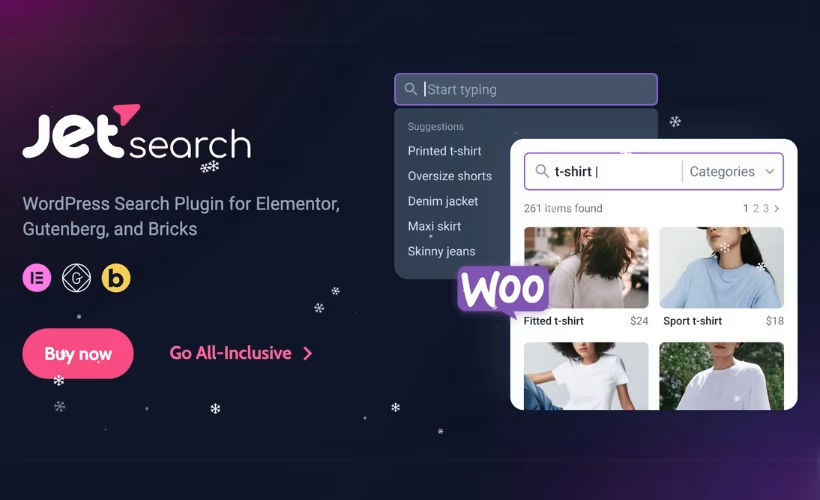
WordPress’s native search often leaves visitors staring at irrelevant results or, worse, a page reload that breaks their flow. This JetSearch review looks at Crocoblock’s answer: an AJAX-powered search plugin that updates results instantly and adds dedicated WooCommerce product filtering, built for Elementor, Gutenberg, and Bricks sites alike. For store owners and agencies already weighing paid search tools against built-in options, the question is whether that convenience justifies a recurring subscription with no free way to test it first.
The article that follows weighs JetSearch’s live search and custom results page builder against its ecosystem dependencies, to help you decide if it earns a place in your stack.
Quick Verdict
JetSearch suits WordPress developers and WooCommerce store owners already working within Crocoblock’s JetPlugins ecosystem, especially those needing fast, filterable product search across taxonomies and attributes. It’s a poor fit for anyone wanting a standalone, free, or low-commitment search solution, since its deeper functionality leans on JetEngine and its own paid subscription.
Pros
- AJAX-powered live search delivers results without page reloads
- Custom search results page builder allows tailored result layouts
- Dedicated WooCommerce product search filtering, including taxonomy and attribute search
- Works across Elementor, Gutenberg, and Bricks instead of locking users into one builder
- Installs quickly through the standard WordPress plugin uploader
Cons
- Ties buyers into the broader Crocoblock JetPlugins ecosystem rather than functioning as a fully standalone tool
Core Features
AJAX-Powered Live Search
JetSearch’s main function is a live search box that returns matches as visitors type, without triggering a page reload. Results appear through the plugin’s built-in AJAX display layer, which pulls matching content and renders it directly under or beside the search field.
For a site owner, this cuts the extra click-and-wait cycle that a standard WordPress search form requires. Visitors see whether their query has a match before they finish typing, which matters most on content-heavy sites where a dead-end search result page is a common reason people leave.
Custom Search Result Pages
Beyond the live dropdown, JetSearch includes a dedicated search results page builder rather than relying on the theme’s default archive template. This lets you design how matched content is laid out once a visitor submits a full search, separate from the instant AJAX preview.
That separation is useful because the quick-look dropdown and the full results page often need different amounts of detail. A short list of suggestions works for the live preview, while the results page can show full excerpts, images, or product data. Building both inside the same plugin keeps the two views visually consistent without extra template work in Elementor, Gutenberg, or Bricks.
WooCommerce Product Search
JetSearch adds product search filtering built specifically for WooCommerce stores, going beyond matching product titles. The plugin’s WooCommerce search functionality can filter by taxonomy terms and product attributes, so a query can surface products by category, tag, or attribute value rather than title text alone.
For a store with a large catalog, this is the difference between a search box that only finds exact product names and one that helps shoppers browse by size, color, or category through the search field itself. Combined with the AJAX display, product matches appear as the shopper types, which shortens the path from search to product page.
Multi-Builder Compatibility
Rather than tying the plugin to a single page builder, JetSearch is built to work across Elementor, Gutenberg, and Bricks. Compatibility with Elementor is included, and the plugin also integrates with the Gutenberg block editor and the Bricks builder.
Agencies and developers who move between builders on different client projects can reuse the same search plugin rather than swapping it out per site. It also gives site owners some insurance against being locked into one builder’s ecosystem for something as central as on-site search.
Also included: custom search results page rendering and WooCommerce taxonomy/attribute filtering are delivered as built-in components of the features above rather than as separate add-ons.
Installation and Setup
- Purchase a JetSearch subscription through Crocoblock and download the plugin zip file from your account dashboard.
- In your WordPress dashboard, go to Plugins → Add New Plugin → Upload Plugin. The zip file can be uploaded directly without extracting it first.
- Click Install Now, then Activate Plugin once the upload finishes.
- Decide whether you need advanced search functionality. This product requires JetEngine if you want to search custom post types, taxonomies, or other dynamic data structures — JetEngine must be installed and activated to unlock those advanced search features.
Basic search widgets for Elementor work with JetSearch alone, so this step can be skipped for simple search bars.
- Open your page in Elementor, the Gutenberg block editor, or Bricks builder, and add the JetSearch widget or block to the layout where live search should appear.
- Configure the search results display, including AJAX live results and, for WooCommerce stores, product search filtering by taxonomy, attributes, or custom fields.
- Build or customize the search results page using JetSearch’s search results page builder, then save and preview the page to confirm results load correctly.
On a test installation running WordPress 6.5 with PHP 8.4, uploading the zip file (jet-search-3.6.3.1.zip) through Plugins → Add New Plugin → Upload Plugin and completing basic setup took about two minutes.
Compatibility and Requirements
| Requirement | Details |
|---|---|
| WordPress | Tested with WordPress 6.5 |
| PHP | Tested with PHP 8.4 |
| Elementor | Updated for compatibility with version 3.26 |
| Page builder support | Gutenberg block editor and Bricks builder |
JetSearch is built to work across the three major WordPress editing environments — Elementor, Gutenberg, and Bricks — rather than locking users into a single builder.
For sites still running older PHP releases, upgrading to a currently supported PHP version is worth doing before installing any actively maintained plugin, both for security and for compatibility with future updates.
JetSearch Pricing
JetSearch is a premium-only plugin from Crocoblock — there’s no free version to fall back on, so every feature described in this review requires an active subscription.
Custom Subscription — $43 per year
This is the standalone JetSearch license, covering AJAX live search, custom search results pages, and WooCommerce product search filtering for Elementor, Gutenberg, or Bricks sites. It’s frequently discounted to $33 per year during Crocoblock promotions.
All-Inclusive Plus — $249 per year
This bundle includes JetSearch alongside 23 JetPlugins from the Crocoblock ecosystem, an AI-native website builder, one year of product updates, and one year of Zoom and chat support. It suits agencies and developers who expect to use multiple JetPlugins across client projects rather than paying for each plugin separately.
Both plans are backed by a 30-day money-back guarantee, giving buyers a way to test JetSearch risk-free since no free trial is offered.
Anyone managing multiple properties should confirm license site-count scope with Crocoblock support before purchasing. For current rates and active promotions, check the official Crocoblock pricing page directly.
👉 Get JetSearch at the best available price
Alternatives to JetSearch
JetSearch competes with both general-purpose WordPress search plugins and tools built specifically for WooCommerce product search. Here’s how it stacks up against three established alternatives.
| Product | Key Difference | Best For | Price Tier |
|---|---|---|---|
| JetSearch | Builder-native AJAX search with custom results pages, tied to the Crocoblock JetPlugins ecosystem | Elementor, Gutenberg, or Bricks users already invested in Crocoblock tools | Paid |
| SearchWP | Deep content indexing and relevance tuning across custom fields, taxonomies, and file contents | Content-heavy sites needing precise, granular search relevance | Paid |
| Relevanssi | Relevance-based search with a free core version and a paid upgrade for advanced indexing and WooCommerce support | Sites wanting to start free and upgrade only if advanced indexing is needed | Freemium |
| FiboSearch | AJAX search purpose-built for WooCommerce product search, free with a paid Pro tier for extra filtering | WooCommerce stores that want product search without a WordPress site-wide search subscription | Freemium |
Competitor data is sourced from publicly available information as of 2026 and may have changed.
The right pick depends on budget and ecosystem. Sites already running Elementor, Gutenberg, or Bricks with other Crocoblock plugins may find JetSearch’s builder integration worth the subscription, while WooCommerce-only stores or budget-conscious buyers might get further with FiboSearch or Relevanssi’s free tiers first.
Frequently Asked Questions
Does JetSearch work with WooCommerce?
Yes, JetSearch includes dedicated WooCommerce product search filtering. It displays live AJAX results as shoppers type, and store owners can enable taxonomy and attribute search to let customers filter by category, tag, or product attribute alongside standard keyword matching.
Does JetSearch require JetEngine to work?
JetSearch can run on its own for basic Elementor search bars, but it relies on JetEngine to handle more complex data structures. If you want to search across custom post types, custom taxonomies, or custom fields, JetEngine becomes necessary to unlock those advanced capabilities.
Is there a free version of JetSearch?
No, JetSearch has no free tier and requires a paid subscription from the start.
Does JetSearch offer a refund if I’m not satisfied?
Yes, Crocoblock backs JetSearch with a 30-day money-back guarantee. If the plugin does not meet expectations within that window, buyers can request a full refund.
Is JetSearch compatible with Elementor, Gutenberg, and Bricks?
Yes, JetSearch is built to work across all three, offering AJAX search widgets and custom results page building for Elementor, the Gutenberg block editor, and Bricks. Documented compatibility with Elementor specifically covers version 3.26, so users on other versions should confirm support before purchasing.
How much does JetSearch cost?
JetSearch is sold as a standalone Custom Subscription priced at $43 per year, though it is frequently discounted to $33 per year. It is also available inside Crocoblock’s All-Inclusive Plus bundle, priced at $249 per year, which covers the full JetPlugins suite rather than JetSearch alone.
What’s included in Crocoblock’s All-Inclusive Plus bundle?
The All-Inclusive Plus bundle includes 23 JetPlugins, an AI-native website builder, one year of product updates, and one year of Zoom and chat support. It is priced at $249 per year and covers the broader Crocoblock ecosystem rather than JetSearch as an isolated purchase.
Download & Pricing Options
🔍 Try Before You Buy
JetSearch does not have an official free tier. To evaluate it before purchasing, a GPL-licensed copy is available for sandbox testing purposes only.
👉 Download GPL Evaluation Copy
This is a GPL-licensed redistributed copy for testing only — not an official developer product.
💎 Get JetSearch (Best Available Price)
👉 Check Current Pricing for JetSearch
Pricing and availability may change — use the link above for current rates.


