Flatsome Review 2026: The Top-Selling WooCommerce Theme Tested

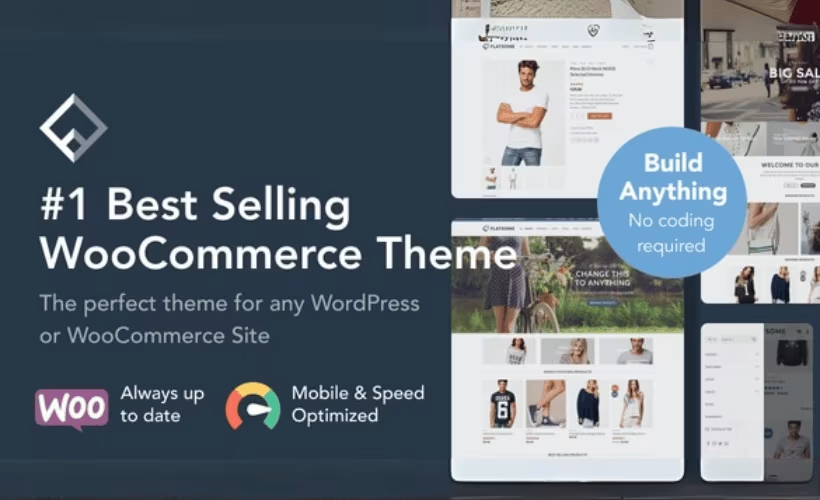
Most WooCommerce store owners end up stacking a page builder plugin, a catalog display plugin, and a translation tool on top of a bare-bones theme, and each layer adds cost and potential conflicts. This Flatsome theme review looks at what happens when a single theme bundles a proprietary drag-and-drop builder, catalog mode, and WPML support out of the box. The pitch is fewer moving parts and one purchase instead of several.
The question is whether a single-purchase theme license, built-in tooling, and free lifetime updates outweigh the lack of a free trial and the platform lock-in that comes with a ThemeForest-only license model.
Quick Verdict
Flatsome suits store owners, designers, and agencies who want a dedicated WooCommerce theme with page building and catalog display built in, rather than assembled from separate plugins. It’s a poor fit for anyone running on a hosting stack that can’t meet its PHP requirements.
Pros
- Built-in UX Builder handles drag-and-drop page design without installing a separate plugin
- Catalog mode lets stores display products without enabling checkout
- WPML compatibility supports multilingual WooCommerce stores
- ThemeForest license purchase includes free lifetime updates
- Officially ThemeForest’s best-selling WooCommerce theme, backed by a demo import system
Cons
- No free version available to trial before buying
- Requires WooCommerce installed and active to enable any ecommerce functionality
- Minimum PHP 7.4 requirement (8.1+ recommended) may force a hosting upgrade on older setups
- Licensing follows ThemeForest’s standard one-time marketplace purchase model rather than a subscription
Core Features
UX Builder Drag-and-Drop Page Design
Flatsome ships with its own proprietary page builder, UX Builder, built directly into the theme rather than bundled as a separate plugin dependency. It handles the drag-and-drop layout work for product pages, category pages, and general site content, giving store owners a single tool to design around WooCommerce’s storefront structure.
Because UX Builder is native to the theme, there’s no third-party builder license to track or update separately. For a store owner assembling a homepage or a landing page around a product launch, that translates to fewer moving parts and one less plugin to keep compatible after a WordPress update.
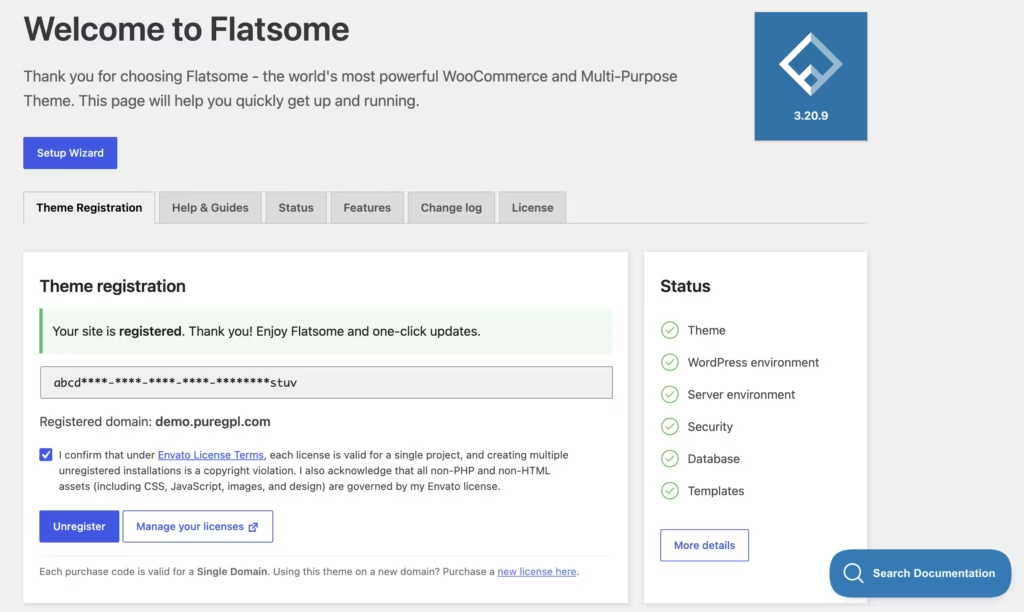
In our testing on WordPress 6.5 with PHP 8.4, installation and basic setup took about 5 minutes. After downloading the theme package, we extracted it, opened the Theme Files folder, and uploaded flatsome-3.20.9.zip through Appearance → Themes → Add New → Upload Theme. The included flatsome-child.zip is optional and only needed if you plan to customize the theme while preserving those changes through future updates.
Catalog Mode
Catalog mode lets a Flatsome-powered store display its full product range without turning on checkout, suiting businesses that want an online presence for browsing but take orders offline, by phone, or through a quote request instead of a cart.
It’s a built-in switch rather than an add-on, so a store can launch as a browsable catalog first and enable full WooCommerce checkout later without changing themes. That flexibility matters for wholesalers, showroom-style retailers, or anyone testing demand before committing to online payments.
WPML Compatibility
Flatsome is built to work with WPML, the plugin most WordPress multilingual sites rely on to manage translated content. Support runs through both the theme’s templates and its product-facing elements, so translated pages don’t fall back to a generic layout.
For a store selling into more than one language market, this means product listings, category pages, and builder-created content can be maintained in parallel languages without rebuilding layouts from scratch for each one.
WooCommerce Integration
WooCommerce is the ecommerce engine Flatsome is designed around, and the theme’s templates, product pages, and cart elements are built to work with it directly rather than as an afterthought.
That tight coupling means product galleries, variation selectors, and cart interactions are styled and structured to match the rest of the site, rather than looking like a bolted-on plugin. Store owners get a consistent shopping experience from homepage to checkout without hunting for a separate WooCommerce-compatible template pack.
Responsive Design
Flatsome’s layouts, including those built through UX Builder, are designed to adapt across desktop, tablet, and mobile screens. That applies to storefront pages as well as the custom pages assembled through the builder, not just a fixed set of templates.
For store owners, that means a product catalog or landing page designed once in UX Builder doesn’t need a separate mobile-specific rebuild — the same layout carries across screen sizes as customers shop from different devices.
Installation and Setup
- Purchase and download the Flatsome theme package from ThemeForest, then extract the downloaded ZIP file on your computer.
- Open the extracted folder and locate the Theme Files directory. Inside, you will find the main theme file (packaged as a ZIP, e.g. flatsome-3.20.9.zip in the version tested) and an optional flatsome-child.zip file.
- In your WordPress dashboard, go to Appearance → Themes → Add New → Upload Theme, then select the main flatsome ZIP file and click Install Now.
- Activate the theme once installation completes. Flatsome includes its own proprietary drag-and-drop tool, UX Builder, which becomes available immediately for building pages without needing a separate page builder plugin.
- Install and activate WooCommerce, since Flatsome’s ecommerce features — including catalog mode and product display — depend on it and will not function without it.
- Optionally install the flatsome-child.zip package if you plan to make code-level customizations. This child theme isn’t required for standard use; it exists purely to protect custom changes from being overwritten during future theme updates.
- Use Flatsome’s built-in demo import system to bring in pre-built layouts and starter content, which offers a fast way to get a new store looking finished without building every page from scratch.
- Configure WPML if a multilingual store is needed. Flatsome is built with WPML compatibility, so multilingual setup can be layered on top of the base installation once the store structure is in place.
Total setup time for the theme upload and activation itself is short: about five minutes in testing, before accounting for demo import and store configuration.
Compatibility and Requirements
| Requirement | Details |
|---|---|
| WordPress | 5.9, 6.0+ Ready; minimum required version 6.4 |
| WooCommerce | 4.9, 5.5, 6.9, 7.9, 8.0, 9.0+ Ready; minimum required version 8.3 |
| PHP | Minimum required 7.4; 8.1+ recommended |
Flatsome is built specifically around WooCommerce, so the WooCommerce version installed on a site matters as much as the WordPress version when planning an upgrade or a fresh install.
PHP 7.4 reached end of active support some time ago. Store owners still on that version should treat the 8.1+ recommendation as a practical minimum, both for security and for compatibility with a currently supported PHP version going forward.
Flatsome Pricing
Flatsome is sold as a one-time purchase through the ThemeForest marketplace, with a Regular License priced at $59. There’s no free tier, no monthly subscription, and no separate “starter” edition — the $59 listing is the entry point for the theme itself.
That price includes the drag-and-drop UX Builder, catalog mode, WooCommerce integration, and WPML compatibility for multilingual stores. Purchasing through ThemeForest also comes with lifetime updates, so buyers keep receiving new theme versions without paying again for the same license.
Flatsome is distributed through Envato’s ThemeForest marketplace rather than sold directly by its developer. That means it follows Envato’s standard licensing and support framework rather than a custom policy set by UX-Themes. This is worth knowing if you’re comparing it to themes sold on their own storefronts, where license terms and support windows can vary more freely.
👉 Get Flatsome at the best available price
Alternatives to Flatsome
Flatsome is not the only route to a WooCommerce-ready design, and stores with different priorities may find another theme fits better. Here’s how it stacks up against the main alternatives.
| Product | Key Difference | Best For | Price Tier |
|---|---|---|---|
| Flatsome | Dedicated WooCommerce theme with its own UX Builder and catalog mode for showcase-only stores | Store owners who want ecommerce tooling and a page builder in one package | Paid |
| Woodmart | WooCommerce-focused theme with its own built-in drag-and-drop builder and pre-built shop layouts | Shop owners who want ready-made layouts alongside a native builder | Paid |
| Astra | Lightweight multipurpose theme built for speed, pairs with third-party builders like Elementor | Buyers who want a fast base theme and prefer choosing their own builder | Freemium |
| OceanWP | Lightweight, extension-based multipurpose theme with paid premium add-ons | Sites that want a free core theme and only pay for the extensions they need | Freemium |
| Divi | Elegant Themes’ flagship theme built around the proprietary Divi Builder, sold by subscription or lifetime membership | Users who want ongoing access to Elegant Themes’ full product library rather than a single-item license | Paid |
Competitor data is sourced from publicly available information as of 2026 and may have changed.
The right pick depends on how a store is run: Flatsome and Woodmart suit shop owners who want ecommerce-specific tooling built in, while Astra and OceanWP appeal to those who prefer a lightweight base theme paired with a separate builder, and Divi fits buyers who want subscription access to a wider theme ecosystem.
Frequently Asked Questions
What is the name of Flatsome’s page builder?
Flatsome’s page builder is called UX Builder, a proprietary drag-and-drop tool built directly into the theme. It lets store owners design pages visually without installing a separate page builder plugin.
Does Flatsome have a catalog mode?
Yes, Flatsome includes a built-in catalog mode. This lets store owners display products for browsing while disabling the checkout process, which suits businesses that take orders offline or want a lookbook-style storefront.
Is there a free version of Flatsome?
No, Flatsome is sold exclusively as a paid theme with no free tier. It’s distributed through the ThemeForest marketplace, where the Regular License is listed at $59.
Does Flatsome support WPML for multilingual stores?
Yes, Flatsome is compatible with WPML. This allows store owners to build and manage multilingual WooCommerce shops using the theme’s built-in features alongside the plugin.
Does a Flatsome license include lifetime updates?
Yes, purchasing a Flatsome license through ThemeForest includes free lifetime updates. This means buyers continue receiving theme updates without paying again for future versions.
How do you install and set up Flatsome?
Setup is quick: after downloading the theme package, extract it, open the Theme Files folder, and upload the flatsome zip file through Appearance → Themes → Add New → Upload Theme in WordPress. Installation and basic setup typically take around five minutes. A child theme zip file is also included but only needed if you plan to make customizations that should survive future theme updates.
Is Flatsome the best-selling WooCommerce theme?
Yes, Flatsome holds the position as the #1 best-selling WooCommerce theme of all time on ThemeForest. It’s developed by UX-Themes and has maintained that top-selling status on the marketplace.
How does Flatsome compare to Woodmart for WooCommerce stores?
Both Flatsome and Woodmart are dedicated WooCommerce themes built around visual page builders and ecommerce-focused features, making either a reasonable starting point for an online store. Flatsome differentiates itself with its built-in UX Builder and catalog mode included at no extra cost, plus its standing as ThemeForest’s top-selling WooCommerce theme overall. Choosing between them typically comes down to which theme’s design library and builder workflow better match a store’s specific catalog and branding needs.
Download & Pricing Options
🔍 Try Before You Buy
Flatsome does not have an official free tier. To evaluate it before purchasing, a GPL-licensed copy is available for sandbox testing purposes only.
👉 Download GPL Evaluation Copy
This is a GPL-licensed redistributed copy for testing only — not an official developer product.
💎 Get Flatsome (Best Available Price)
👉 Check Current Pricing for Flatsome
Pricing and availability may change — use the link above for current rates.
Wondering where to get Flatsome without the annual licence fee? We ranked the options in our comparing GPL sites comparison, and we say plainly which ones we would avoid.


