Essentials WordPress Theme Review 2026: Worth Buying?

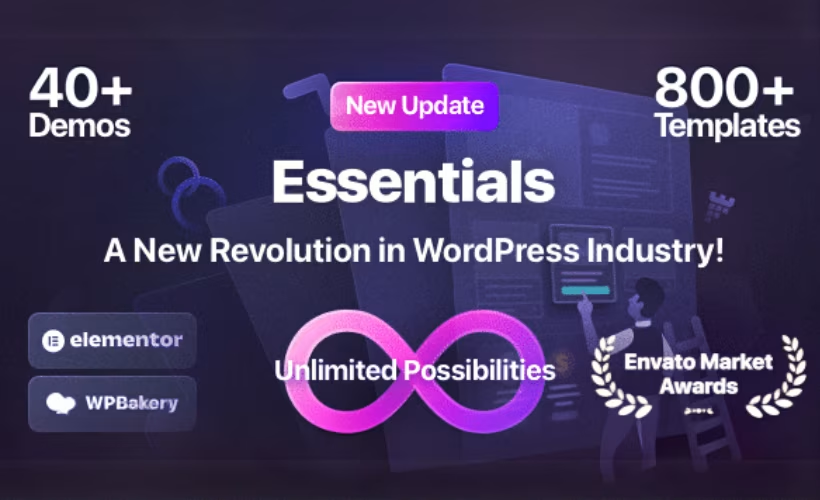
Freelancers and agencies building client sites often lose hours stitching together a theme, a page builder, and a handful of premium plugins just to get a working homepage. This Essentials theme review looks at Pixfort’s approach: a single multipurpose theme with dozens of ready-made demos and support for both Elementor and WPBakery, aimed at skipping that setup grind entirely. The pitch is speed and simplicity for people who need a finished-looking site without writing code.
The real question is whether a large demo library and dual builder support actually translate into faster, cheaper projects once licensing limits and support terms are factored in.
Quick Verdict
Essentials suits freelance designers, small agencies, and business owners who want to assemble a professional-looking site quickly using Elementor or WPBakery, without hiring a developer. It’s a weaker fit for anyone managing dozens of client domains under one license, or for teams that prioritize a lightweight, performance-first codebase over a large demo catalog.
Pros
- 43+ ready-made demos and over 1,000 templates for fast site assembly
- Works with the free version of Elementor, so Elementor Pro isn’t required
- Bundles WPBakery, Slider Revolution, and Master Slider at no extra cost
- 80+ custom page-builder elements plus 100+ pre-designed inner pages
- Straightforward no-code setup suited to non-developers
Cons
- Site performance depends heavily on the bundled builders rather than a lightweight core
Core Features
43+ Ready-Made Demos
Essentials ships with more than 43 pre-built demo layouts, each designed as a starting point for a specific type of site rather than a blank template you build up from scratch. These demos cover the kind of business and portfolio layouts a multipurpose theme is expected to handle, and they import directly into a fresh WordPress install.
For a freelancer working against a client deadline, this cuts the build process down to picking a demo close to the target design and adjusting content, rather than assembling a homepage section by section. It’s the feature that does the most to justify the “no-code” claim in the theme’s tagline.
1,000+ Templates
Beyond the full-site demos, Essentials includes a library of over 1,000 individual templates covering smaller building blocks — headers, footers, sections, and page layouts that can be dropped into any project. This library sits alongside the demo collection, not instead of it, giving two levels of starting material.
The practical benefit is flexibility mid-project: if a client wants a different pricing table or call-to-action layout than the one in the chosen demo, there’s a large pool of alternatives to pull from without building a new section from raw page-builder elements.
100+ Inner Pages
Essentials bundles more than 100 pre-designed inner pages — about pages, service pages, contact layouts, and similar secondary content that a full business site needs beyond its homepage. These are built into the theme’s library rather than left for the buyer to design independently.
For agencies producing multiple small-business sites, this matters because inner pages are usually the most repetitive part of a build. A stock of ready layouts means less time spent on pages that don’t get much design attention but still need to look finished.
80+ Custom Page-Builder Elements
The theme adds over 80 custom elements to whichever page builder is in use, extending the base component set that Elementor or WPBakery ships with by default. These are built specifically for Essentials rather than being generic third-party add-ons.
That extra element library reduces the need to install separate plugins for things like sliders, pricing grids, or testimonial blocks, since the equivalent components are already available inside the builder interface once the theme is active.
No-Code Website Building
Essentials is built around assembling a complete site through its demos, templates, and drag-and-drop elements without writing custom code. This is the organizing principle behind the other features rather than a separate tool — the demo library, template pool, and element set all exist to support it.
For the target audience of freelance designers, small business owners, and agency builders, this lowers the technical bar for producing a finished multipurpose site, since layout decisions happen visually inside the builder rather than in a code editor.
Compatible with Elementor and WPBakery
Essentials works with both Elementor and WPBakery Page Builder, rather than locking buyers into a single builder ecosystem. It works with the free version of Elementor — Elementor Pro isn’t required to use the theme’s demos and elements.
This dual compatibility gives buyers a choice based on which builder they already know, and the free-Elementor support keeps the total cost down for anyone who’d otherwise need to add a Pro license on top of the theme price.
Also Included
Alongside these, the package bundles WPBakery Page Builder, Slider Revolution, and Master Slider at no extra cost, so none of these companion plugins need to be purchased separately to use the theme’s full feature set.
Installation and Setup
Getting Essentials running follows the standard WordPress theme upload process, with a few extra steps for the bundled tools.
- Purchase and download the theme package from the official site or your Themeforest order.
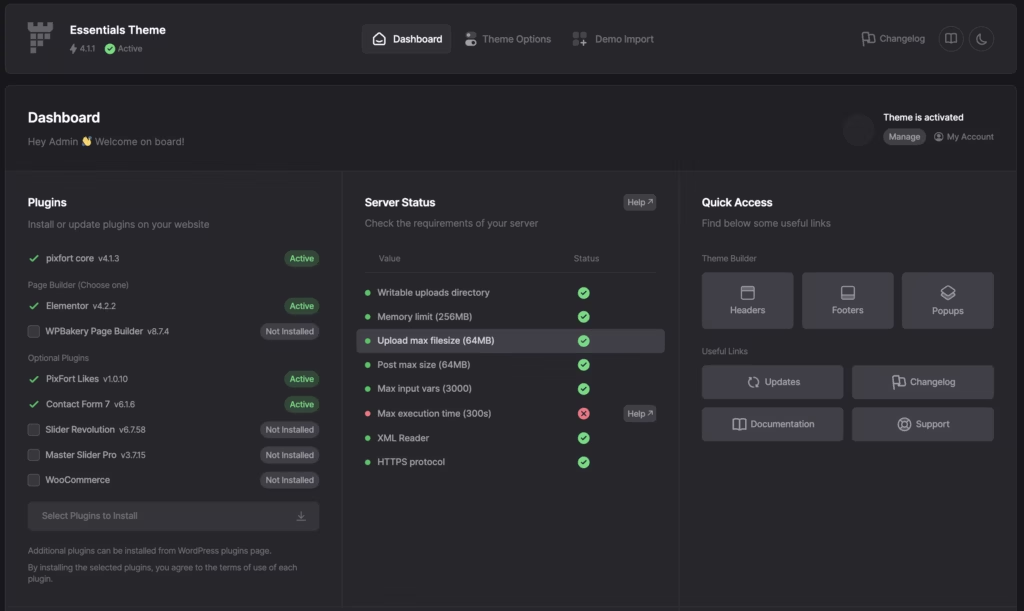
- Extract the downloaded ZIP file on your computer. Inside, look for a folder named Theme, which contains the actual installable file, essentials.zip.
- Log in to your WordPress dashboard and go to Appearance → Themes → Add New → Upload Theme.
- Select the essentials.zip file from the Theme folder and click Install Now, then activate the theme once installation finishes.
- Install the bundled page builder and slider tools as needed. Essentials bundles the following for free:
- WPBakery Page Builder
- Slider Revolution
- Master Slider
The theme also works with the free version of Elementor, so if you prefer building with Elementor rather than WPBakery, install that instead.
- If you plan to customize the theme’s code, install the optional child theme included in the separate child-theme folder from the same download package. This keeps your changes safe from being overwritten by future theme updates.
- Import one of the ready-made demos to start from a pre-built layout, or begin building pages from scratch using the included templates and custom elements.
Based on first-hand testing, this entire process — from extracting the package to having an active theme ready for demo import — takes about five minutes on a standard WordPress installation.
Compatibility and Requirements
Essentials does not mandate any third-party plugin purchase before you can start building. The theme includes its own page-building tools out of the box.
| Requirement | Detail |
|---|---|
| Page builders | Compatible with Elementor (free version) and WPBakery Page Builder (bundled free) |
| Slider tools | Slider Revolution and Master Slider bundled free |
If you’re running the site on shared hosting, keep in mind that WPBakery, Slider Revolution, and Master Slider each add their own resource overhead once activated. It’s worth testing on a staging site before pushing any theme update live, since page builders in general tend to be sensitive to outdated PHP environments.
Essentials Pricing
Essentials is sold exclusively through a single license type on Themeforest, with no free version available.
Themeforest Standard License — $69, covers 1 website/domain. This is listed as a limited-time sale price on the official site and applies to a one-time purchase rather than a subscription. It includes the full theme package: all 43+ ready-made demos, the 1,000+ template library, 100+ inner pages, and the 80+ custom page-builder elements. The bundled companion tools — WPBakery Page Builder, Slider Revolution, and Master Slider — come included at no extra cost.
Support is included for 6 months from purchase and can be extended to 12 months through a separate support extension.
Because the $69 price is flagged as a promotional rate, it’s worth checking the current listing on essentials.pixfort.com before buying, in case the standard price has changed since the sale ended.
👉 Get Essentials at the best available price
Alternatives to Essentials
Essentials sits in a crowded field of multipurpose WordPress themes, so it helps to see how it stacks up against other well-known options. Each takes a different approach to page building, licensing, and cost.
| Product | Key Difference | Best For | Price Tier |
|---|---|---|---|
| Essentials | Multipurpose theme with 43+ demos and dual support for Elementor and WPBakery, sold as a one-time license | Freelancers and agencies who want a large demo library and no-code assembly | Paid |
| Avada | Multipurpose ThemeForest theme built around its own Fusion Builder with extensive pre-built demos | Users who prefer a single all-in-one builder tied to the theme | Paid |
| Astra | Lightweight, performance-focused theme designed to work with any major page builder, with a free core and paid Pro add-ons | Users prioritizing speed who want builder flexibility | Freemium |
| OceanWP | Lightweight multipurpose theme with a free version plus paid extensions for added functionality | Budget-conscious users starting free and adding features later | Freemium |
| Divi | Elegant Themes’ multipurpose theme built around its proprietary Divi Builder, sold via subscription or lifetime membership | Users who want an integrated builder with subscription-based updates | Paid |
Competitor data is sourced from publicly available information as of 2026 and may have changed.
The right pick depends on what matters most: Essentials and Avada lean on demo depth and bundled builders, while Astra and OceanWP favor lighter footprints with free entry points, and Divi offers a builder-centric subscription model.
Frequently Asked Questions
Does the Essentials theme work with Elementor?
Yes, Essentials is built to work with Elementor as one of its two supported page builders. It also supports WPBakery, so you can choose whichever builder you prefer for assembling pages.
Is the Essentials WordPress theme free?
No, Essentials is a premium-only theme with no free tier. It’s sold through Themeforest under a Standard License, currently listed at $69 as a limited-time sale price.
How many demos does the Essentials theme include?
Essentials includes 43+ ready-made demos along with more than 1,000 templates and 100+ pre-designed inner pages. This library is meant to let users assemble a full site without building pages from scratch.
Does Essentials include Slider Revolution for free?
Yes, Slider Revolution is bundled with Essentials at no extra cost, along with Master Slider and WPBakery Page Builder. None of these companion tools require a separate purchase.
How long does support last for the Essentials theme?
Included support runs for 6 months from purchase. It can be extended to 12 months through a separate support extension.
Do I need Elementor Pro to use Essentials?
No, Essentials works with the free version of Elementor. The theme’s demos, templates, and custom elements are designed to function without requiring an Elementor Pro license.
Can I use one Essentials theme license on multiple websites?
No, the Themeforest Standard License covers only a single website or domain. Anyone needing to deploy Essentials on multiple sites would need a separate license for each one.
Download & Pricing Options
🔍 Try Before You Buy
Essentials does not have an official free tier. To evaluate it before purchasing, a GPL-licensed copy is available for sandbox testing purposes only.
👉 Download GPL Evaluation Copy
This is a GPL-licensed redistributed copy for testing only — not an official developer product.
💎 Get Essentials (Best Available Price)
👉 Check Current Pricing for Essentials
Pricing and availability may change — use the link above for current rates.
Essentials WordPress Theme is available from most GPL vendors, but they are not equivalent. Our best GPL site review tested all ten on price, catalogue and whether updates reach wp-admin at all.


