Brikk Directory Theme Review 2026: Is It Worth It?

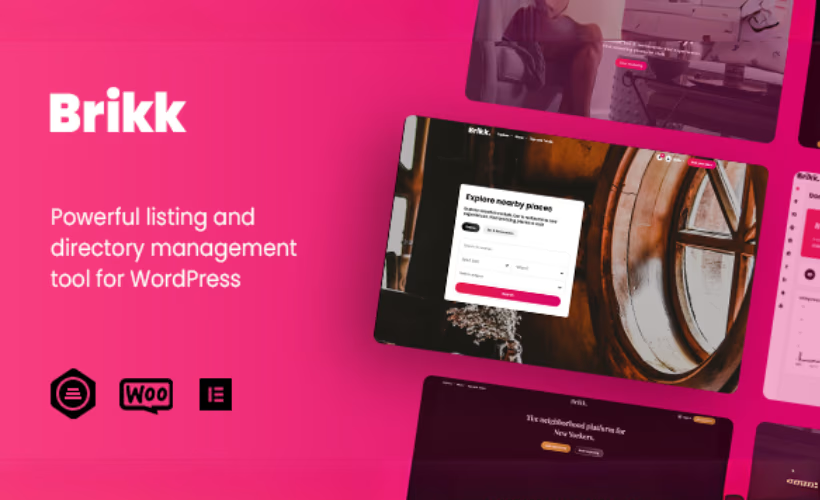
Building a monetized directory site from scratch usually means stitching together a base theme, a directory plugin, a form builder, and a payment layer — then hoping they don’t conflict. This Brikk theme review examines a different approach: a self-contained framework where listing types, submission forms, search filters, and WooCommerce-powered listing plans are built into the theme itself. The question is whether that integration is tight enough to justify the cost over dedicated directory plugins and lighter alternatives.
Quick Verdict
Brikk suits developers and entrepreneurs who want a single, cohesive codebase for a paid listing marketplace, job board, or business directory — without assembling a plugin stack from scratch. Buyers who need recurring subscription plans on a tight budget should factor in the mandatory cost of WooCommerce Subscriptions before committing.
Pros
- Modular drag-and-drop framework builds custom listing types without a separate directory plugin
- Built-in submission form and search filter builders reduce third-party add-on dependency
- Native WooCommerce integration handles listing plan monetization inside the theme
- Elementor and Elementor Pro compatibility for visual page building
- Child theme ships in the box, keeping customizations safe through updates
Cons
- WooCommerce is required for any monetization functionality, adding plugin weight and configuration overhead
- Recurring listing plans require WooCommerce Subscriptions, a premium plugin that adds to the total project cost
- Support is limited to six months from purchase
- The Extended License — required when charging end users — carries a significantly higher price than the Regular License
Core Features
Modular Listing Type Builder
Brikk’s central architecture is a drag-and-drop framework for constructing custom listing types from scratch. Rather than locking you into a fixed listing structure — a single template for businesses, events, or jobs — the framework lets you define the fields, layout, and data model for each listing category independently.
This matters most when a directory spans multiple content types. A rental marketplace and a job board have fundamentally different data requirements; Brikk treats them as separate builds within the same installation rather than forcing both into a generic mold.
Submission Form Builder
The submission form builder is a built-in tool for designing the forms that listing owners use to submit their entries. Field selection, arrangement, and form structure are handled inside the theme’s own interface — no separate form plugin is needed for the listing submission workflow itself.
For operators who want to control exactly what information submitters provide, this removes a layer of plugin dependency. The form structure can be tailored to match each listing type, so a restaurant directory collects different data than an events calendar without requiring separate plugin configurations.
Search Filter Builder
Alongside the submission tools, Brikk includes a dedicated search filter builder. Site owners can define which fields appear as filterable criteria on the front end — giving visitors the ability to narrow listings by the attributes that actually matter for that directory’s niche.
The filter builder works in tandem with the listing type framework. Because listing fields are custom-defined, the filters can reflect those same fields rather than defaulting to a generic set of search parameters.
Listing Monetization and Paid Plans
Monetization is handled through WooCommerce, with listing plans configured directly within the theme’s management interface. Site owners can create tiered plans — controlling what each plan permits in terms of listing visibility, duration, or feature access — and charge submitters accordingly.
Recurring billing is available through WooCommerce Subscriptions, which extends the plan system to support subscription-based listing fees. This makes Brikk a practical choice for operators who want ongoing revenue from listing owners rather than one-time submission payments.
Elementor Compatibility
Brikk works with both Elementor and Elementor Pro, making visual page construction available for directory pages, landing pages, and supporting content. Elementor is flagged as a required companion plugin on theme activation, so the integration is treated as a core dependency rather than an optional add-on.
This pairing gives designers access to Elementor’s widget library and layout controls while the theme handles the directory-specific functionality underneath.
Child Theme and Underscores Foundation
A child theme ships inside the theme package alongside the main theme files. Having a child theme available from the start means customizations — CSS overrides, template modifications, function additions — are isolated from the parent theme and survive updates without being overwritten.
The child theme installs directly from that package without any additional steps.
The parent theme is built on the Underscores framework, a lean starter theme maintained by Automattic. That foundation keeps the base codebase minimal and well-structured, which benefits developers who need to extend or modify the theme beyond what the visual builders provide.
Installation and Setup
- Purchase Brikk from the Themeforest marketplace and download the theme package. The archive contains three files: Brikk.zip, Brikk-child.zip, and a documentation.txt file.
- Log in to your WordPress admin dashboard and navigate to Appearance → Themes → Add New → Upload Theme. Upload Brikk.zip and activate it.
- To preserve any customizations through future theme updates, upload and activate Brikk-child.zip using the same process, then switch to the child theme.
- On activation, WordPress will flag several plugins for installation. Install and activate each of the following required plugins:
- Brikk Utilities
- Elementor
- Routiz
- WooCommerce must be installed and activated for listing plans and payment processing; WooCommerce Subscriptions is additionally required only if you intend to offer recurring subscription-based listing plans.
- Install any recommended plugins relevant to your site’s needs:
- Contact Form 7
- Envato Market
- MC4WP: Mailchimp for WordPress
- Utillz Login
- With all plugins active, proceed to configure your listing types, submission forms, and search filters using the theme’s modular drag-and-drop framework. Detailed configuration guidance is available in the documentation.txt file included in the theme package.
Compatibility and Requirements
| Requirement | Detail |
|---|---|
| WordPress | 6.0.x (tested on 6.5) |
| PHP | 8.4 |
| Page Builder | Elementor, Elementor Pro |
| Payments & Listing Plans | WooCommerce |
| Recurring Listing Plans | WooCommerce Subscriptions |
| Theme Framework | Underscores |
| Browsers | IE11, Firefox, Safari, Opera, Chrome, Edge |
The browser compatibility list includes IE11. IE11 reached end-of-life in June 2022; most directory projects will not need to build or test against it.
Brikk Pricing
Brikk is a premium theme with no free version available. Two license tiers are offered through the Envato marketplace, both covering a single end product.
Regular License — $79
The entry-level option covers one site where end users are not charged for access. This suits directory owners running a free-to-browse listing site or a site monetized through advertising rather than paid user submissions.
Extended License — $2,600
The Extended License also covers a single end product but permits charging end users for access — making it the required option for any directory where visitors pay to submit or view listings.
Both licenses include six months of support from the date of purchase. Extending that coverage to twelve months costs an additional $25.13, purchasable at checkout or afterward through the marketplace.
For the current rate on the support extension, check the live listing on themeforest.net before completing your purchase.
👉 Get Brikk at the best available price
Alternatives to Brikk
The premium WordPress directory theme market offers several strong options, each taking a different approach to listing management, customization, and plugin dependency. The table below covers the most relevant alternatives for operators evaluating this segment.
| Product | Key Difference | Best For | Price Tier |
|---|---|---|---|
| Brikk | Modular drag-and-drop framework with built-in listing type builder, submission forms, and native WooCommerce monetization — no separate directory plugin required | Operators building monetized listing marketplaces who want maximum flexibility without third-party directory plugins | Paid |
| MyListing | Proprietary listing type builder with extensive field options and strong visual flexibility, also sold on ThemeForest | Developers and site owners who prioritize design customization and a wide range of listing field configurations | Paid |
| Listify | Built around WP Job Manager, offering deep integration with that plugin’s ecosystem for job and business listings | Sites that already use or plan to use WP Job Manager as their listing backbone | Paid |
| Listable | Community-driven listing focus with a clean, minimal design and WP Job Manager integration, also by Astoundify | Operators who want a lighter aesthetic and a community-oriented directory experience | Paid |
| Directorist | Freemium plugin-based approach — listing functionality delivered as a standalone plugin with a free core and paid extensions | Budget-conscious builders who prefer a plugin over a theme and want to start without upfront cost | Freemium |
Competitor details are current as of 2026 and may have changed.
The right choice depends heavily on how much control you need over listing types and whether you prefer a theme-first or plugin-first architecture. Brikk suits operators who want everything built into the theme layer; Directorist suits those who want listing functionality independent of their theme choice; and MyListing, Listify, or Listable are worth evaluating if WP Job Manager integration or a specific design direction is the priority.
Frequently Asked Questions
What is Brikk WordPress theme used for?
Brikk is a premium WordPress theme built for directory and listing websites. Its modular drag-and-drop framework lets operators create custom listing types, submission forms, and search filters for use cases ranging from business directories and job boards to restaurant listings, rental marketplaces, and classified ads platforms. Monetization features allow site owners to charge for listings through paid plans and recurring subscriptions.
How much does Brikk cost?
The Regular License costs $79 and covers a single end product where end users are not charged for access. The Extended License, required when end users pay to access the site, is priced at $2,600 — also for a single end product. Both licenses include six months of support from the date of purchase.
Does Brikk work with Elementor?
Yes, Brikk is compatible with both Elementor and Elementor Pro. Elementor is also listed as a required companion plugin that is flagged for installation on theme activation.
Do I need WooCommerce to use Brikk?
WooCommerce is required for payment processing and listing plan functionality. If you plan to monetize listings — whether through one-time paid plans or recurring subscriptions — WooCommerce must be installed. Recurring listing plans additionally require WooCommerce Subscriptions, which is a separate premium plugin.
How long does Brikk support last?
Support is included for six months from the date of purchase. An extension to 12 months of support is available for an additional $25.13, purchasable at checkout or afterward through the marketplace.
Brikk vs MyListing — which directory theme is better?
Brikk’s primary differentiator is its built-in modular framework for constructing custom listing types, submission forms, and search filters without relying on a separate directory plugin. MyListing is a well-established competitor in the same category with its own approach to listing customization. The right choice depends on which feature set and workflow better match your project requirements, as well as your tolerance for the additional cost of WooCommerce Subscriptions if recurring plans are part of your monetization model.
Can I charge users for listings with the Brikk Regular License?
No. The Regular License explicitly restricts use to a single end product where end users are not charged for access. To operate a site where users pay for listing submissions or access, you must purchase the Extended License at $2,600.
Download & Pricing Options
🔍 Try Before You Buy
Brikk does not have an official free tier. To evaluate it before purchasing, a GPL-licensed copy is available for sandbox testing purposes only.
👉 Download GPL Evaluation Copy
This is a GPL-licensed redistributed copy for testing only — not an official developer product.
💎 Get Brikk (Best Available Price)
👉 Check Current Pricing for Brikk
Pricing and availability may change — use the link above for current rates.
Wondering where to get Brikk Directory Theme without the annual licence fee? We ranked the options in our our GPL site comparison comparison, and we say plainly which ones we would avoid.


