Are GPL Plugins Safe? An Honest Security Breakdown
Are GPL plugins safe? Yes, from vendors that ship unmodified, scanned files. Here is how to verify a GPL download and the 6 red flags to walk away from.

Last updated: 17 September 2026
Quick Answer
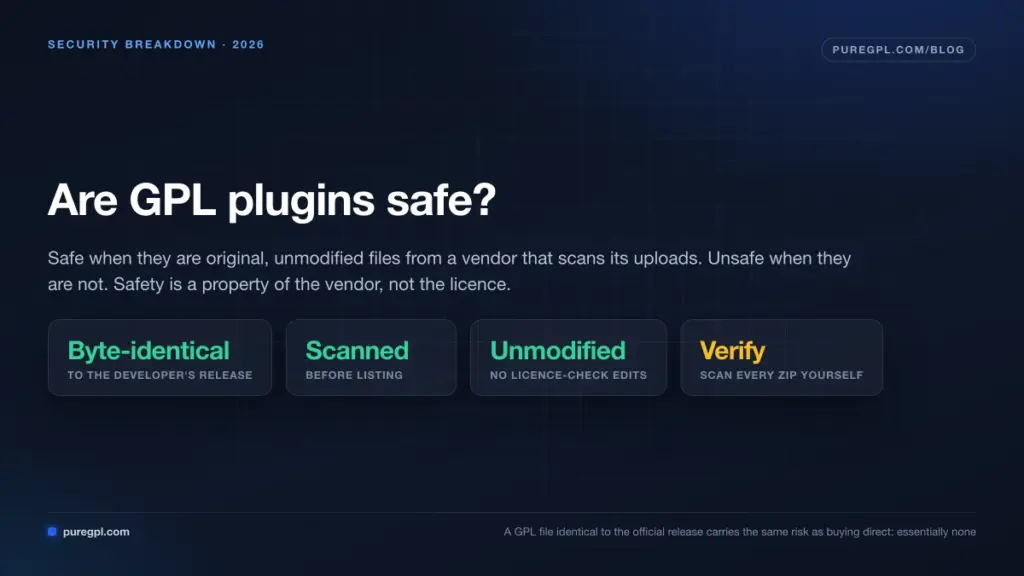
GPL plugins are safe when they are original, unmodified files from a vendor that scans its uploads — and unsafe when they are not. Safety is not a property of the GPL licence; it is a property of the specific vendor you download from. A GPL file that is byte-identical to the developer’s official release carries exactly the same risk as buying direct: essentially none.
The question “are GPL plugins safe” has no single answer because “GPL plugin” describes a licence, not a supply chain. Here’s how to evaluate the supply chain.
Why the Licence Itself Changes Nothing
A plugin licensed under the GPL is the same code whether you get it from the developer’s site, WordPress.org, or a GPL membership site. Elementor Pro from the developer and Elementor Pro from a GPL vendor are identical files — if the vendor hasn’t touched them.
So the security question reduces to one thing: has this file been modified since the developer released it?
Three possible answers:
| Source | Modified? | Risk |
|---|---|---|
| Developer / WordPress.org | No | Baseline |
| Reputable GPL site | No | Baseline, plus vendor-compromise risk |
| Nulled site | Yes, always | High |
“Vendor-compromise risk” is real but small: it’s the possibility that the GPL site’s own storage was breached and files were swapped. It’s why you scan downloads even from vendors you trust.
The 5 Questions That Determine Safety
1. Does the vendor state that files are unmodified?
This is the baseline. Reputable vendors say it explicitly. PureGPL describes its files as “original, unmodified” and states they are scanned before being listed. GPLDL states its items are “true originals — just as they were released by the developers — no nulled scripts.” If a vendor is silent on this, that silence is the answer.
2. Is there a named malware scanner?
Vague assurances (“100% safe!”) are worth nothing. A named scanner is a checkable claim. GPL Times advertises ClamAV verification. Some vendors display Norton or McAfee site seals — note that those verify the website, not the files, which is a meaningfully weaker claim.
3. Is there a changelog?
A vendor that publishes when each product was last refreshed is exposing itself to verification. PureGPL publishes a changelog and surfaces counts of products added and refreshed each month (902 added, 3,090 refreshed in the most recent month at the time of writing). Vendors with no changelog can quietly serve two-year-old files.
4. Does the vendor use standard payment processors?
Stripe, PayPal and Razorpay all impose merchant vetting and chargeback exposure. A vendor accepting only crypto or direct bank transfer has opted out of all accountability — including any recourse if your download is malicious.
5. Is there a real support channel and a legal footprint?
A contact page, a terms-of-service page, a copyright policy, a named entity. These aren’t security controls, but their absence correlates strongly with everything else being absent too.
How to Verify a GPL Download Yourself
Do this the first time you use any vendor, and spot-check afterwards. It takes about ninety seconds.
Step 1 — Scan the ZIP before it touches WordPress. Run it through your local antivirus, or upload to a multi-engine scanner. Do this before extraction.
Step 2 — Compare against the free version where one exists. Many premium plugins have a free core on WordPress.org. Download it and diff the shared files:
diff -rq ./plugin-free ./plugin-premium | grep -v "Only in"Shared files should differ only where the premium version legitimately extends them.
Step 3 — Grep for obfuscation.
grep -rn "eval(base64_decode" .
grep -rn "gzinflate(\|str_rot13(\|create_function(" .
grep -rnE "(file_get_contents|curl_exec).*https?://" .
Outbound HTTP to the developer’s own licence endpoint is normal. Outbound HTTP to an unrelated domain in an obfuscated string is not.
Step 4 — Check file dates and sizes. Every file in a clean release shares roughly the same build timestamp. One file modified three weeks later than the rest is worth reading line by line.
Step 5 — Install on staging first, with Wordfence active. Run a full scan post-activation. Then check for unexpected admin users, unexpected scheduled events (wp cron event list), and unexpected outbound requests.
Six Red Flags: Walk Away Immediately
- The words nulled, cracked, activated, pre-activated, or licence bypass anywhere on the site
- No HTTPS, or checkout outside Stripe/PayPal/Razorpay
- Downloads served through link shorteners or ad gateways
- No contact page, no terms, no company details
- ZIP files noticeably larger than the developer’s stated size
- A prompt to disable your security plugin during installation — there is no legitimate reason for this
What GPL Plugins Genuinely Cannot Do
Safe is not the same as complete. Be clear about the limits before you buy:
- No developer support. Your ticket goes to the GPL vendor, not the plugin author.
- Activation-gated features may be limited. Template libraries, AI credits and cloud rendering often need a live key. A minority of vendors allocate real licence keys — PureGPL issues 10–30 per month depending on plan — which resolves this for the products you care about most.
- Update lag. Vendors must buy, scan and re-upload each release. Hours to days, not instant. For a security patch on a public-facing plugin, that gap matters; keep an eye on your own exposure.
- No refund safety net at most vendors. Worth checking before purchase: PluginsForWP advertises 30 days, GPLChimp 3 days, and PureGPL’s policy is no refunds beyond a 24-hour pre-download window or a genuine technical fault.
Are GPL Themes Safe Too?
Same analysis, slightly higher stakes. Themes contain functions.php, which executes on every page load and is the most convenient place to hide a backdoor. Apply the same verification, and pay particular attention to functions.php, any inc/ directory, and files with generic names like class-wp-init.php that don’t match the theme’s naming convention.
FAQ
Are GPL plugins safe for a WooCommerce store? Yes, with extra care. Stores process payment data, so use a vendor that states files are unmodified, test on staging, keep Wordfence or Sucuri running, and ensure you can still patch quickly — update lag matters more on a store than on a brochure site.
Can a GPL plugin steal my data? An unmodified GPL plugin behaves exactly as the developer wrote it. A modified one can do anything. This is why verification, not brand trust, is the control that matters.
Do GPL plugins get security updates? From vendors with automatic updaters, yes — PureGPL, WorldPressIT, GPL Times, PluginsForWP and GPL Vault all push updates into wp-admin. Vendors without an updater require manual re-uploads, which in practice means many users never patch.
Is it safe to use GPL plugins on client sites? It’s common practice among agencies. The professional standard is: source from a vendor with a stated integrity policy, scan before deploying, keep automatic updates enabled, and be transparent with the client about support arrangements.
Which GPL vendors are safest? The ones that publish an integrity policy, name a scanner and maintain a changelog. We scored ten vendors against those criteria in our best GPL site comparison.
Bottom Line
Are GPL plugins safe? Yes — the licence is not the risk. The vendor is. Choose one that ships unmodified files, names its scanner, publishes a changelog and takes real payments. Then verify the first download yourself anyway. That combination puts you at the same risk level as buying direct, for a fraction of the cost.
→ Compare the 10 best GPL sites on safety, price and update speed


