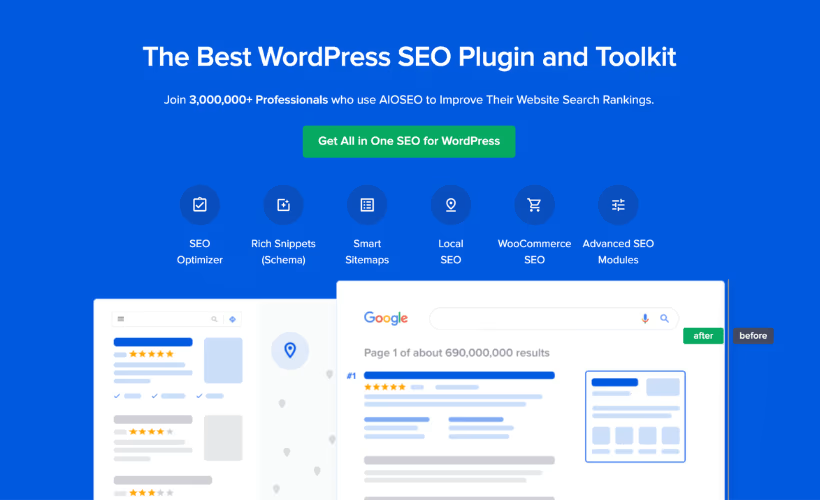
Most WordPress site owners start with a free SEO plugin, then hit a wall when sitemaps, schema, redirects, and WooCommerce optimization each need a separate add-on to work properly. This AIOSEO Pro review looks at what happens when a single premium plugin bundles all of that instead of forcing you to stitch tools together. The catch is that AIOSEO drops the free tier entirely, asking you to pay from day one for what rivals give away in part.
The real question is whether that all-in-one bundle and its backing from Awesome Motive justify the cost compared to sticking with a freemium plugin like Yoast SEO or Rank Math.
Quick Verdict
AIOSEO Pro suits WordPress and WooCommerce site owners who want sitemaps, schema, redirects, local SEO, and internal linking handled by one plugin instead of several, and who value having Awesome Motive’s support infrastructure behind it. Budget-conscious site owners or anyone unwilling to commit to annual billing at full renewal rates should look at free alternatives first.
Pros
- Bundles XML sitemaps, schema markup, a redirect manager, local business SEO, and WooCommerce optimization without separate add-ons
- Google Search Console data appears directly inside the WordPress dashboard
- Link Assistant crawls the site and suggests internal links automatically
- Backed by Awesome Motive, the company behind WPBeginner, OptinMonster, and WPForms, with over 3 million active installs
- Every plan includes a 14-day unconditional money-back guarantee
Cons
- No free tier exists, unlike Yoast SEO and Rank Math
- Priority and Premium support are limited to the higher-cost Pro and Elite tiers
- Requires annual billing
👉 See All In One SEO Pack PRO pricing
Core Features
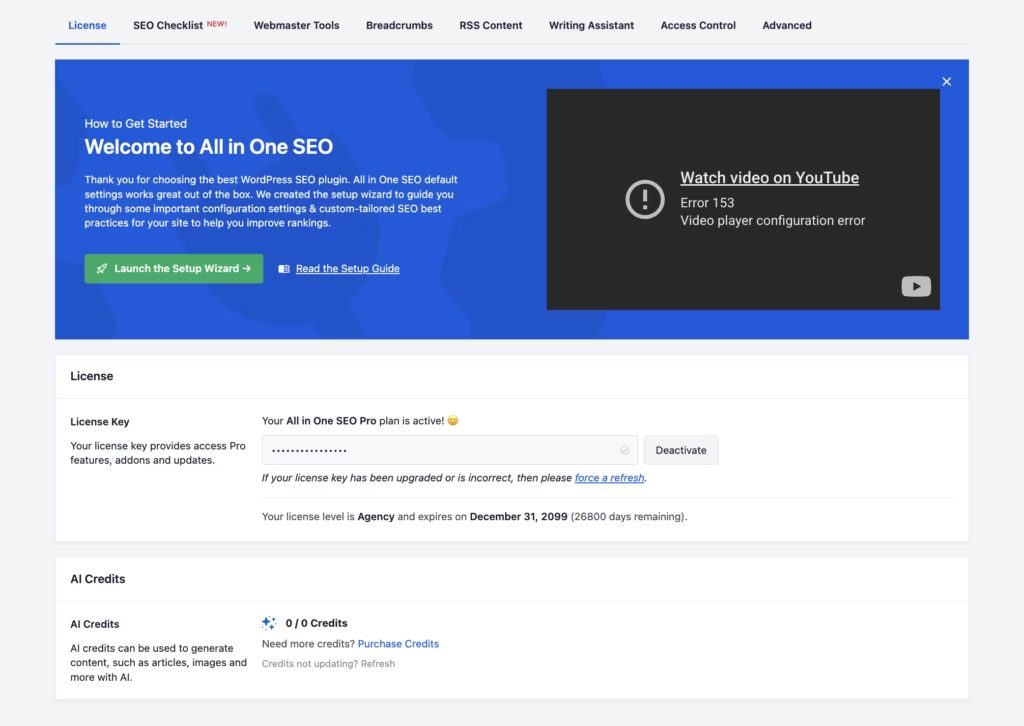
The plugin file all-in-one-seo-pack-pro.zip installs directly via Plugins → Add New Plugin → Upload Plugin without needing to extract it first.
XML Sitemap Generation
AIOSEO Pro builds and maintains XML sitemaps directly inside the plugin, with no separate sitemap add-on required. The sitemap generator updates automatically as pages, posts, and product listings are added or removed, keeping the file in sync with the live site structure.
For site owners, this removes a recurring maintenance task: there’s no need to manually resubmit a sitemap every time content changes. Search engines are fed an accurate, current map of the site, which supports faster and more complete indexing.
Schema Markup Generator
The built-in schema markup tool lets site owners add structured data to pages and posts without writing JSON-LD by hand. It covers the technical layer that helps search engines understand page content beyond plain text.
The practical payoff is eligibility for rich results in search listings — the kind of enhanced snippets that can lift click-through rates. Because schema generation is bundled into the core plugin, it works alongside the sitemap and content tools rather than as a bolt-on integration.
Redirect Manager
AIOSEO Pro includes a redirect manager for handling URL changes, deleted pages, and broken links without touching the site’s .htaccess file or server configuration. Redirects are set up and edited from inside the WordPress dashboard.
It matters most on sites that restructure content over time — renamed categories, retired products, or migrated URLs. Catching these redirects internally protects existing search rankings and prevents visitors from landing on 404 pages.
Local Business SEO Tools
The local business SEO module targets businesses that depend on local search visibility, giving them tools to optimize location-based listings and local search signals from within the plugin.
For a business with a physical location or service area, this consolidates local SEO work that would otherwise require a separate plugin or manual schema configuration. It’s built for local businesses and multi-location site owners specifically, rather than as a generic add-on.
WooCommerce SEO Optimization
AIOSEO Pro extends into store-specific optimization for WooCommerce, applying SEO controls directly to product pages, categories, and shop archives. It’s one of the areas where the all-in-one packaging is most visible, since store SEO usually needs its own dedicated plugin elsewhere.
Store owners get product-level optimization — titles, descriptions, and structured data tuned for e-commerce — without stitching together a general SEO plugin and a WooCommerce-specific extension. That reduces the number of moving parts a store has to manage and update.
Content Analysis Tool
The content analysis tool reviews on-page content as it’s written, checking it against SEO best practices before publishing. It operates inside the standard WordPress editor rather than as a separate screen.
It gives bloggers and content teams feedback at the point of writing, rather than after a page is already live and indexed. Catching optimization gaps before publication is generally more useful than fixing them retroactively.
Google Search Console Integration
AIOSEO Pro connects directly to Google Search Console, pulling performance data into the WordPress dashboard instead of requiring a separate login to Google’s own interface.
For site owners, this means search performance metrics sit next to the content and SEO settings they’re already managing, cutting down on the tab-switching that normally comes with tracking search visibility.
Link Assistant
Link Assistant crawls the site to audit existing internal and external links, then generates contextual one-click suggestions for new internal links between related pages.
It’s aimed at sites with a growing content library, where manual internal linking becomes hard to keep up with. Automating link discovery helps distribute page authority across the site and surface older content that might otherwise go unlinked from newer posts.
Installation and Setup
- Download the AIOSEO Pro plugin file (all-in-one-seo-pack-pro.zip) after purchasing a license from aioseo.com.
- Log in to the WordPress dashboard and navigate to Plugins → Add New Plugin → Upload Plugin.
- Select the zip file and click Install Now. The file can be uploaded directly without extracting it first.
- Click Activate once the installation finishes.
- Enter the license key when prompted to activate the premium features tied to your pricing tier.
- Run through the setup wizard to configure basic site details, then move on to configuring XML sitemaps, schema markup, redirects, and any WooCommerce or local business SEO modules relevant to the site.
In first-hand testing, this process was completed on a WordPress 6.5 install running PHP 8.4, with the plugin uploaded and activated directly through the standard Upload Plugin screen. Installation and basic setup took about two minutes from upload to a working configuration, with no need to unzip the file manually beforehand.
AIOSEO Pro does not require any separate companion plugins to function — it installs and runs as a single, self-contained plugin package.
Compatibility and Requirements
| Requirement | Detail |
|---|---|
| Hosting | Self-hosted WordPress site required |
AIOSEO Pro is built for self-hosted WordPress installations — it is not designed for WordPress.com-hosted sites without a self-hosted equivalent setup.
As a practical note, running any WordPress plugin on an end-of-life PHP version is worth avoiding on a live site, regardless of what a plugin technically supports, since unsupported PHP branches no longer receive security patches.
AIOSEO Pricing
AIOSEO is a fully commercial product — there is no free tier, only the four paid plans below. Every plan is billed annually, and the figures shown are introductory first-term rates that renew at the full regular price after the first billing cycle.
Basic — ¥1,200/mo (introductory rate ¥600/mo for the first term). Covers the core toolset: XML sitemaps, schema markup, redirect management, and content analysis, backed by Standard Support.
Plus — ¥2,300/mo (introductory rate ¥1,150/mo for the first term). Builds on Basic with the same Standard Support tier and expanded feature access.
Pro — ¥4,800/mo (introductory rate ¥2,400/mo for the first term). This tier steps up to Priority Support, aimed at users who need faster turnaround on support requests.
Elite — ¥7,000/mo (introductory rate ¥3,500/mo for the first term). The top plan includes Premium Support, the highest support tier the developer offers.
All four plans draw from the same core feature set — XML sitemaps, schema markup, redirect management, local business SEO tools, WooCommerce optimization, and content analysis — with support level as a key differentiator between tiers.
For exact license limits per plan and to confirm current rates, check the pricing page on the official site at aioseo.com.
👉 Get All In One SEO Pack PRO at the best available price
Alternatives to AIOSEO
AIOSEO competes in a crowded field of WordPress SEO plugins, most of which offer a free entry point. Here’s how it stacks up against the three most common alternatives site owners consider.
| Product | Key Difference | Best For | Price Tier |
|---|---|---|---|
| AIOSEO | Bundles sitemaps, schema, redirects, local SEO, and WooCommerce optimization into one premium suite with tiered support | Site owners who want every SEO tool built in without stacking add-ons | Paid |
| Yoast SEO | One of the earliest and most widely used WordPress SEO plugins, known for readability and content analysis | Bloggers and content creators who value a mature freemium tool | Freemium |
| Rank Math | Bundles many advanced features like schema, redirects, and analytics into its free tier | Budget-conscious users who want advanced tools without paying upfront | Freemium |
| SEOPress | Lightweight plugin positioned as an affordable alternative with a single flat-rate license covering unlimited sites | Agencies and multi-site owners who want one license across many builds | Freemium |
Competitor data is sourced from publicly available information as of 2026 and may have changed.
The right pick depends on how much you’re willing to pay upfront versus how much built-in depth you need. Site owners who want a complete toolkit without hunting for add-ons may find AIOSEO’s pricing justified, while those testing the waters or running many small sites may lean toward a freemium option first.
Frequently Asked Questions
Does AIOSEO have a free version?
No, AIOSEO is a premium-only plugin with no free tier. Every plan, from Basic to Elite, requires an annual license purchase, unlike freemium competitors such as Yoast SEO and Rank Math.
What is AIOSEO’s refund policy?
AIOSEO offers a 100% unconditional 14-day money-back guarantee on all premium pricing plans. If a buyer is not satisfied within the first 14 days of the initial purchase, they can request a full refund.
Does AIOSEO integrate with Google Search Console?
Yes, AIOSEO features a direct integration with Google Search Console. This brings performance data straight into the WordPress dashboard, so site owners can review search metrics without leaving their site admin.
What is Link Assistant in AIOSEO?
Link Assistant is a built-in feature that crawls a WordPress site to audit existing internal and external links. It then generates contextual, one-click internal linking suggestions to help strengthen a site’s link structure.
Who owns and develops All in One SEO?
AIOSEO is owned and actively developed by Awesome Motive, the same parent company behind WPBeginner, OptinMonster, and WPForms. The plugin is one of the more popular WordPress SEO toolkits, with over 3 million active installations worldwide.
How much does AIOSEO cost?
Pricing runs across four annually billed tiers: Basic at ¥1,200/mo, Plus at ¥2,300/mo, Pro at ¥4,800/mo, and Elite at ¥7,000/mo. Each tier carries a lower introductory rate for the first term (for example, ¥600/mo for Basic), after which renewals switch to the full listed rate.
Is AIOSEO better than Yoast SEO?
AIOSEO and Yoast SEO both cover core on-page SEO, sitemaps, and schema markup, but they differ in business model: AIOSEO is premium-only while Yoast SEO offers a free version alongside its paid tiers. Whether AIOSEO is “better” depends on whether a site owner needs bundled tools like the redirect manager, local SEO module, and WooCommerce optimization built into one plugin rather than assembled from separate add-ons.
Is AIOSEO better than Rank Math?
Rank Math also provides a free tier with a wide feature set, while AIOSEO requires payment from the outset for any functionality. AIOSEO’s advantage lies in having its SEO tools, including local business SEO and WooCommerce optimization, packaged into a single commercial license backed by Awesome Motive’s support infrastructure.
Download & Pricing Options
🔍 Try Before You Buy
All In One SEO Pack PRO does not have an official free tier. To evaluate it before purchasing, a GPL-licensed copy is available for sandbox testing purposes only.
👉 Download GPL Evaluation Copy
This is a GPL-licensed redistributed copy for testing only — not an official developer product.
💎 Get All In One SEO Pack PRO (Best Available Price)
👉 Check Current Pricing for All In One SEO Pack PRO
Pricing and availability may change — use the link above for current rates.
All In One SEO Pack PRO is one of thousands of premium plugins available through a GPL membership. Our best GPL sites guide compares the ten main vendors on price, catalogue size and how fast updates actually arrive.