WooCommerce Checkout Field Editor
The WooCommerce Checkout Field Editor is a versatile plugin designed to enhance your online store's checkout…
- Instant download
- Unlimited domains
- Virus-scanned files

Version history
5 releases available — use the latest unless you need an earlier build.
- v1.7.26 Current 8 Sep 2026
- v1.7.25 19 Nov 2025
- v1.7.24 6 Jul 2025
- v1.7.23 30 Mar 2025
- v1.7.22 23 Mar 2025
Earlier builds are available to customers who own this product — sign in to download them.
What you’re getting
The WooCommerce Checkout Field Editor is a versatile plugin designed to enhance your online store’s checkout experience. With this powerful tool, you can easily customize the fields that appear during the checkout process, allowing you to collect the information that matters most to your business. Whether you want to add, edit, or remove fields, this plugin makes it simple and intuitive. Plus, it integrates seamlessly with your WooCommerce setup, ensuring a smooth transition for both you and your customers. What makes it stand out is its user-friendly interface, which requires no coding skills, making it accessible for everyone.
Key Features
- Drag-and-drop functionality for effortless field management.
- Add custom fields to capture additional customer information.
- Edit existing fields to better suit your business needs.
- Remove unnecessary fields to streamline the checkout process.
- Conditional logic for showing or hiding fields based on user input.
- Fully responsive design, ensuring usability on all devices.
- Easy integration with WooCommerce, requiring no technical skills.
- Real-time previews to see changes instantly.
- Comprehensive documentation and support for hassle-free setup.
Up and running in minutes
What you’ll need
- After downloading, unzip the package first. It may contain extras such as documentation or bundled templates — make sure you install the correct plugin file.
-
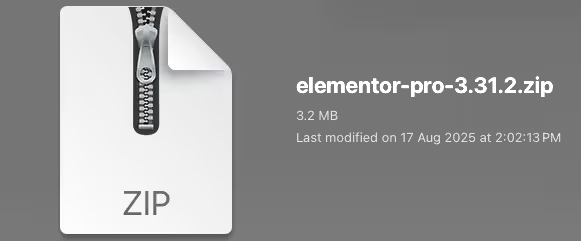
Unzip the Plugin File
Find the downloaded .zip file on your computer. Right-click it and extract its contents to a new folder.
-
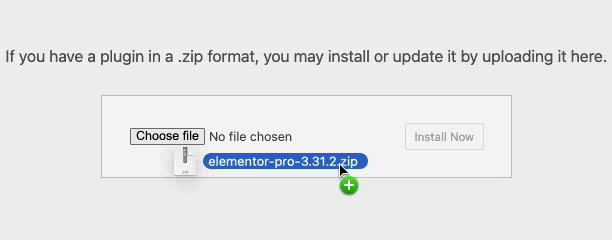
Upload the Plugin Folder
Navigate to the wp-content/plugins folder on your website, then drag and drop the unzipped plugin folder into it.
-
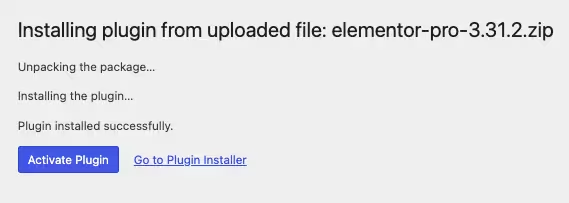
Activate the Plugin
Log in to your WordPress dashboard and open the Plugins menu. Your new plugin will be listed — click Activate to finish.
Questions, answered
Is this the original product?
Yes. You receive the original files, redistributed under the GNU General Public License that WordPress products are built on. Files are not modified by us; every upload is virus-scanned before release.
How many websites can I use it on?
The GPL places no limit on the number of sites. You can install this plugin on as many domains as you like.
How do updates work?
When the vendor releases a new version we update the package on our site. Download the latest version from your account and install it over the previous one, or use the Request Update button to nudge us if a version looks stale.
Do I need a license key?
No license key is required for normal use. A small number of products need extra activation for premium API features — when that applies, a note is shown on this page with exact instructions.
What if something doesn’t work?
Open a support ticket from your account and we’ll help you out. If you find a broken file, and we’ll fix it quickly.
Or get all 16,000+ products
$14/month — every plugin, theme and template on the site, this one included. Cancel anytime.