WordPress Automatic Review 2026: Features, Pricing, Setup

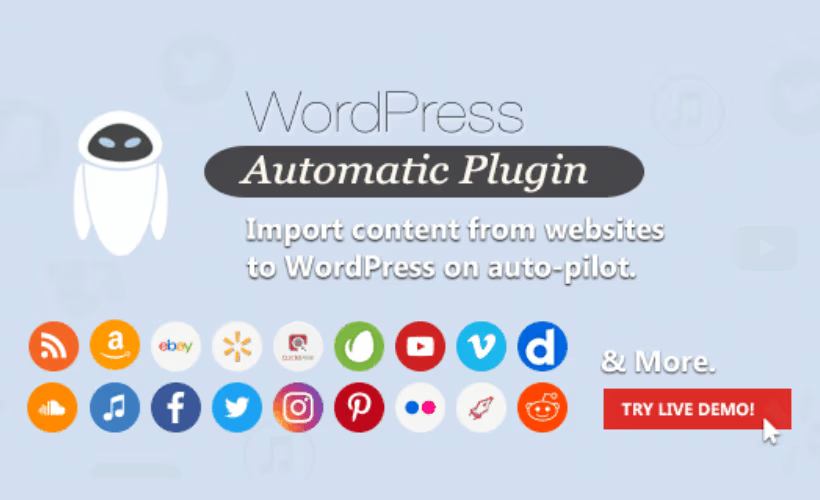
Running a content site usually means juggling separate tools for RSS curation, Amazon affiliate imports, YouTube embeds, and now AI writing assistants, each with its own learning curve and subscription. This WordPress Automatic plugin review looks at ValvePress’s attempt to fold all four into a single WordPress plugin sold as a one-time purchase. For bloggers and affiliate marketers already paying for multiple autoblogging tools, the pitch is straightforward: one license, one dashboard, no recurring fee for the core plugin itself.
The real question is whether bundling RSS, Amazon, YouTube, and AI content generation into one paid tool actually beats stitching together free, single-purpose alternatives.
Quick Verdict
WordPress Automatic suits bloggers, affiliate marketers, and niche site owners who want Amazon imports, YouTube autoblogging, RSS feeds, and AI writing under one roof without paying four separate subscriptions. It’s a poor fit for sites that only need basic RSS curation and nothing more.
Pros
- Combines Amazon, YouTube, and RSS autoblogging in one plugin instead of requiring separate tools
- Native integration with four major AI generators: OpenAI GPT, Google Gemini, Claude AI, and DeepSeek
- One-time purchase license rather than a recurring subscription
- Installs directly through the WordPress plugin uploader, with basic setup done in a few minutes
- Broad fit for bloggers, affiliate marketers, niche site owners, and agencies alike
Cons
- Standard support covers only six months from purchase, with an extra fee to extend to twelve
👉 See WordPress Automatic pricing
Core Features
In our testing on WordPress 6.5 with PHP 8.4, the plugin package — codecanyon-1904470-wordpress-automatic-plugin-3.137.1.zip — installed directly through Plugins → Add New Plugin → Upload Plugin without needing to extract the file first, and basic setup took about 2 minutes.
Amazon Product Content Importer
WordPress Automatic pulls product data directly from Amazon and turns it into published posts through its dedicated Amazon product content importer. Instead of manually copying titles, images, and descriptions from product listings, the plugin handles the import as part of a configured campaign.
For affiliate marketers, this removes the most repetitive part of running a product-based site: sourcing content at scale. A niche site built around Amazon listings can be populated with dozens of product posts without an editor manually building each one.
YouTube Video Content Importer
The plugin includes a YouTube video content importer that turns video content into blog posts automatically. This sits alongside the Amazon and RSS tools as one of the three non-AI content sources built into the plugin.
Sites that want to repurpose video content as written posts—embedding the video alongside a text description—can use this importer to keep a content calendar moving without recording or writing anything new. It suits niche site owners and bloggers who already lean on video as a content source but need it represented on their WordPress site too.
RSS Feed Autoblogging
RSS feed autoblogging is built around a campaign builder, letting a site owner define feeds and have matching content published automatically. This is the feature category where WordPress Automatic is most directly compared against competitors like Feedzy RSS Feeds, WP RSS Aggregator, and WPeMatico.
Where the plugin differs from RSS-only tools is that this campaign builder sits next to the Amazon importer, YouTube importer, and AI generator inside a single install. Content-heavy blogs and agencies managing multiple sites can run RSS-sourced autoblogging without adding a separate plugin just for feed aggregation.
AI Content Generation (OpenAI GPT, Google Gemini, Claude AI, DeepSeek)
WordPress Automatic includes an AI content generator integration panel that connects to four separate providers: OpenAI GPT, Google Gemini, Claude AI, and DeepSeek. Rather than locking users into one AI vendor, the panel is built to work across all four from the same interface.
This matters for content marketers and SEO agencies who want flexibility in which model generates their copy, or who already have a preferred provider for other tools. The plugin license covers only the software itself — each AI provider requires its own separately billed API key, so the generation feature carries an ongoing usage cost beyond the plugin purchase.
Installation and Setup
- Purchase WordPress Automatic from CodeCanyon and download the plugin ZIP file to your computer.
- Log in to your WordPress dashboard and navigate to Plugins → Add New Plugin → Upload Plugin.
- Select the downloaded ZIP file and click Install Now. The package installs directly through the uploader without needing to be extracted first.
- Once installation finishes, click Activate to enable the plugin on your site.
- Open the new Automatic menu that appears in the WordPress dashboard to begin configuring campaigns — Amazon product imports, YouTube video imports, RSS feed campaigns, or AI content generation using OpenAI GPT, Google Gemini, Claude AI, or DeepSeek.
- For AI-generated content, enter the relevant API key for the chosen provider inside the plugin’s AI content generator panel before running a campaign.
- Configure your campaign settings — source, posting frequency, categories, and formatting — then save and run a test campaign to confirm posts publish as expected.
Basic setup, from upload to a working configuration screen, takes only a few minutes.
Compatibility and Requirements
| Requirement | Minimum version |
|---|---|
| WordPress | 3.5+ |
| PHP | 5.2.4+ |
These are unusually old minimums by current standards. WordPress Automatic has also been confirmed to run on current stable WordPress and PHP releases, but running a live site on PHP 5.2.4 or WordPress 3.5 today would leave it without years of security patches. Pair the plugin with a currently supported PHP version and a recent WordPress release regardless of the stated floor.
Third-party AI features — OpenAI GPT, Google Gemini, Claude AI, and DeepSeek — depend on each provider’s own API access, which is separate from the plugin’s WordPress and PHP requirements.
WordPress Automatic Pricing
WordPress Automatic is sold as a one-time purchase through CodeCanyon, with no subscription tiers.
| License | Price | What’s included |
|---|---|---|
| Single Purchase License | $39 | One-time purchase, no recurring fees |
The $39 price covers the Regular License under Envato’s standard terms, intended for use on a single end product where visitors aren’t charged for access, such as a personal blog or a client site offered free to its users. If the finished site itself will be sold to end users, an Extended License applies instead.
No free trial or free tier is offered, so testing the plugin’s automation and AI integration features requires buying the license first.
For the current price and license options, check the official listing on CodeCanyon before purchasing.
👉 Get WordPress Automatic at the best available price
Alternatives to WordPress Automatic
WordPress Automatic competes against a group of RSS-focused plugins that take a narrower, mostly free approach to autoblogging. The right pick depends on whether AI generation and Amazon or YouTube imports matter to your workflow, or whether simple feed-to-post automation is enough.
| Product | Key Difference | Best For | Price Tier |
|---|---|---|---|
| WordPress Automatic | Combines RSS, Amazon, and YouTube imports with native AI generation via OpenAI GPT, Google Gemini, Claude AI, and DeepSeek in one one-time-purchase plugin | Affiliate marketers and content sites wanting multiple content sources and AI writing in a single tool | Paid |
| Feedzy RSS Feeds | Freemium RSS aggregation plugin with a free WordPress.org version and paid add-ons for autoblogging and content filtering | Sites that want to start free and add automation features later | Freemium |
| WP RSS Aggregator | Freemium RSS-to-post plugin with a free core feed importer and premium extensions for full automation | Bloggers who need basic feed importing without committing to a paid plan upfront | Freemium |
| WPeMatico | Free plugin focused on importing RSS feed content into posts, with no paid AI or Amazon component | Sites that only need straightforward RSS autoblogging at no cost | Free |
Competitor data is sourced from publicly available information as of 2026 and may have changed.
None of these three alternatives match WordPress Automatic’s combination of Amazon, YouTube, and multi-provider AI content generation, but they suit sites that only need RSS autoblogging and prefer to avoid an upfront purchase.
Frequently Asked Questions
Does WordPress Automatic have a free trial or free version?
No, WordPress Automatic does not offer a free trial or a free tier. It is sold exclusively as a paid, one-time purchase on CodeCanyon, so buyers commit to the license fee before using the plugin.
How much does the WordPress Automatic plugin cost?
WordPress Automatic is priced at $39 for a single-site Regular License, sold as a one-time purchase rather than a subscription. This covers the core plugin with its RSS, Amazon, YouTube, and AI content generation features.
Do I need my own API key for AI content generation with WordPress Automatic?
Yes. The plugin’s purchase price covers only the software license, not the ongoing cost of AI processing, so you need separate API keys from providers like OpenAI, Google, Anthropic, or DeepSeek. Those providers bill directly based on usage, meaning you pay only for the content you actually generate rather than a flat fee to ValvePress.
What is the difference between the Regular and Extended license for WordPress Automatic?
The Regular License covers use on a single end product where end users are not charged to access it, such as a personal blog or a free client site. The Extended License is required when the end product is sold to end users, such as a paid subscription platform, and costs more than the Regular License.
How long does support last after buying WordPress Automatic?
Standard support runs for six months from the date of purchase, covering bug fixes, author responses, and general item assistance. Buyers can extend coverage to a full twelve months for an additional fee, though customization services and third-party installation help are not included either way.
Can WordPress Automatic post content automatically from Amazon and YouTube?
Yes. The plugin includes a dedicated Amazon product content importer and a YouTube video content importer, both built to automatically pull listings or videos into WordPress posts. These sit alongside its RSS feed campaign builder, letting a site pull from all three sources without separate plugins.
Is WordPress Automatic difficult to install on WordPress?
No. On a WordPress 6.5 site running PHP 8.4, the plugin package installed directly through Plugins → Add New Plugin → Upload Plugin without needing to extract the ZIP file first. Basic setup after installation took about two minutes.
Download & Pricing Options
🔍 Try Before You Buy
WordPress Automatic does not have an official free tier. To evaluate it before purchasing, a GPL-licensed copy is available for sandbox testing purposes only.
👉 Download GPL Evaluation Copy
This is a GPL-licensed redistributed copy for testing only — not an official developer product.
💎 Get WordPress Automatic (Best Available Price)
👉 Check Current Pricing for WordPress Automatic
Pricing and availability may change — use the link above for current rates.
A GPL membership covers WordPress Automatic along with thousands of other premium products. Our best GPL site for WordPress guide sets out what each vendor charges and what you give up in return.


