Monarch Social Sharing Plugin Review 2026

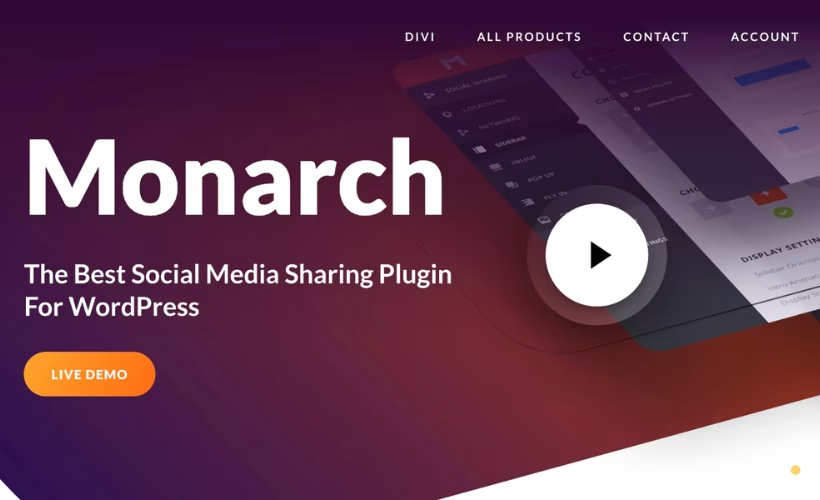
Most WordPress site owners know that social sharing drives traffic and engagement—but adding social buttons without breaking your site’s design or hiring a developer feels impossible. Monarch claims to solve that problem: customizable social sharing and follow buttons across 55+ social networks (20+ for sharing, 35+ for follow buttons), no coding required, plus built-in analytics to track what’s working.
The question is whether Monarch’s premium-only model and WordPress-only requirement justify its feature set against free or cheaper alternatives.
Quick Verdict
Monarch is built for WordPress site owners and content creators who want polished, customizable social buttons without touching code and who value native analytics tracking. Skip it if you run a non-WordPress site (Shopify, Squarespace, or custom HTML), need a free option, or use standard WordPress.com without a Business or Ecommerce plan.
Pros
- Supports 55+ social networks—20+ for sharing, 35+ for follow buttons
- Full dashboard customization with no coding required
- Built-in analytics to track shares and follow button performance natively
- Installation and basic setup complete in roughly 2 minutes
- 24/7 premium support included
Cons
- Premium-only—no free tier, trial, or cost transparency
- WordPress-only—incompatible with Shopify, Squarespace, or standard WordPress.com blogs
- Requires self-hosted WordPress.org or WordPress.com Business/Ecommerce plan
Core Features
Social Sharing Buttons for 20+ Networks
Monarch lets you add social sharing buttons for over 20 social networks directly to your WordPress site. Rather than forcing visitors to manually copy and paste your URL, the plugin embeds clickable buttons that trigger native share dialogs for each platform—Facebook, Twitter, LinkedIn, Pinterest, Reddit, WhatsApp, and more.
Readers can share your content with a single click, and you gain visibility across networks without asking them to leave your page. The sharing action happens natively within each platform, so shares feel natural and frictionless.
Social Follow Buttons for 35+ Networks
Beyond sharing, Monarch supplies follow buttons for over 35 social networks, letting visitors connect with your accounts across the entire social ecosystem. These buttons live anywhere you place them—sidebars, footers, or inline with posts—and direct traffic to your social profiles.
Every page becomes an entry point to your social channels. Visitors can discover and follow you on YouTube, Instagram, TikTok, Twitch, LinkedIn, and dozens of other platforms without hunting for links.
Visitor Social Sharing Functionality
Monarch enables your site visitors to share content without friction. When a reader finds an article valuable, they encounter your configured sharing buttons, click, and the share dialog opens within their chosen platform.
This turns every visitor into a potential distributor of your content. Each share extends your reach into networks you don’t control, amplifying your message through your audience’s own social connections.
Installation and Setup
- Download the Monarch plugin file from Elegant Themes.
- Log in to your WordPress admin dashboard.
- Navigate to Plugins → Add New Plugin → Upload Plugin.
- Click Choose File and select the Monarch plugin zip file.
- Click Install Now and wait for the installation to complete.
- Click Activate Plugin to enable Monarch on your site.
- Access the Monarch settings from the WordPress admin menu to configure your social sharing and follow buttons.
The developer’s official documentation covers the setup process in detail.
Compatibility and Requirements
Monarch runs on self-hosted WordPress.org installations and WordPress.com Business or Ecommerce plans that permit external plugins. It cannot be used as a standalone service or on non-WordPress platforms.
Monarch includes built-in analytics to track social shares and follow button performance directly within the WordPress dashboard, with no third-party tracking service required.
A 30-day money-back guarantee is included with purchase. Premium support is available 24/7 for all customers.
Monarch Pricing
Current pricing details are not available in this review. Check the official developer website for up-to-date pricing information.
👉 Get Monarch at the best available price
Alternatives to Monarch
If Monarch doesn’t fit your needs, several competitors offer social sharing and audience-building tools—though they differ in scope, platform support, and pricing structure.
| Product | Key Difference | Best For | Price Tier |
|---|---|---|---|
| Monarch | WordPress-native social sharing and follow buttons across 55+ networks with built-in analytics | WordPress sites requiring deep customization and native dashboard control | Paid |
| Social Snap | Social sharing and follow button plugin with customizable display options | WordPress users seeking dedicated social button customization | Paid |
| Shareaholic | Content discovery and social sharing platform | Publishers wanting audience growth alongside social distribution | Freemium |
| Buffer | Social media management and scheduling platform | Teams managing multi-channel posting and content calendars | Freemium |
Competitor data is sourced from publicly available information as of 2026 and may have changed.
The right choice depends on whether you need a WordPress-focused social engagement tool, a multi-platform social media manager, or a content discovery system. Monarch excels at native WordPress integration and button customization; Social Snap offers similar plugin-based features; Shareaholic and Buffer extend beyond sharing into broader audience and publishing workflows.
Frequently Asked Questions
What social networks does Monarch support for sharing and following?
Monarch supports social sharing buttons for 20+ social networks and social follow buttons for 35+ social networks, totaling 55+ networks across both functions. The plugin enables visitors to share content directly to these platforms and allows site owners to add follow buttons that direct users to their social profiles.
How do you install Monarch on a WordPress site?
Installation is straightforward via the WordPress admin panel: navigate to Plugins → Add New Plugin → Upload Plugin, then select the monarch.zip file and activate it. Basic setup takes approximately 2 minutes and requires no manual file extraction or coding.
Can you customize the appearance of Monarch social buttons?
Yes, Monarch lets you fully customize social buttons through the WordPress dashboard without writing code. You can adjust shapes, hover effects, colors, and placement locations such as sidebars or pop-ups entirely from the admin interface.
Does Monarch include analytics to track social shares?
Monarch has built-in analytics that track social shares and follow button performance directly within its native dashboard. You can monitor engagement metrics without leaving WordPress or integrating third-party tracking services.
Is Monarch compatible with WordPress multisite?
Monarch supports WordPress multisite installations. On a multisite network, the Super Admin can install and configure the plugin from the primary Network Dashboard and activate it network-wide to deploy it across all subsites.
How does Monarch compare to Shareaholic?
Both Monarch and Shareaholic are WordPress social sharing plugins that add customizable buttons for multiple social networks. Shareaholic is available in both free and premium tiers.
Download & Pricing Options
🔍 Try Before You Buy
Monarch does not have an official free tier. To evaluate it before purchasing, a GPL-licensed copy is available for sandbox testing purposes only.
👉 Download GPL Evaluation Copy
This is a GPL-licensed redistributed copy for testing only — not an official developer product.
💎 Get Monarch (Best Available Price)
👉 Check Current Pricing for Monarch
Pricing and availability may change — use the link above for current rates.
A GPL membership covers Monarch Social Sharing Plugin along with thousands of other premium products. Our best GPL site guide sets out what each vendor charges and what you give up in return.


