Microthemer Review 2026: Visual CSS Editing for WordPress

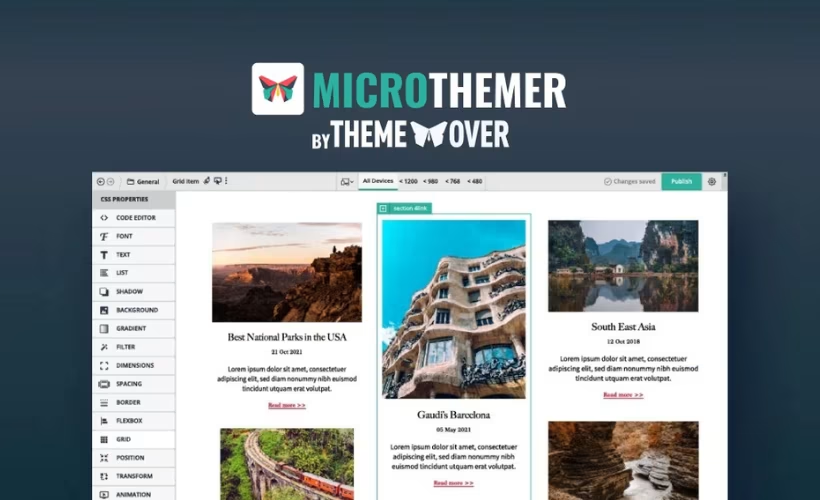
Tweaking CSS usually means opening a child theme, digging through selectors, and hoping nothing breaks on mobile. This Microthemer review looks at whether a point-and-click visual editor can actually replace that process for site owners who don’t want to touch code, without forcing them to abandon the theme or page builder they already use.
The question is whether a visual CSS layer justifies its license cost over the long term, or whether it just adds another dependency to maintain.
Quick Verdict
Microthemer suits WordPress site owners and non-developers who want granular design control over an existing theme or page builder setup without writing CSS by hand. It’s less suited to users who need a one-time fix and don’t want an ongoing license, or developers who are already comfortable editing stylesheets directly.
Pros
- Point-and-click interface for editing CSS without writing code
- Works on top of existing themes and page builders instead of replacing them
- Amender companion plugin extends the workflow to content and code editing
- Free tier lets users try the visual editing approach before committing
- Tiered licensing scales from single sites to unlimited agency use
Cons
- Depends on the separate Amender plugin for full content and code editing, adding another moving part
- Site styling stays tied to an active plugin rather than living in theme-native CSS
- Complex styling still benefits from CSS knowledge, softening the no-code promise
Core Features
Point-and-Click Visual CSS Editing
Microthemer’s central feature is its point-and-click interface for applying CSS to WordPress elements. Instead of opening a stylesheet and hand-writing selectors, you click the element you want to change directly on the page and adjust its styling through a visual panel.
For site owners without a coding background, this closes the gap between wanting a design change and knowing how to write the CSS to produce it. You’re still working with real CSS properties under the hood, but the interface handles the selector logic and syntax.
In our testing on WordPress 6.5 with PHP 8.4, installation and basic setup took about 2 minutes. The microthemer.zip file installed directly through Plugins → Add New Plugin → Upload Plugin without needing to extract it first.
Style Without Writing Code
Beyond the click-to-select mechanic, Microthemer’s broader promise is letting you style a site without touching a code editor at all. Font sizes, spacing, colors, borders, and layout properties are exposed through visual controls rather than requiring you to know property names or shorthand syntax.
The practical outcome is that design tweaks that would normally mean a trip to a developer, or a risky edit to a child theme’s stylesheet, become something you can handle directly. This matters most for site owners making ongoing, incremental adjustments rather than a one-time build.
Companion Editing via Amender
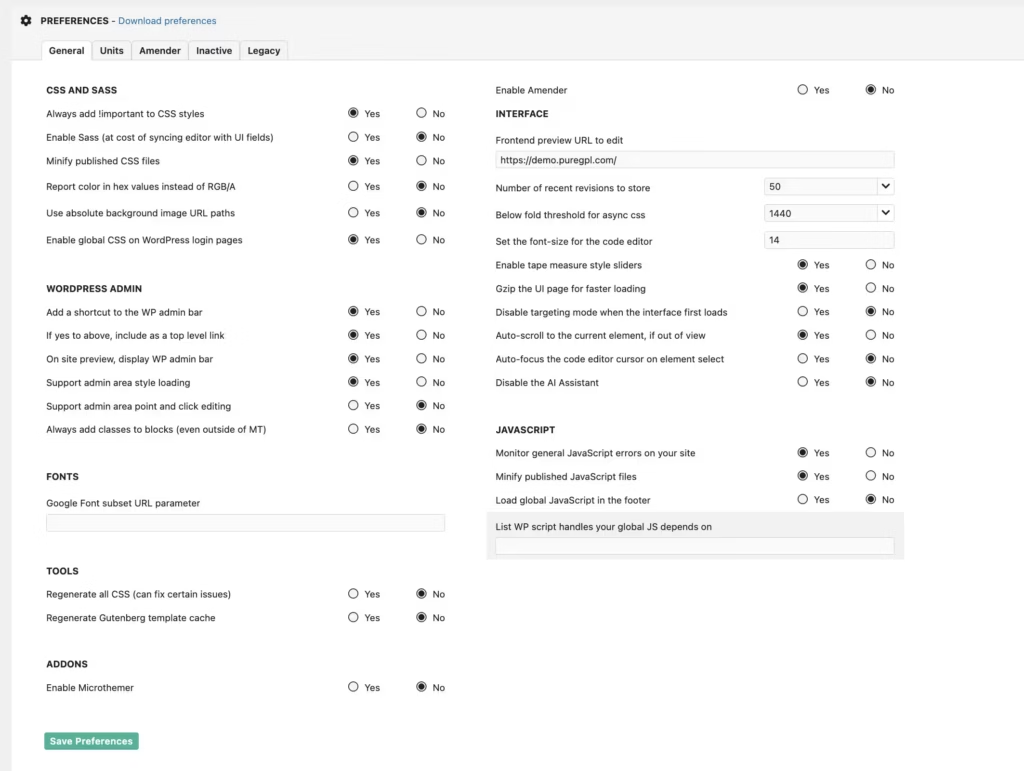
Microthemer pairs with a companion plugin called Amender, which extends the workflow into content and code editing alongside the visual styling layer. Where Microthemer handles how elements look, Amender is positioned to handle changes to what’s on the page and underlying code.
Readers who want one connected workflow, rather than switching tools for styling versus content or code, get that from Amender. It keeps the work inside the same system instead of forcing a jump to an unrelated plugin.
Installation and Setup
- Download the microthemer.zip file from your account area on the official site.
- Log in to your WordPress dashboard and go to Plugins → Add New Plugin.
- Click Upload Plugin and select the microthemer.zip file directly — there’s no need to extract or unzip it beforehand; WordPress handles the compressed file as-is.
- Click Install Now, then Activate the plugin once installation finishes.
- Open Microthemer from the dashboard and complete the basic configuration screen to start styling your site visually.
- If you also want to edit content and code alongside your visual styling work, install and activate Amender, the companion plugin that works alongside Microthemer — it works alongside Microthemer rather than replacing any of its features.
Based on first-hand testing, the entire process — from upload to a working, configured installation — took about two minutes on a standard WordPress setup.
Compatibility and Requirements
Microthemer was tested first-hand on WordPress 6.5 running PHP 8.4, where it installed and activated without issue.
| Component | Version tested |
|---|---|
| WordPress | 6.5 |
| PHP | 8.4 |
Microthemer operates independently of how a WordPress site is built, so it isn’t tied to a specific theme or page builder to apply its visual CSS editing. This makes it a flexible option regardless of what’s generating your site’s markup underneath.
If you’re running an older PHP version on a live site, check whether that version still receives security updates before installing any new plugin. That’s a general site security consideration rather than one specific to Microthemer.
Microthemer Pricing
Current pricing details are not available in this review. Check the official developer website for up-to-date pricing information.
Microthemer follows a freemium model: a free tier is officially available alongside paid licenses. Paid licensing is tiered by site count, with options that scale from single-site use up to unlimited or agency-level coverage. A license includes a set period of updates and support, commonly one year, with the option to renew at a discounted rate afterward.
Anyone comparing costs before buying should visit themeover.com directly to see the current tier breakdown and confirm which plan fits their number of sites.
👉 Get Microthemer at the best available price
Alternatives to Microthemer
Microthemer isn’t the only way to add visual, point-and-click styling control to a WordPress site. Depending on whether a site owner wants a dedicated CSS tool or broader design and layout control, a few other established options are worth considering.
| Product | Key Difference | Best For | Price Tier |
|---|---|---|---|
| Microthemer | Point-and-click visual CSS editor that layers on top of any existing theme or builder | Site owners who want precise styling control without replacing their current setup | Freemium |
| CSS Hero | Visual, click-to-style CSS editor with a similar no-code approach to targeting page elements | Users who want a dedicated visual styling tool separate from their page builder | Paid |
| Yellow Pencil | Visual CSS editor plugin that overlays styling controls on the live site, including inside popular page builders | Users already running a page builder who want an added visual styling layer | Freemium |
| Elementor | Full page builder with built-in design controls, not a standalone CSS add-on | Users building pages from scratch who want layout and styling combined in one tool | Freemium |
| WordPress Customizer | Native, built-in WordPress feature with live preview but limited styling depth | Users making basic theme adjustments without installing another plugin | Free |
Competitor data is sourced from publicly available information as of 2026 and may have changed.
The right pick depends on what the site already runs. A theme or page builder that already provides styling controls may only need a lightweight, native option like the Customizer, while a more complex or custom-built site benefits from a dedicated visual CSS layer like Microthemer or CSS Hero.
Frequently Asked Questions
What does Microthemer do in WordPress?
Microthemer is a visual CSS editor that lets you style WordPress site elements through a point-and-click interface instead of writing code by hand. You select an element on the page and apply visual style changes, which Microthemer converts into CSS behind the scenes.
Does Microthemer work with any WordPress theme or page builder?
Yes, Microthemer operates independently of how a WordPress site is built. It layers on top of your existing theme or page builder rather than replacing it, so it applies to site elements regardless of the underlying setup.
Is there a free version of Microthemer?
Yes, an official free tier of Microthemer exists for users who want to try the visual editing approach before purchasing.
What is Amender and how does it relate to Microthemer?
Amender is a companion plugin that works alongside Microthemer to extend the workflow beyond visual styling. While Microthemer handles point-and-click CSS editing, Amender is used for editing content and code, giving users a broader toolset for customizing a site.
Is Microthemer pricing based on the number of sites?
Yes, Microthemer pricing is tiered based on the number of sites a license covers. Options range from single-site licenses to small bundles and unlimited or agency-level use.
Does a Microthemer license include ongoing support and updates?
Yes, a Microthemer license includes a set period of updates and support, commonly one year from purchase. After that period, renewing at a discounted rate keeps updates and support active.
Download & Pricing Options
🆓 Free Version
👉 Download the Free Version of Microthemer
💎 Get Microthemer (Best Available Price)
👉 Check Current Pricing for Microthemer
Pricing and availability may change — use the link above for current rates.
Wondering where to get Microthemer without the annual licence fee? We ranked the options in our comparing GPL sites comparison, and we say plainly which ones we would avoid.


