FS Poster Review 2026: WordPress Social Auto Poster & Scheduler

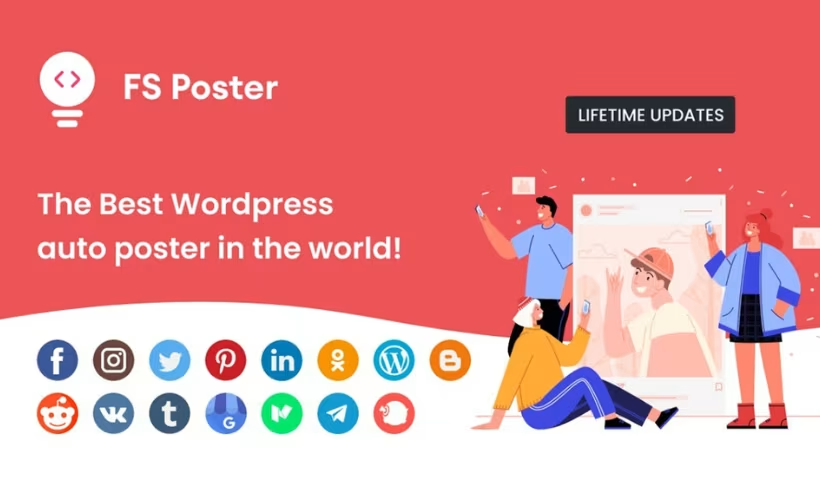
Manually sharing every new post across a dozen social accounts eats up time most WordPress site owners don’t have to spare. This FS Poster review looks at a plugin built to automate that entire workflow, pushing content to 21 social networks straight from the WordPress dashboard. For marketers juggling multiple channels, the appeal is obvious — but the pricing model sets it apart from most competitors in the space.
The real question is whether a one-time license fee beats paying monthly for a subscription-based scheduler, and whether the trade-offs that come with it are worth accepting.
Quick Verdict
FS Poster suits WordPress site owners and marketers who manage several social accounts and want to avoid recurring software costs. Agencies handling multiple client sites, or anyone wanting to test before buying, should weigh the licensing structure carefully before committing. It’s a strong fit for solo publishers and small teams, less so for larger multi-site operations.
Pros
- Automatically cross-posts to 21 social networks and services from a single WordPress dashboard
- One-time license fee instead of a recurring subscription model
- Scheduling support for posts, pages, and custom post types
- WPML compatibility for multilingual sites
- Installs directly through the WordPress plugin uploader without needing to extract files first
Cons
- Older server environments may need a PHP upgrade before the plugin will run
Core Features
Automatic Cross-Posting from WordPress
FS Poster is built around a dedicated cross-posting engine that pushes WordPress posts, pages, and custom post types out to social accounts as soon as they’re published. The engine isn’t limited to standard blog posts — it also picks up custom post types, which matters for sites running portfolios, product catalogs, or event listings alongside a blog.
For a site owner juggling several content types, this removes a repetitive manual step. Instead of logging into each network to copy a link and write a caption, the plugin handles the hand-off from the WordPress dashboard directly.
Installation is straightforward. The plugin’s zip file — codecanyon-22192139-fs-poster-wordpress-auto-poster-scheduler-wordpress-plugin.zip — installs directly through Plugins → Add New Plugin → Upload Plugin without needing to be extracted first, which keeps the initial setup quick.
Scheduling Posts, Pages, and Custom Content
The scheduling interface lets you queue content ahead of time rather than relying on automatic sharing the moment something goes live. Because it works across the same content types as the cross-posting engine — posts, pages, and custom post types — you can plan a publishing calendar that spans an entire site, not just the blog section.
That suits anyone who batches content creation but wants a steady drip of social activity. Writing five posts on a Monday doesn’t mean five simultaneous social blasts; the schedule spaces them out.
Support for 21 Social Networks and Services
FS Poster’s headline feature is breadth: it connects to 21 social networks and services from a single license. That’s a wide net compared to plugins that focus narrowly on one or two platforms, and it means a marketer doesn’t need separate tools to cover different channels.
Managing that many connections from one dashboard cuts down on the tab-switching and login juggling that comes with running accounts across a dozen-plus services. It’s a consolidation play as much as an automation one.
Facebook Posting
Facebook is one of the named, supported destinations, letting WordPress content flow to Facebook without a manual copy-paste step. Given how much web traffic still gets referred through Facebook shares, having this connection built in rather than bolted on through a separate integration is a practical convenience.
For publishers who treat Facebook as a primary distribution channel, it turns “publish and then remember to share” into a single action.
Instagram Posting
Instagram posting is included as one of the supported networks, extending the plugin’s reach into a visually driven platform that many WordPress-based auto-posting tools skip or handle only through workarounds. Having it as a native option keeps the workflow inside the same dashboard as the rest of the content plan.
For sites with strong imagery — product shots, lifestyle content, portfolio work — that closes the gap between publishing on the web and appearing where a visual audience actually looks.
Pinterest Posting
Pinterest is listed among the supported services, which matters for niches where Pinterest drives meaningful referral traffic, such as recipes, DIY content, fashion, and design. Feeding new posts into Pinterest without a separate scheduling tool keeps that channel from becoming an afterthought.
For content-heavy sites, this means a single publishing action can reach both search-driven blog readers and Pinterest’s browse-and-save audience.
LinkedIn Posting
LinkedIn support puts FS Poster on the radar for B2B publishers, consultants, and companies that use LinkedIn as a primary channel for professional content. It sits alongside the consumer-facing networks rather than requiring a separate business-tool subscription.
It’s a practical fit for site owners who publish thought-leadership or company-update content and want it distributed to a professional audience automatically.
YouTube Posting
YouTube is included in the list of supported destinations, which stands out because most WordPress auto-posting plugins are built around text and image networks rather than video platforms. Its inclusion here extends the plugin’s use beyond blog-style content sharing.
For sites that pair written content with video, that offers a way to fold video-related updates into the same automated distribution workflow as everything else.
Also included: Twitter posting and TikTok posting round out the list of supported networks, extending the same automatic cross-posting and scheduling behavior described above to two more widely used platforms.
Installation and Setup
- Purchase the Regular License for FS Poster and download the plugin zip file to your computer.
- Log in to your WordPress dashboard and navigate to Plugins → Add New Plugin → Upload Plugin.
- Select the downloaded zip file and click Install Now. The file can be uploaded directly without extracting it first — installation and initial setup typically take only a couple of minutes.
- Once installed, click Activate to enable the plugin.
- Open the FS Poster menu that appears in the WordPress dashboard and connect your social media accounts (Facebook, Instagram, Twitter, Pinterest, LinkedIn, TikTok, YouTube, and the other supported networks) by following the on-screen authorization prompts for each platform.
- Configure scheduling preferences for the post types you want to auto-share, including standard posts, pages, and any custom post types registered on your site.
- Run a test post to confirm each connected network receives content correctly before relying on the automated schedule.
Compatibility and Requirements
| Requirement | Details |
|---|---|
| WordPress version | 7.0.x, 6.9.x, 6.8.x, 6.7.x, 6.6.x, 6.5.x, 6.4.x, 6.3.x, 6.2.x, 6.1.x, 6.0.x, 5.9.x, 5.8.x, 5.7.x, 5.6.x, 5.5.x, 5.4.x, 5.3.x, 5.2.x, 5.1.x, 5.0.x, 4.9.x |
| Browser compatibility | IE6, IE7, IE8, IE9, IE10, IE11, Firefox, Safari, Opera, Chrome, Edge |
| Third-party compatibility | WPML |
| Files included | JavaScript JS, HTML, CSS, PHP |
The vendor lists this broad WordPress version range as supported, from 4.9.x up through 7.0.x, covering a long span of releases rather than a narrow current-only window.
FS Poster Pricing
FS Poster is sold exclusively through CodeCanyon under a one-time purchase model, with no free version or trial tier available.
Regular License — $229
This price is the total cost including CodeCanyon’s buyer fee, not a discounted starting figure. The Regular License covers use on a single end product, meaning one website, and is intended for cases where visitors to that site are not charged for access to it. It includes six months of vendor support from fs-code.
If you plan to build a product that end users pay for, an Extended License is available at a higher price point.
Support renewal
The included six months of support can be extended to a full year for $84, a rate frequently discounted from a listed $196. Beyond the initial support window, keeping the plugin updated and supported requires this paid extension.
For the current Regular License price, Extended License cost, and any active marketplace discounts, check the official FS Poster listing on CodeCanyon.
👉 Get FS Poster at the best available price
Alternatives to FS Poster
FS Poster is not the only option for automating social media distribution from WordPress. Site owners comparing plugins in this category typically weigh network coverage and pricing model against how each tool handles content, whether that’s new posts or resurfacing older ones.
| Product | Key Difference | Best For | Price Tier |
|---|---|---|---|
| FS Poster | Cross-posts new WordPress content to 21 social networks under a one-time license fee | Marketers wanting broad network coverage without a recurring subscription | Paid |
| Revive Old Post | Automatically reshares existing older posts to social media to drive recurring traffic, rather than focusing on new content | Publishers who want to keep older content circulating on social channels | Freemium |
| Blog2Social | Auto-posting and scheduling across multiple networks with a free tier and paid upgrades for advanced features | Site owners who want to test social auto-posting before committing to a paid plan | Freemium |
Competitor data is sourced from publicly available information as of 2026 and may have changed.
The right pick depends on whether the priority is maximum network coverage, reviving old content, or trying a plugin for free before paying for advanced features.
Frequently Asked Questions
How many social networks does FS Poster support?
FS Poster connects WordPress to 21 social networks and services, including Facebook, Instagram, Twitter, Pinterest, LinkedIn, TikTok, and YouTube. Posts, pages, and custom post types can be scheduled and pushed out to these platforms automatically from a single dashboard.
Does FS Poster have a free version?
No, FS Poster is a premium-only plugin with no free tier. Buyers purchase the Regular License upfront rather than trying a limited free version first.
How much does FS Poster cost?
The Regular License is priced at $229, a total that includes the item price and buyer fee. That covers six months of vendor support from fs-code, which can be extended to 12 months for an additional $84.
What PHP version does FS Poster require?
FS Poster requires PHP 5.6 or higher to run, and installations on older servers will trigger an error asking for a PHP upgrade. For security and performance, running the plugin on PHP 7.4, 8.0, or 8.1 or later is recommended.
Can I use one FS Poster license on multiple websites?
No, the Regular License covers use on a single end product, meaning one website where end users are not charged for access. Site owners or agencies needing to deploy FS Poster on a product that charges users would need an Extended License at a higher price point.
Is FS Poster compatible with WPML?
Yes, FS Poster is listed as compatible with WPML, making it suitable for multilingual WordPress sites that need to cross-post content across languages to social networks.
Download & Pricing Options
🔍 Try Before You Buy
FS Poster does not have an official free tier. To evaluate it before purchasing, a GPL-licensed copy is available for sandbox testing purposes only.
👉 Download GPL Evaluation Copy
This is a GPL-licensed redistributed copy for testing only — not an official developer product.
💎 Get FS Poster (Best Available Price)
👉 Check Current Pricing for FS Poster
Pricing and availability may change — use the link above for current rates.
FS Poster is available from most GPL vendors, but they are not equivalent. Our GPL site comparison review tested all ten on price, catalogue and whether updates reach wp-admin at all.


