CSS Hero Review 2026: Visual WordPress Style Editor

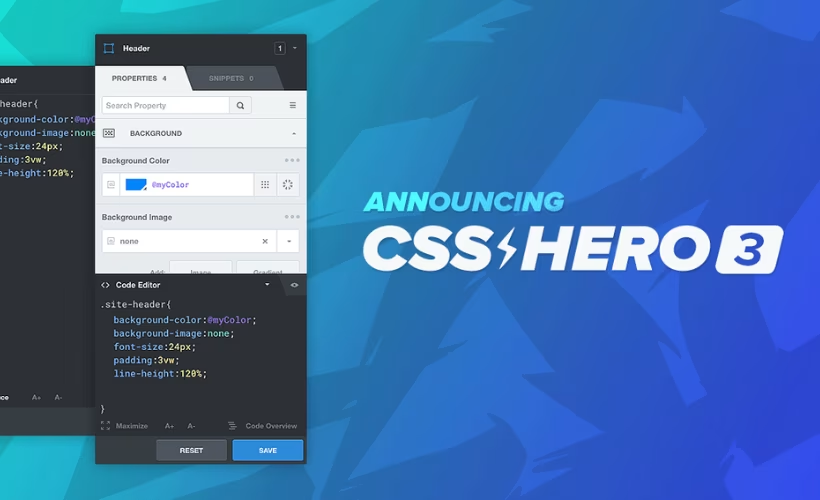
Changing how a WordPress theme looks usually means digging into stylesheets, hunting for the right selector, and hoping the edit doesn’t break something else on the page. This CSS Hero review looks at a plugin built to remove that step entirely, letting site owners click an element and restyle it visually instead of writing a single line of code. The bigger question is whether that convenience holds up across any theme or plugin, and whether the subscription cost makes sense compared to just learning CSS.
This review weighs CSS Hero’s point-and-click approach against its pricing structure to help you decide if it’s worth adopting over manual editing or a free alternative.
Quick Verdict
CSS Hero suits WordPress owners and designers who want fast, visual styling changes without editing code, especially agencies managing several client sites under one plan. It’s a poor fit for anyone wanting to test a plugin for free before paying, or for users who only need occasional, minor tweaks that don’t justify a recurring cost.
Pros
- Point-and-click visual editor removes the need to write CSS manually
- Works out of the box with any WordPress theme or plugin without custom integration
- Lifetime Pro + Animator plan offers one-time payment instead of recurring renewal
- Pro tier covers up to 999 sites, suiting agencies and freelancers managing multiple client sites
Cons
- Starter and Personal plans renew annually, adding ongoing cost for long-term use
- Lifetime Pro + Animator plan requires a larger upfront payment at $599
- Visual editors can still involve a learning curve for advanced or highly specific styling needs
Core Features
Point-and-Click Visual Editor
CSS Hero’s central feature is a visual, point-and-click editor that sits on top of your WordPress theme, letting you select any element on the page and adjust its appearance directly. It’s built into the plugin as the core interface — there’s no separate module to activate or configure; the point-and-click style editor is what you get as soon as it’s running.
For a site owner who has never opened a stylesheet, this changes the workflow entirely. Instead of locating a selector in a theme’s CSS file and guessing which rule controls a given heading or button, you click the element itself and change it on the spot.
No CSS Coding Required
The plugin is built so that making styling changes doesn’t require writing or editing CSS code at any point in the process. Every adjustment made through the visual interface is translated into the underlying styling for you — the core distinction between CSS Hero and manually maintaining a child theme or custom stylesheet.
The practical outcome is that designers and developers can move faster on routine styling tweaks, while non-technical site owners can make changes that would otherwise require hiring help or learning CSS syntax from scratch. It suits both ends of the target audience — coding-averse owners and professionals who just want fewer manual edits.
Installation and Setup
- Purchase a CSS Hero license and download the plugin package from your account area on the official site.
- Log in to your WordPress dashboard and navigate to Plugins → Add New Plugin → Upload Plugin.
- Select the downloaded css-hero-5.1.0.zip file and upload it. The archive does not need to be extracted first — WordPress handles the zip directly during upload.
- Click Install Now, then Activate the plugin once installation completes.
- Enter your license key when prompted to connect the plugin to your CSS Hero account.
- Open any page on the front end of your site and look for the CSS Hero toolbar to begin editing styles visually.
On a test installation running WordPress 6.5 with PHP 8.4, the entire process from upload to an active, ready-to-use editor took about two minutes. No companion plugins are required to run CSS Hero — it operates as a standalone plugin.
Compatibility and Requirements
| Requirement | Details |
|---|---|
| WordPress | Tested with WordPress 6.5 |
| PHP | Tested with PHP 8.4 |
| Theme compatibility | Works with any WordPress theme |
| Plugin compatibility | Works alongside other WordPress plugins |
CSS Hero functions as an independent style layer rather than a theme- or plugin-specific tool. It scans a site’s existing HTML and CSS to detect selectors automatically, then applies style changes as non-destructive overrides instead of editing theme files directly. That’s how the plugin achieves out-of-the-box compatibility without needing hardcoded integrations for individual themes or plugins.
If you’re running an older WordPress installation, keep in mind that pairing any actively maintained plugin with an end-of-life PHP version can introduce security and performance risks on a live site, regardless of the plugin’s own compatibility claims.
CSS Hero Pricing
CSS Hero is a premium-only product — there’s no free tier, so every plan requires payment from the start. The lineup includes three annual subscriptions and one one-time lifetime option, differentiated mainly by the number of sites covered.
Starter — $29/year
Covers 1 site and includes one year of basic support. It’s the entry point for anyone testing CSS Hero on a single WordPress install.
Personal — $59/year
Covers 5 sites, also with one year of basic support included. A reasonable step up for freelancers or small agencies managing a handful of client sites.
Pro — $199/year
Covers up to 999 sites with one year of basic support. This tier suits agencies or developers working across a large portfolio of installations.
Lifetime Pro + Animator — $599 one time
Covers up to 999 sites and includes Priority Product Support rather than the basic support tier offered on the annual plans. Paying once removes the recurring yearly cost that comes with the Starter, Personal, and Pro subscriptions.
All four plans are backed by a 30-day money-back guarantee on the initial purchase, so new buyers can request a full refund if CSS Hero doesn’t work out within that window.
For current figures or promotional pricing, check the official pricing page at csshero.org before purchasing.
👉 Get CSS Hero at the best available price
Alternatives to CSS Hero
CSS Hero fills a specific niche: a code-free way to restyle an existing WordPress theme rather than build pages from scratch. Depending on whether you need deeper layout control or just visual style tweaks, other tools in the WordPress ecosystem may suit different workflows.
| Product | Key Difference | Best For | Price Tier |
|---|---|---|---|
| CSS Hero | Point-and-click visual editor that overlays any theme without requiring custom integration or CSS code | Site owners who want to adjust existing theme styling without touching code | Paid |
Competitor data is sourced from publicly available information as of 2026 and may have changed.
The right pick ultimately depends on whether you need a lightweight style layer on top of your current theme, like CSS Hero, or a full page-building system with layout and content controls built in.
Frequently Asked Questions
Does CSS Hero offer a money-back guarantee?
Yes, CSS Hero provides a 30-day money-back guarantee on new purchases. If the plugin doesn’t work out on your site, you can request a full refund within 30 days of your initial payment.
Does CSS Hero work with any WordPress theme?
Yes, CSS Hero is designed to work with any WordPress theme or plugin without requiring specific, hardcoded integrations. It acts as an independent style layer that automatically scans a site’s code to detect HTML elements and CSS selectors, applying non-destructive overrides rather than modifying theme files directly.
How much does CSS Hero cost?
CSS Hero pricing starts at $29 per year for the Starter plan, which covers one site. The Personal plan is $59 per year for 5 sites, the Pro plan is $199 per year for up to 999 sites, and a Lifetime Pro + Animator plan is available for a one-time payment of $599 covering up to 999 sites.
Is there a free version of CSS Hero?
No, CSS Hero has no free tier. Every plan requires payment from the start.
Can I use CSS Hero on multiple websites?
Yes, several plans support multiple sites. The Personal plan covers 5 sites, while both the Pro plan and the Lifetime Pro + Animator plan cover up to 999 sites, making them suited to freelancers or agencies managing many client sites.
When was CSS Hero released?
CSS Hero officially launched on January 15, 2014. It has since become one of the longer-running point-and-click visual style editors available for WordPress.
Download & Pricing Options
🔍 Try Before You Buy
CSS Hero does not have an official free tier. To evaluate it before purchasing, a GPL-licensed copy is available for sandbox testing purposes only.
👉 Download GPL Evaluation Copy
This is a GPL-licensed redistributed copy for testing only — not an official developer product.
💎 Get CSS Hero (Best Available Price)
👉 Check Current Pricing for CSS Hero
Pricing and availability may change — use the link above for current rates.


