Aztec Theme Review 2026: Video Streaming & Membership for WordPress

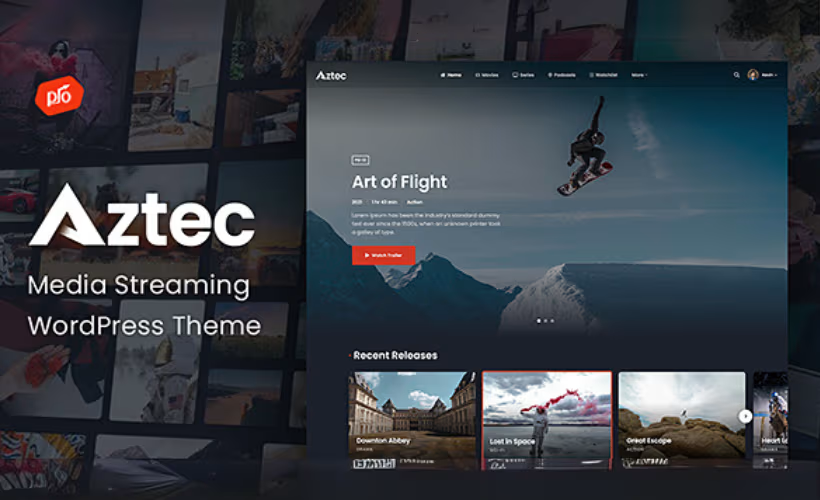
Aztec Theme is a WordPress streaming membership theme designed for creators who want to build a paid video or audio platform without assembling multiple plugins. This review examines whether Progression Studios’ all-in-one approach, which bundles membership management, content restriction, and a built-in video player into a single theme package, actually delivers on that promise. Installation completed in roughly two minutes during testing on WordPress 6.5 with PHP 8.4, which is an encouraging start.
Whether that tight integration justifies a licensing cost that jumps sharply the moment you plan to charge subscribers is the real question here.
Quick Verdict
Aztec is a strong fit for creators and entrepreneurs who want a purpose-built streaming membership theme without assembling a plugin stack from scratch. Anyone running multiple monetized sites, or working with a tight budget, should weigh the licensing structure carefully before committing.
Pros
- Bundles ARMember and eCommerce integration, removing the need to source and configure separate membership tools
- Built-in video player and content restriction controls designed specifically for streaming membership sites
- Elementor and WooCommerce compatibility for flexible layouts and payment handling
- Child theme included for safe customization that survives updates
- Tested with PHP 8.4 and supports WordPress through 7.0.x, signaling active maintenance
Cons
- Any site that charges users for access requires the Extended License at $1,000 — the $79 Regular License explicitly prohibits it
- Each license covers one site only; multiple projects mean multiple purchases
Core Features
Video and Audio Streaming
Aztec is built specifically for streaming content sites, supporting both video and audio delivery from the ground up. Rather than adapting a general-purpose theme to handle media, the layout and structure are oriented around content libraries, playback, and gated access — the kind of architecture a streaming membership site actually needs.
A built-in video player ships with the theme, so there is no requirement to source a separate player plugin or embed third-party solutions just to get media playing on the page. For creators building video-on-demand or audio subscription platforms, that removes one integration dependency before the site is even configured.
Membership and Content Restriction
The ARMember membership plugin is bundled with Aztec, bringing subscription management, member registration, and recurring billing into the same package as the theme. Content restriction controls are also built in, letting site owners gate specific posts, pages, or media behind membership tiers without requiring a separate access-control plugin.
For a paid streaming platform, this combination matters. The theme and membership layer are designed to work together rather than being bolted together after the fact, which reduces the configuration overhead of aligning a generic theme with a separately purchased membership tool.
eCommerce Integration
Aztec supports WooCommerce, covering the payment and product management side of a monetized content site. Subscription products, one-time purchases, and digital access passes can all be handled through WooCommerce’s standard checkout and order management system.
The pairing of ARMember for membership logic and WooCommerce for transaction handling gives site owners two established tools operating in their respective lanes, rather than asking one plugin to cover both access control and payment processing.
Drag-and-Drop Page Building
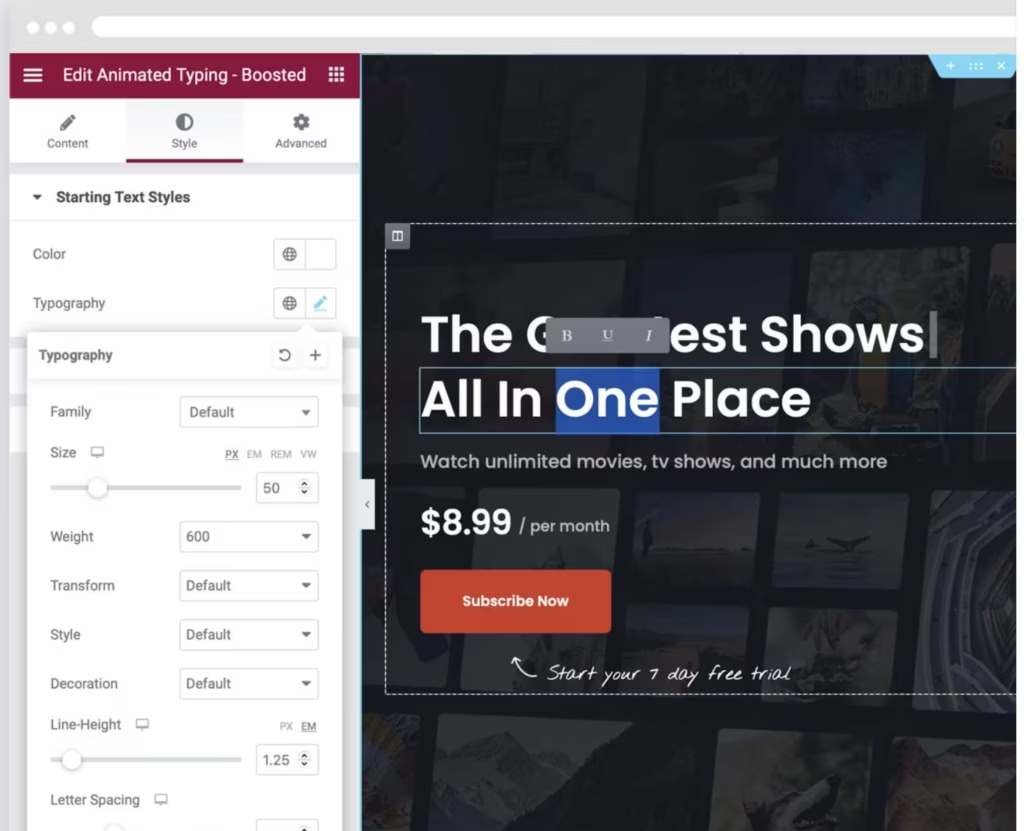
Elementor compatibility is built into Aztec, giving editors a visual interface for constructing and customizing pages without writing code. The connection between the theme and Elementor is treated as part of the core experience rather than an afterthought.
For entrepreneurs or content creators who are not developers, this matters practically. Landing pages, membership sign-up flows, and content category pages can be assembled and adjusted visually, keeping the site buildable without a dedicated front-end resource.
Child Theme
A child theme is included in the package alongside the main theme files. This allows customizations to live in the child theme rather than the parent, so theme updates do not overwrite design or code changes made during setup.
For any site that expects to be maintained over time — and a subscription platform typically does — this is a meaningful structural detail.
The theme package arrives as a structured download containing Aztec-Theme.zip and Child-Theme.zip as separate files, making it straightforward to identify and install the child theme independently from the parent.
Help Documentation
Aztec ships with a dedicated help documentation folder included in the theme package. Having structured reference material available locally reduces reliance on support tickets for routine configuration questions.
Combined with the six months of author support included at purchase, the documentation provides a first line of reference for setup tasks, leaving direct support available for issues that go beyond standard configuration.
The downloaded package contains a clearly labeled Help Documentation folder alongside the theme files, a Licensing folder, and an Additional Files folder — all organized at the top level of the archive, so the reference material is immediately accessible without digging through subdirectories.
Installation and Setup
Getting Aztec running is straightforward. Installation completed in approximately two minutes during testing on WordPress 6.5 with PHP 8.4.
- Download the theme package from your purchase account. The ZIP contains the main Aztec-Theme.zip, a Child-Theme.zip, a Licensing folder, a Help Documentation folder, and an Additional Files folder.
- Log in to your WordPress dashboard and navigate to Appearance → Themes → Add New → Upload Theme.
- Upload Aztec-Theme.zip and click Install Now, then Activate.
- If you plan to build on a child theme — recommended for any site where you intend to make code-level customizations — upload and activate Child-Theme.zip using the same process before making changes.
- Install the required companion plugins. This theme requires ARMember Membership Plugin AND Boosted Elements Add-on — both must be installed and activated for membership, content restriction, and extended page-building features to function correctly.
- Navigate to Appearance → Install Plugins (or the equivalent prompt that appears after activation) and install each plugin from the list presented.
- Activate both plugins once installation completes.
- Configure ARMember to define your membership plans, subscription tiers, and content restriction rules. This is where you set which content is gated and how users pay for access.
- Use the Elementor page builder to build and customize your pages. Boosted Elements extends the available widget set within Elementor, so confirm both are active before opening the editor.
- Review the included Help Documentation folder for theme-specific configuration guidance covering settings, layout options, and WooCommerce integration.
Compatibility and Requirements
Aztec carries a broad compatibility range across WordPress versions, PHP, and third-party plugins.
| Requirement | Details |
|---|---|
| WordPress | 5.0.x through 7.0.x |
| PHP | 8.4 (tested) |
| Page Builder | Elementor |
| eCommerce | WooCommerce 7.x.x, 8.x.x, 9.x.x |
| Theme Framework | Underscores |
| Browsers | IE10, IE11, Firefox, Safari, Opera, Chrome, Edge |
A child theme is included in the package, which is the correct way to preserve customizations across theme updates.
IE10 and IE11 appear in the vendor’s stated browser compatibility list; both reached end of life years ago, so treat that entry as legacy documentation rather than an active target.
Aztec Pricing
Aztec is a premium theme with no free version. Two license tiers are available, and the distinction between them is critical for anyone planning to monetize their site.
Regular License — $79
Covers a single end product. This tier suits sites where end users are not charged for access — internal portals, free community platforms, or personal projects. It does not permit gating content behind a paywall or subscription fee.
Extended License — $1,000
Also covers a single end product, but explicitly permits charging end users for access. For anyone building a paid membership site, subscription video platform, or any service where visitors pay to consume content, the Extended License is the required tier. The price gap between the two licenses is substantial, so confirming your monetization model before purchasing is essential.
Both licenses include six months of author support. Support can be extended to 12 months by purchasing the optional support extension. At the time of writing, the extension is available at a discounted price of $25.13 (regular price $58.63). Pricing may change over time. Each license covers one site; additional deployments require additional licenses.
👉 Get Aztec at the best available price
Alternatives to Aztec
A handful of WordPress themes and plugins target the same video streaming and membership niche, each with a different balance of built-in tools versus modular flexibility.
| Product | Key Difference | Best For | Price Tier |
|---|---|---|---|
| Aztec | All-in-one theme bundling ARMember membership and eCommerce integration for video and audio streaming sites | Content creators and entrepreneurs who want a ready-to-monetize streaming platform without assembling separate plugins | Paid |
| Rehub | Multipurpose affiliate and price comparison theme by WPGenuine; serves broad content monetization rather than dedicated video streaming | Publishers and affiliate marketers who need flexible content monetization beyond streaming | Paid |
| MemberPress | Standalone membership plugin rather than a theme, delivering deep subscription and content restriction functionality independently of any design layer | Site owners who already have a theme and want to add membership and gating capabilities on top | Paid |
Competitor details reflect publicly known positioning and may have changed.
The right choice comes down to how much of the stack you want pre-assembled. Aztec suits buyers who want streaming presentation, membership management, and eCommerce wired together from day one; MemberPress fits those who prefer to own each layer separately; Rehub appeals when content monetization is the goal but video streaming is not the primary focus.
Frequently Asked Questions
What is the difference between the Aztec Regular License and Extended License?
The key difference is whether you can charge end users for access to your site. The Regular License costs $79 and prohibits collecting fees from visitors, making it unsuitable for a paid membership or subscription platform. The Extended License costs $1,000 and permits charging end users, which is the license required for any monetized streaming site.
Does Aztec include the ARMember plugin for free?
A copy of the ARMember membership plugin is bundled with the theme package at no additional cost.
Is Aztec compatible with WooCommerce and Elementor?
Yes to both. Aztec is compatible with WooCommerce versions 7.x, 8.x, and 9.x for handling payments and eCommerce, and it supports Elementor for drag-and-drop page building. The theme is built on the Underscores framework and includes a child theme for safe customization.
How long does author support last with Aztec?
Six months of author support is included with purchase. A paid add-on is available to extend that coverage to 12 months total.
Can I use Aztec to build a Netflix-style streaming site on WordPress?
Aztec is purpose-built for exactly this use case — it includes a built-in video player, content restriction controls, and the ARMember plugin for managing memberships and subscriptions. Any site that charges users for access requires the Extended License at $1,000, not the $79 Regular License, so budget accordingly before committing.
How does Aztec compare to Streamit for video streaming WordPress sites?
Both Aztec and Streamit target WordPress users building video streaming and membership websites. Aztec includes the ARMember membership plugin as part of the theme package, providing built-in membership and subscription management. Because features, bundled plugins, and licensing may differ between products and change over time, compare their current documentation and pricing before making a purchase decision.
Download & Pricing Options
🔍 Try Before You Buy
Aztec does not have an official free tier. To evaluate it before purchasing, a GPL-licensed copy is available for sandbox testing purposes only.
👉 Download GPL Evaluation Copy
This is a GPL-licensed redistributed copy for testing only — not an official developer product.
💎 Get Aztec (Best Available Price)
👉 Check Current Pricing for Aztec
Pricing and availability may change — use the link above for current rates.
Aztec Theme is one of thousands of premium plugins available through a GPL membership. Our GPL site comparison guide compares the ten main vendors on price, catalogue size and how fast updates actually arrive.


