Avada Review 2026: Is This WordPress Builder Still Worth It?


Most WordPress page builders now run on subscriptions, which means the meter keeps running long after a site launches. This Avada theme review looks at a different pitch: pay once, get a drag-and-drop builder, header and footer tools, and a library of prebuilt sites, with no recurring fee attached. The question is whether that one-time model still holds up against Divi and Elementor in 2026, or whether it’s a relic of an older WordPress economy.
Quick Verdict
Avada suits small business owners, freelancers, and agencies who want a full site-building toolkit under one license and don’t mind a steeper upfront cost in exchange for skipping subscriptions. It’s a weaker fit for anyone who wants to test-drive a builder for free before committing, or for agencies reselling work across many client sites, where the Extended License gets expensive fast.
Pros
- One-time license fee with no recurring subscription, plus free lifetime updates
- Drag-and-drop Fusion Builder with dedicated header and footer builders
- Over 113 prebuilt websites and demos importable with one click
- Bundled premium plugins including ACF Pro, Convert Plus, FileBird Pro, Slider Revolution, and LayerSlider
- The all-time best-selling theme on ThemeForest, with more than 1 million sales
Cons
- A My Avada account is mandatory just to access support and submit tickets
- The Extended License costs $2,950, a steep jump for agencies working on commercial or resale projects
Core Features
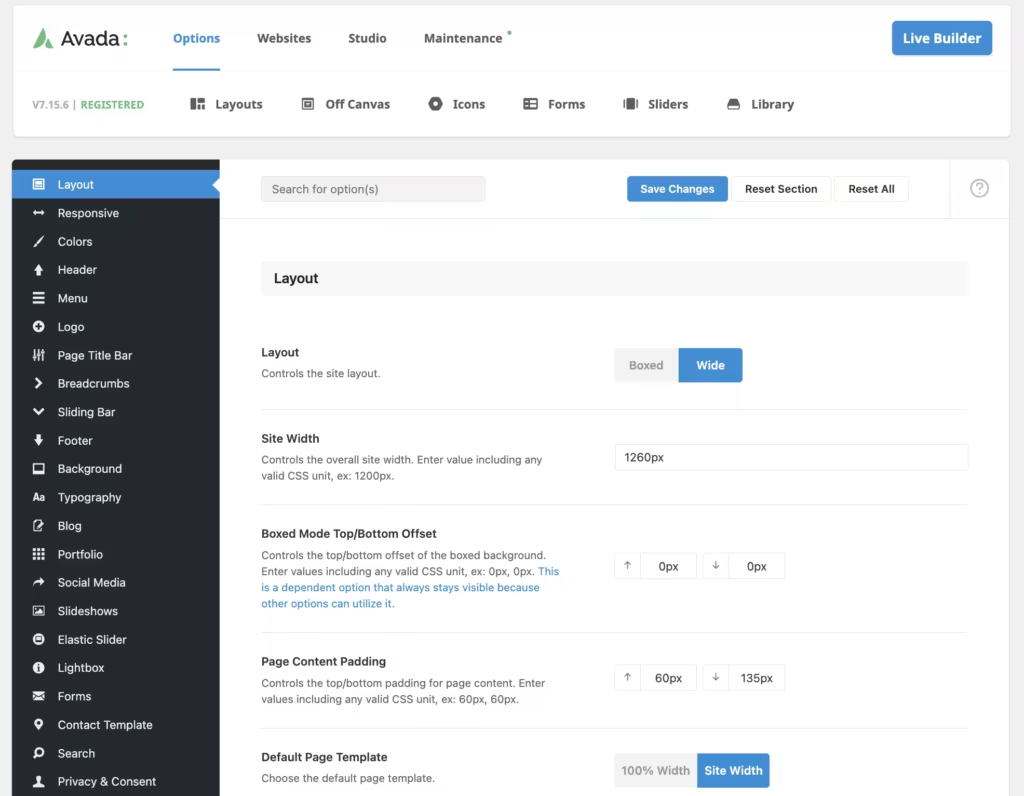
Drag-and-Drop Visual Page Editor (Avada Builder, formerly Fusion Builder)
Avada’s front-end editor, Fusion Builder, lets you assemble pages by dragging elements directly onto the canvas rather than working blind in the WordPress block editor. Every change renders in place, so what you see while building matches what visitors see once the page goes live.
For a small business owner or freelancer without coding experience, this is the difference between hiring a developer for every text tweak and making the edit yourself in minutes. Agencies get the same benefit at scale: client revisions happen live, on-screen, without a round trip through custom code.
Layout Builder
Beyond individual pages, Avada includes a dedicated layout builder for structuring how content areas fit together across a site. Instead of rebuilding a page structure from scratch each time, you define reusable layout logic once and apply it wherever it’s needed.
This matters most on sites with many similar page types — a portfolio site with dozens of project pages, or a service business with location pages that all share the same skeleton. Consistency stays intact even as the number of pages grows.
Header and Footer Builder
Avada ships with builders specifically for headers and footers, separate from the general page editor. These are persistent, site-wide elements, so changes made here apply everywhere at once rather than page by page.
That separation saves real time on branding work. Swapping a logo, adjusting navigation, or adding a footer call-out is a single edit propagated across the entire site, not a repeated task across every template.
Prebuilt Website Templates
Avada includes a library of over 113 prebuilt websites and demos, each importable with one click. These cover a spread of industries and use cases, giving buyers a starting point that’s already structured rather than a blank canvas.
For anyone trying to launch quickly — a small business owner without design time, or an agency turning around a client project on a deadline — this cuts the build phase down to customization rather than construction. Swap in your own text, images, and colors, and the layout logic is already handled.
WooCommerce Integration
Avada integrates with WooCommerce, with stated compatibility across WooCommerce 9.x.x, 8.x.x, and 7.x.x. Avada is compatible with WooCommerce and provides integration for building eCommerce websites alongside the rest of your WordPress site.
WooCommerce compatibility allows store owners to use Avada when building online stores, while WooCommerce itself provides the eCommerce functionality.
Also Included
Avada bundles several additional premium tools into the license at no extra cost: ACF Pro for custom field management, Convert Plus for lead-generation popups and opt-ins, FileBird Pro for media library organization, and the slider plugins Slider Revolution and LayerSlider for animated content sections.
Installation and Setup
- Purchase an Avada license and download the theme package from your ThemeForest downloads page or the My Avada account area.
- Log in to the WordPress dashboard, go to Appearance > Themes > Add New > Upload Theme, and upload the Avada theme zip file. Activate the theme once the upload completes.
- Register the theme with the purchase code supplied in the ThemeForest order confirmation. Registration unlocks one-click access to prebuilt websites and enables theme updates.
- Install and activate the required Avada Core (formerly Fusion Core) plugin, which Avada prompts for automatically after theme activation. Avada Core (formerly Fusion Core) is a required companion plugin that provides Avada’s core functionality. It works alongside Avada Builder (formerly Fusion Builder), and both plugins must be active to use Avada’s visual page-building features.
- Slider Revolution and LayerSlider are included with the Avada license and can be installed directly from the Avada theme registration or plugin installation screen inside the dashboard.
- Slider Revolution
- LayerSlider
- Import a prebuilt website from the library of over 113 available demos, or start with a blank layout using Fusion Builder. Importing a demo also installs any demo-specific content, images, and layout data in one step.
- Configure global styling, header, and footer options through the Avada theme options panel and the dedicated header/footer builder.
- If running a store, install and activate WooCommerce, then connect it through Avada’s WooCommerce integration settings to apply the theme’s store templates and checkout styling.
- Create a My Avada account if one was not set up during purchase. This account is required to access support and submit support tickets during the included coverage period.
Compatibility and Requirements
| Requirement | Details |
|---|---|
| WordPress | 6.9.x, 6.8.x, 6.7.x, 6.6.x, 6.5.x, 6.4.x, 6.3.x, 6.2.x, 6.1.x, 6.0.x, 5.9.x, 5.8.x, 5.7.x |
| WooCommerce | 9.x.x, 8.x.x, 7.x.x |
| Other plugin compatibility | bbPress 2.6.x, Easy Digital Downloads, Events Calendar, Events Calendar Pro, Gravity Forms, WPML |
| Browsers | Firefox, Safari, Opera, Chrome, Edge |
Avada lists compatibility with WordPress versions ranging from 5.7.x through 6.9.x, according to its published compatibility information. The theme also lists compatibility with WooCommerce across three major version branches (9.x.x, 8.x.x, and 7.x.x), suggesting ThemeFusion maintains the integration across multiple release cycles rather than only the newest one.
Avada Pricing
Avada is sold under a one-time license model with no recurring subscription fees, and the license includes free lifetime updates. There is no free tier — every feature described in this review requires a paid purchase.
Regular License — $69
This is the standard license price listed on ThemeForest, covering the theme item price plus the marketplace buyer fee. Avada.com also lists a $60 price for direct purchase through its own site, so the exact figure you pay depends on where you buy.
Extended License — $2,950
This is the ThemeForest Extended License, intended for use cases that fall outside the terms of the Regular License (such as reselling the end product to a client as part of a paid service).
Support Extension (to 12 months)
Support is included for six months from the date of purchase. Extending coverage to a full 12 months is listed at $49.88, with a $21.38 rate also listed; check the official pricing page to confirm which applies to your purchase.
Both license tiers grant access to the full feature set: the Fusion Builder drag-and-drop editor, the layout and header/footer builders, WooCommerce integration, and the prebuilt website library. Bundled premium plugins — including Slider Revolution, LayerSlider, ACF Pro, Convert Plus, and FileBird Pro — are included in the license price rather than sold separately.
For the current price and any active promotions, check the official pricing page before purchase.
👉 Get Avada at the best available price
Alternatives to Avada
Avada isn’t the only option for building a WordPress site without touching code. Divi and Elementor are the two most commonly considered alternatives, each with a different licensing model and builder approach.
| Product | Key Difference | Best For | Price Tier |
|---|---|---|---|
| Avada | One-time license fee with lifetime updates, bundled as a full theme with prebuilt websites and WooCommerce integration | Buyers who want a one-time purchase over a recurring subscription | Paid |
| Divi | Multipurpose theme and visual builder sold via subscription or lifetime membership rather than a single license fee | Users comfortable with Elegant Themes’ membership model | Paid |
| Elementor | Standalone drag-and-drop page builder plugin with a free version on the WordPress plugin directory and a paid Pro tier | Users who want to try a builder for free before upgrading | Freemium |
Competitor data is sourced from publicly available information as of 2026 and may have changed.
The right pick depends on how you want to pay and what you’re building. Agencies and site owners who prefer paying once and avoiding renewals may lean toward Avada, while those who want to test a builder for free first, or who already run sites on a different theme, may find Elementor’s freemium model or Divi’s subscription a better fit.
Frequently Asked Questions
Is Avada a one-time purchase or a subscription?
Avada is a one-time purchase, not a subscription. The license includes free lifetime updates with no recurring license fees, though the Regular License is a single payment tied to a support window rather than ongoing access.
Does Avada have a free version to try before buying?
No, Avada has no free tier or trial version. Buyers commit to a purchase, either the Regular License or the Extended License, before they can test the theme on their own site.
How long does Avada’s customer support last?
Standard support runs for six months from the date of purchase. It can be renewed or extended for an additional fee if you need coverage beyond that initial period.
How many prebuilt websites does Avada come with?
Avada includes more than 113 prebuilt websites and demos. Each one can be imported with a single click, which speeds up launching a site without building every page from scratch.
What premium plugins are bundled with Avada?
Avada bundles several premium plugins and tools alongside its core builder, including Slider Revolution and LayerSlider for slideshow and animation content. It also includes Advanced Custom Fields PRO, Convert Plus, and FileBird Pro.
Is Avada better than Elementor or Divi?
Avada, Divi, and Elementor are the main competitors in the WordPress page builder space, each offering a drag-and-drop visual editor. Avada differentiates itself with a one-time license fee, bundled premium plugins like ACF Pro and Convert Plus, and a large library of over 113 prebuilt websites, which suits buyers who prefer to avoid recurring subscription costs.
Does Avada work with WooCommerce?
Yes, Avada includes WooCommerce integration built into its feature set for setting up eCommerce stores. It lists compatibility with WooCommerce versions 9.x.x, 8.x.x, and 7.x.x.
Download & Pricing Options
🔍 Try Before You Buy
Avada does not have an official free tier. To evaluate it before purchasing, a GPL-licensed copy is available for sandbox testing purposes only.
👉 Download GPL Evaluation Copy
This is a GPL-licensed redistributed copy for testing only — not an official developer product.
💎 Get Avada (Best Available Price)
👉 Check Current Pricing for Avada
Pricing and availability may change — use the link above for current rates.
Avada is one of thousands of premium plugins available through a GPL membership. Our best GPL site for WordPress guide compares the ten main vendors on price, catalogue size and how fast updates actually arrive.


