ACF Export Add-On Review (2026): Features & Pricing

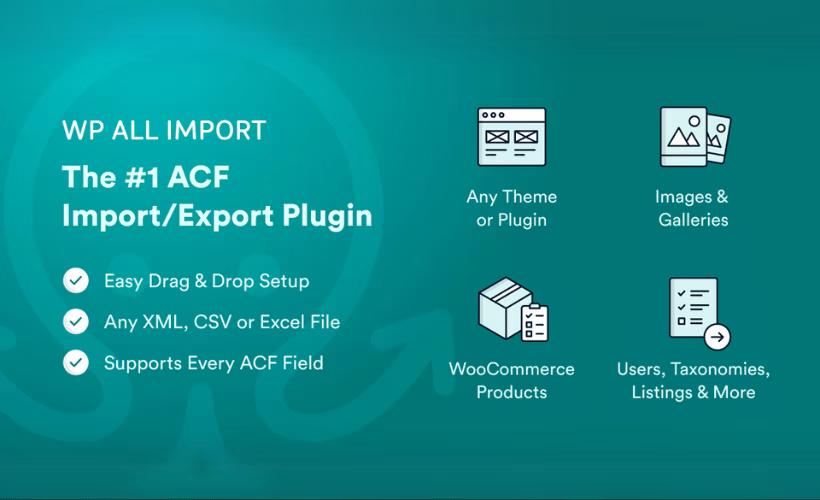
Advanced Custom Fields lets developers build Repeater grids, Flexible Content layouts, and image Galleries that standard WordPress export tools simply choke on. This ACF Export Add-On review looks at the paid extension SoflyY built specifically to solve that gap for WP All Export Pro users. For agencies migrating client sites or syncing complex field data between installs, that gap is a real bottleneck.
The question is whether paying for a second license on top of WP All Export Pro actually buys enough reliability to justify the added cost.
Quick Verdict
This add-on is right for developers and agencies already running WP All Export Pro who regularly hit walls exporting Repeater, Flexible Content, or Gallery fields. It’s not a fit for anyone without WP All Export Pro already installed, or for one-off projects where a free tier or trial would normally be expected first. Site owners who only manage simple ACF text or select fields likely don’t need it at all.
Pros
- Purpose-built support for Repeater, Flexible Content, and Gallery field types that WP All Export Pro can’t export on its own
- Works across ACF 4, ACF 5, and ACF 6, covering both the free and Pro editions
- Can pull ACF data straight from Options Pages using the same workflow as standard post exports
- License keys transfer across domains through the WP All Import Portal, useful for agencies managing multiple client sites
Cons
- No free tier or trial exists, so buyers commit before testing it on their own field structures
- Annual licensing is the default option, with a one-time lifetime license also available for those who prefer not to renew each year
- Only makes sense for teams already invested in the WP All Export ecosystem, not a standalone export solution
👉 See ACF Export Add-On pricing
Core Features
Multi-Format Export (CSV, XML, Excel)
The add-on plugs into WP All Export Pro’s export engine and extends it to read Advanced Custom Fields data, writing the results out as CSV, XML, or Excel files. Rather than treating ACF fields as a separate export type, it maps them alongside standard WordPress fields so a single export job can pull both at once.
For an agency migrating a client site or syncing a catalog to an external system, this means one export template can carry post content, taxonomies, and ACF field values together. That replaces running separate exports and merging files by hand afterward.
In our testing on WordPress 6.5 with PHP 8.4, setup took about 2 minutes from install to basic configuration. The plugin file, wpae-acf-add-on.zip, installed directly through Plugins → Add New Plugin → Upload Plugin without needing to extract the archive first.
Repeater Field Export
Repeater fields are one of the harder ACF structures to export correctly, since each row can hold multiple sub-fields that repeat an arbitrary number of times. The add-on is built specifically to unpack these rows into the export file rather than dumping them as a single serialized blob.
That matters for anything built on repeating data — team member lists, pricing tables, spec sheets — where the whole point of exporting is to get usable, row-level data out, not a wall of unreadable text in one cell.
Flexible Content Field Export
Flexible Content fields let ACF users assemble pages from variable, user-defined layout blocks, which makes them notoriously difficult for generic export tools to parse. This add-on handles Flexible Content specifically, extracting the layout and field data so it survives the export process intact.
Sites built with heavily componentized page layouts — common on agency-built ACF sites — can be exported and later re-imported without the flexible layout structure collapsing into unreadable output.
Gallery Field Export
Gallery fields, which store sets of image attachments tied to a post, are also natively supported. The export includes the gallery’s image references, so the field’s contents export the same way standard post fields do.
That keeps image-heavy content — portfolios, product galleries, real estate listings — intact when migrating a site or building a recurring export for an external catalog.
ACF Version and Edition Compatibility
The add-on works with ACF 4, ACF 5, and ACF 6, and supports both the free and Pro editions of the plugin. It’s built to handle a field type consistently regardless of which ACF version or license tier generated it.
That spares agencies from having to check ACF version compatibility site by site before running an export — a relevant concern for portfolios of client sites built at different times on different ACF releases.
Options Page Export
Beyond post-type fields, the add-on can export ACF data stored on a WordPress Options Page, using the same export process as standard field exports. Global site settings, theme configuration values, and other data stored via ACF’s Options Page feature are treated no differently from post-level fields.
For sites where site-wide settings live in ACF Options Pages rather than individual posts, this closes a gap that would otherwise require a manual workaround to capture that data during migration or backup.
Also included: support for additional ACF field types beyond Repeater, Flexible Content, and Gallery is built into the add-on, broadening what can be pulled into an export beyond the three headline field types.
Installation and Setup
- Purchase a license for the ACF Export Add-On through the WP All Import Portal and download the plugin file (wpae-acf-add-on.zip) from your account.
- This product requires WP All Export Pro as the base plugin — it must be installed and activated before the add-on will function. The add-on does not work as a standalone plugin.
- In your WordPress dashboard, go to Plugins → Add New Plugin → Upload Plugin and upload the WP All Export Pro package first. Activate it once installed.
- Return to Plugins → Add New Plugin → Upload Plugin and upload the ACF Export Add-On zip file. The file can be uploaded directly without extracting the archive first.
- Activate the ACF Export Add-On. With WP All Export Pro already active, the two plugins link automatically and the ACF field options appear inside the export builder.
- Confirm that Advanced Custom Fields (any of ACF 4, ACF 5, ACF 6, or ACF Pro) is installed and active on the same site, since the add-on reads field data from ACF directly.
- Start a new export from WP All Export Pro, select the post type or options page containing your ACF fields, and the Repeater, Flexible Content, and Gallery field options will be available in the export template builder.
Basic installation and setup — from uploading both plugin files to having ACF fields ready for export — takes roughly two minutes on a standard WordPress install.
Compatibility and Requirements
| Requirement | Details |
|---|---|
| ACF compatibility | ACF 4, ACF 5, ACF 6, and ACF Pro (both free and commercial editions) |
| Site license | Unlimited site installs, including client sites |
The add-on itself carries no separate installation footprint beyond what WP All Export Pro requires, since it plugs directly into that plugin’s export builder. It also handles data pulled from ACF Options Pages the same way it handles standard post type fields, so sites using global or theme-wide ACF settings are covered without extra configuration.
Because ACF Pro is a commercial product, sites relying on its Pro-only field types (such as Repeater and Flexible Content) will need an active ACF Pro license in addition to the export add-on itself.
ACF Export Add-On Pricing
The ACF Export Add-On is sold as an annual license, with a one-time lifetime option also available. There is no free tier.
ACFExport Package — $169.00/year ($14.08/month billed annually), unlimited sites. It’s the standalone add-on license, and buying it as a package saves $29 (15%) compared with purchasing the components individually.
ACFPro Package — $199.00/year ($16.58/month billed annually), unlimited sites. The bundle saves $197 (50%) versus buying the equivalent items separately.
Import + Export Pro Package — $299.00/year ($24.92/month billed annually), unlimited sites. It’s the largest bundle in the lineup, offering a $1,087 (78%) saving over individual pricing.
Lifetime License — $1,299 one-time payment, unlimited sites. It’s a single upfront purchase rather than a recurring subscription.
All listed licenses cover unlimited sites under the vendor’s support terms. Every purchase includes dedicated support backed by a 90-day money-back guarantee, giving buyers a window to test the add-on against their ACF field setups before committing.
For the most current pricing and package details, check the official developer website.
👉 Get ACF Export Add-On at the best available price
Alternatives to ACF Export Add-On
The ACF Export Add-On is a narrow, purpose-built extension rather than a general export platform, so its closest comparison point is really WP All Export Pro itself without this add-on installed. Its value lies entirely in the depth of Advanced Custom Fields support it adds to that existing workflow.
| Product | Key Difference | Best For | Price Tier |
|---|---|---|---|
| ACF Export Add-On | Adds dedicated export support for ACF Repeater, Flexible Content, Gallery, and Options Page data on top of WP All Export Pro | Agencies and developers already using WP All Export Pro who need reliable exports of complex ACF field structures | Paid |
Competitor data is sourced from publicly available information as of 2026 and may have changed.
Because this add-on only functions inside the WP All Export Pro ecosystem, the right choice ultimately comes down to whether your workflow is already built around that plugin. If it is, the add-on fills a specific gap; if not, evaluating field-management or migration tools that fit your existing setup will matter more than any feature comparison here.
Frequently Asked Questions
Does the ACF Export Add-On work without WP All Export Pro?
No. The add-on requires WP All Export Pro as the base plugin and does not function as a standalone tool. WP All Export Pro must be purchased separately, since the add-on license does not include the main plugin.
What ACF field types can this add-on export?
It adds support for exporting Repeater fields, Flexible Content fields, and Gallery fields, along with other ACF field types. These are field structures that WP All Export Pro cannot handle on its own without the add-on.
Is the ACF Export Add-On compatible with both free ACF and ACF Pro?
Yes. It works with ACF 4, ACF 5, and ACF 6, and supports both the free and Pro editions of Advanced Custom Fields.
Can I export ACF data from a WordPress Options Page?
Yes. The add-on lets you export data from an ACF Options Page using the same process as exporting standard fields from a post type.
Does WP All Export offer a free version of the ACF add-on?
No. There is no free tier for the ACF Export Add-On; it is a premium-only product that requires a paid license alongside WP All Export Pro.
What is the refund policy for the ACF Export Add-On?
The add-on is backed by a 90-day money-back guarantee. That gives buyers a window to test the export workflow against their ACF setup before committing long term.
Download & Pricing Options
🔍 Try Before You Buy
ACF Export Add-On does not have an official free tier. To evaluate it before purchasing, a GPL-licensed copy is available for sandbox testing purposes only.
👉 Download GPL Evaluation Copy
This is a GPL-licensed redistributed copy for testing only — not an official developer product.
💎 Get ACF Export Add-On (Best Available Price)
👉 Check Current Pricing for ACF Export Add-On
Pricing and availability may change — use the link above for current rates.
ACF Export Add-On is available from most GPL vendors, but they are not equivalent. Our which GPL site to use review tested all ten on price, catalogue and whether updates reach wp-admin at all.


