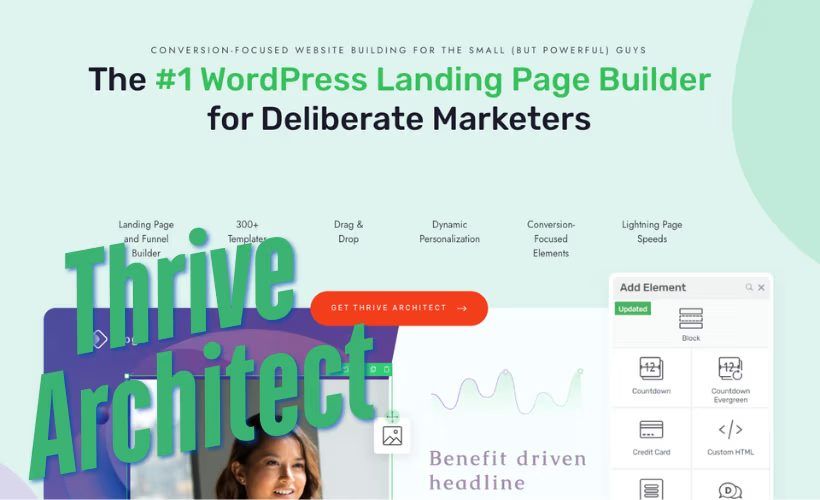
Building a landing page that actually converts often means choosing between a free builder with limited design control and a premium tool that locks you into recurring fees. This Thrive Architect review looks at whether its drag-and-drop editor and library of over 300 conversion-focused templates earn their keep against freemium rivals like Elementor and Beaver Builder. For marketers and small business owners running funnels rather than just blogs, that distinction matters more than a feature checklist.
The real question is whether paying every year for a page builder makes sense when comparable tools offer a free tier to start with.
Quick Verdict
Thrive Architect suits marketers, agencies, and course creators who build landing pages and funnels often enough to justify a subscription and want templates designed around conversions rather than general-purpose layouts. It’s a weaker fit for hobby bloggers or anyone wanting to test a page builder before committing money.
Pros
- Visual drag-and-drop editor with over 300 conversion-focused templates
- Works with any standard WordPress theme, inheriting its header, footer, and sidebar
- Landing Page Mode can override the active theme entirely for standalone funnel pages
- Bundled inside Thrive Suite alongside Thrive Theme Builder, Thrive Leads, Thrive Quiz Builder, and Thrive Apprentice
- 24-hour weekday support with unlimited requests included with an active subscription
Cons
- Ongoing annual cost applies whether you choose standalone Architect or the full Thrive Suite bundle
- Deciding between standalone Architect and the broader Suite adds complexity for buyers unsure which extra tools they actually need
👉 See Thrive Themes Architect | Visual Editor Plugin pricing
Core Features
Visual Drag-and-Drop Editor
Architect’s editing screen works directly on the front end of the page, so every change you make in the visual editor appears exactly as visitors will see it. There’s no separate preview mode to toggle between edit and view states — the drag-and-drop canvas is the live page.
For a marketer building a landing page without a developer on hand, this removes the guesswork of switching between a backend editor and a front-end preview. You place elements, resize them, and adjust spacing directly, which shortens the time between an idea and a published page.
In our testing on WordPress 6.5 with PHP 8.4, installation and basic setup took about 2 minutes. The plugin file, thrive-architect-11.0.1.zip, installed directly through Plugins → Add New Plugin → Upload Plugin without needing to be extracted first, which kept the path from download to a working editor short.
Conversion-Focused Template Library
The plugin ships with a library of over 300 templates, each built around a conversion goal rather than generic layout aesthetics. Templates are organized by page type, so a webinar registration page and a product launch page draw from different starting designs rather than one generic set.
This matters most for site owners who don’t have in-house design resources. Starting from a template built for a specific conversion goal cuts down the trial-and-error of arranging a page from a blank canvas, and it gives less experienced users a structural head start that still allows full customization through the visual editor.
Landing Page Design
Architect treats landing pages as their own category, distinct from standard blog posts or pages. The plugin’s Landing Page Mode can override the active WordPress theme entirely, stripping out the header, footer, and sidebar so the page stands alone.
This is useful when a landing page needs to feel disconnected from the rest of the site — a paid ad destination, for example, where navigation links would only distract from the single call to action. Site owners who normally build content pages within their theme’s layout can switch to this standalone mode only where it’s needed.
Sales Page Design
Sales pages get the same visual editor and template access as landing pages, but the focus shifts toward longer-form layouts: testimonials, pricing tables, and multi-section persuasion sequences that a typical page template wouldn’t include.
For anyone selling a course, service, or physical product directly from a WordPress site, this means the building blocks for a full sales narrative are available without stitching together separate plugins for testimonials, countdown elements, or pricing displays.
Funnel Building
Architect extends beyond single pages into building out full funnel sequences — connecting an opt-in page, a sales page, and follow-up pages as a linked sequence rather than isolated documents. Because the same visual editor and template set apply across every step, the tone and design of a funnel stay consistent from the first page to the last.
For marketers running a defined customer journey, this consistency reduces the design drift that happens when different pages in a funnel are built at different times with mismatched styling. Building the whole sequence inside one plugin also keeps template access and layout logic identical page to page.
Architect also inherits your active theme’s global layout — including header, footer, and sidebar — for standard pages, so it works with any standard WordPress theme rather than requiring a proprietary one.
Installation and Setup
- Purchase a license for Thrive Architect, the Architect + Optimize bundle, or Thrive Suite, then download the plugin zip file from the Thrive Themes account dashboard.
- Log in to the WordPress admin dashboard and go to Plugins → Add New Plugin → Upload Plugin.
- Upload the downloaded file directly — for example, a file named thrive-architect-11.0.1.zip can be installed through the uploader without needing to extract it first.
- Click Install Now, then Activate Plugin once the upload finishes.
- Enter the license key when prompted to connect the installation to the active subscription. This step confirms eligibility for the 24-hour weekday support included with an active plan.
- Open any page or post and select “Edit with Thrive Architect” to launch the visual drag-and-drop editor and start building from the template library.
Installation and initial activation are quick in practice — on a WordPress 6.5 site running PHP 8.4, the whole process from upload to a working editor took about two minutes, with no need to unzip the package manually before uploading.
Compatibility and Requirements
| Requirement | Details |
|---|---|
| WordPress | Version 5.0 or higher (6.5+ recommended for specific setups such as Thrive Theme Builder) |
| PHP | Version 8.1 or higher |
| Database | MySQL 5.7+ or MariaDB 10.4+ |
Thrive Architect works with any standard WordPress theme, not just Thrive Themes’ own products. It manages the content layer of a page — text, images, buttons, and forms — while normal pages inherit the active theme’s header, footer, and sidebar. A separate landing page mode lets you build pages that override the theme’s layout entirely, useful for standalone landing pages and funnel steps.
Running a current, supported version of PHP is worth keeping in mind for security reasons alone, since older PHP branches stop receiving fixes over time.
Thrive Architect Pricing
Thrive Architect is available only through paid plans — there’s no free version or limited free tier to try before committing.
Thrive Suite — $599/yr
This is the full Thrive Themes toolkit, bundling Thrive Architect with the company’s other conversion-focused plugins. It’s frequently discounted to $299/yr, saving $300 off the list price, though renewals revert to the full $599/yr rate.
Thrive Architect (standalone) — $199/yr
This tier covers the page builder plugin on its own, without the rest of the Thrive Suite tools. It’s frequently discounted to $99/yr, saving $100, with renewals billed at the full $199/yr rate.
Thrive Architect + Optimize bundle — $399/yr
This pairs the page builder with Thrive Optimize, the company’s A/B testing tool. It’s frequently discounted to $199/yr, saving $200, and again renews at the full $399/yr price once the discounted term ends.
All three plans include a 30-day money-back guarantee, and Thrive Themes provides support on a 24-hour weekday response basis, with unlimited requests for as long as the subscription stays active. For the latest pricing and any active promotions, check the official Thrive Themes website.
👉 Get Thrive Themes Architect | Visual Editor Plugin at the best available price
Alternatives to Thrive Architect
Thrive Architect is not the only page builder built for WordPress, and several competitors offer different pricing models or design philosophies. Here is how it stacks up against the most commonly considered alternatives.
| Product | Key Difference | Best For | Price Tier |
|---|---|---|---|
| Thrive Architect | Conversion-focused templates and funnel-building tools bundled with subscription-based marketing plugins | Marketers building landing pages and sales funnels | Paid |
| Elementor | Widely-used drag-and-drop builder with a free version plus a paid Pro tier for advanced widgets and theme building | Users wanting a free entry point before upgrading | Freemium |
| Divi | Bundled theme-and-builder system from Elegant Themes, sold via subscription or lifetime access | Buyers who want a builder and theme in one package | Paid |
| Beaver Builder | Theme-agnostic front-end builder known for stability, with a free lite version and paid Pro tiers | Users prioritizing compatibility across themes | Freemium |
| WPBakery Page Builder | Backend-and-frontend builder often bundled inside premium themes, sold as a one-time marketplace license | Buyers who prefer one-time licensing over subscriptions | Paid |
Competitor data is sourced from publicly available information as of 2026 and may have changed.
The right pick depends on priorities: Thrive Architect suits those focused on conversion templates and funnel building, while Elementor or Beaver Builder may appeal to those wanting a free tier to test first, and Divi or WPBakery fit buyers who prefer a bundled theme or one-time license over recurring subscriptions.
Frequently Asked Questions
Is Thrive Architect free?
No, Thrive Architect has no free tier of any kind. It is sold exclusively as a paid subscription, either as a standalone plugin or as part of the Thrive Suite bundle, with a 30-day money-back guarantee for buyers who want to try it risk-free.
How much does Thrive Architect cost?
The standalone Thrive Architect plugin lists at $199 per year, though it’s frequently discounted to $99 per year for the first term. It’s also available bundled with Thrive Optimize for $399 per year (often discounted to $199), or as part of the full Thrive Suite at $599 per year (often discounted to $299). All plans renew at the full, non-discounted price after the initial term.
Does Thrive Architect work with any WordPress theme?
Yes, Thrive Architect works with any standard WordPress theme, not just Thrive’s own themes. It manages the content layer of posts and pages, so normal pages built with the plugin inherit your active theme’s header, footer, and sidebar, while its Landing Page Mode can override the theme entirely for standalone funnel pages.
What plugins are included in Thrive Suite?
Thrive Suite bundles several conversion-focused tools alongside Thrive Architect: Thrive Theme Builder for front-end theme customization, Thrive Leads for opt-in forms and lead generation, Thrive Quiz Builder for interactive quizzes and traffic segmentation, and Thrive Apprentice, a learning management system for course creators.
Is Thrive Architect better than Elementor?
It depends on priorities: Thrive Architect focuses specifically on conversion-oriented design with over 300 templates geared toward landing pages, sales pages, and funnels, while Elementor is a broader general-purpose page builder with a widely used free version. Thrive Architect has no free tier at all, so buyers who want to test a builder without payment will find Elementor’s freemium model more accessible upfront.
Is Thrive Architect good for building sales funnels?
Yes, funnel building is one of its core use cases, alongside landing page and sales page design. The plugin includes conversion-focused templates and a Landing Page Mode that can override the active theme, which is useful for creating standalone funnel pages disconnected from a site’s regular layout.
Download & Pricing Options
🔍 Try Before You Buy
Thrive Themes Architect | Visual Editor Plugin does not have an official free tier. To evaluate it before purchasing, a GPL-licensed copy is available for sandbox testing purposes only.
👉 Download GPL Evaluation Copy
This is a GPL-licensed redistributed copy for testing only — not an official developer product.
💎 Get Thrive Themes Architect | Visual Editor Plugin (Best Available Price)
👉 Check Current Pricing for Thrive Themes Architect | Visual Editor Plugin
Pricing and availability may change — use the link above for current rates.