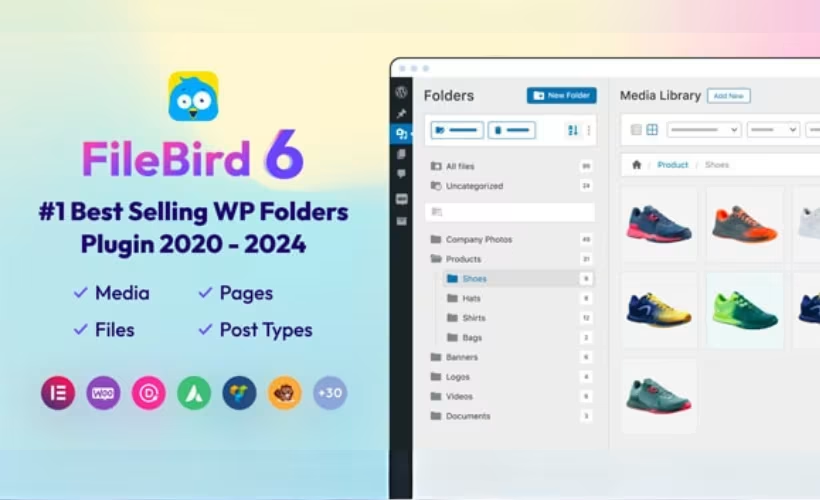
A media library with thousands of unsorted images, PDFs, and videos turns a simple upload into a search-and-scroll chore. This FileBird review looks at whether the plugin’s drag-and-drop folder system actually fixes that mess, and how far the free version gets you before a purchase becomes necessary. For WooCommerce stores and content-heavy sites, the difference between one-level folders and unlimited nesting can matter more than the price tag.
The real question is whether FileBird’s paid tier adds enough over the free plugin to justify the upgrade, especially once posts, pages, and products enter the picture.
Quick Verdict
FileBird suits site owners and agencies drowning in unsorted media who want folders without touching server file paths, and who need that same structure extended to posts, pages, or WooCommerce products. Sites with a small, manageable media library or no need for post/product organization can likely stick with WordPress’s default library and skip this purchase. Once folder depth or product-level sorting becomes a requirement, the paid version earns its keep.
Pros
- Drag-and-drop virtual folders organize the Media Library without altering the actual server file structure
- Folder organization extends beyond media to posts, pages, and custom post types
- Dedicated folder structure for organizing WooCommerce products (paid version only)
- Free tier includes 1-level folders for posts/pages plus a file counter for parent and subfolders
- Installs directly through the WordPress plugin uploader without needing to extract the zip file first
Cons
- Free version caps post and page folders at a single level, so deeper structuring requires the paid version
- Advanced WooCommerce product organization and unlimited nested folders sit behind a paywall
Core Features
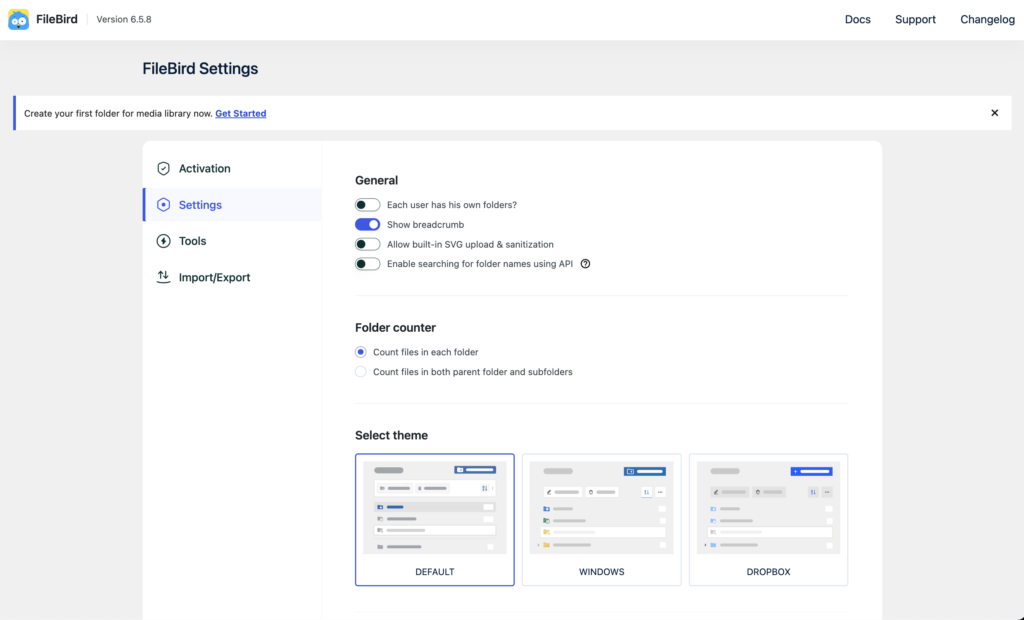
Drag-and-Drop Virtual Folder System
FileBird adds a folder tree directly into the Media Library screen, letting you drag files between folders instead of relying on search bars or date-based filtering. The structure is virtual, meaning the folders exist as an organizational layer inside WordPress rather than as physical directories on the server.
For a site with years of accumulated uploads, this changes how quickly an editor can find a specific image or document. Since nothing is moved on the file system itself, the reorganization carries no risk to existing file paths or embedded URLs.
Media Files and Subfolders
Beyond flat, single-level organization, FileBird supports nested subfolders for media, so files can be grouped by project, client, or content type and then broken down further within each group. The virtual folder and subfolder structure is one of the plugin’s built-in components, not an add-on.
This layered approach suits agencies or larger sites where a single “Images” folder would otherwise become unmanageable. A photographer’s site, for example, could nest client shoots inside year folders, keeping the top-level view uncluttered.
Posts, Pages, and Custom Post Type Folders
FileBird extends its folder concept past media and into content itself, letting posts, pages, and custom post types be sorted into the same drag-and-drop structure. In the free version, this organization is capped at one folder level for posts and pages.
For editorial teams managing dozens or hundreds of published pieces, this gives a second way to group content that doesn’t depend on categories or tags. It’s particularly useful for sites where category taxonomy is already spoken for by front-end navigation, and an internal-only folder view is needed for editorial housekeeping.
WooCommerce Product Folders
Store owners can sort WooCommerce products into the same folder system used for media and posts, separating them from other content types entirely. This is a distinct core feature rather than a side effect of the post-organization tools, built to handle product catalogs specifically. This capability is part of the paid version; the free tier does not include WooCommerce product folder organization.
A store selling across multiple lines or seasons can use folders to keep inventory visually grouped in the admin, independent of how products are categorized or tagged on the storefront. That separation between internal organization and public-facing taxonomy is often what stores need most as a catalog grows.
File Counter for Folders and Subfolders
The free tier includes a file counter that displays how many items sit inside each folder, and it totals counts for both the parent folder and its subfolders. This counter appears directly in the folder tree rather than requiring a separate report or screen.
Practically, this lets an editor gauge how full a folder has gotten, or spot an empty one, without opening it first. On a large media library, that at-a-glance count saves the repeated clicking that flat file lists usually demand.
Installation and Setup
- Purchase FileBird through the CodeCanyon listing or directly from NinjaTeam.org, then download the plugin package to your computer.
- In your WordPress dashboard, go to Plugins → Add New Plugin → Upload Plugin.
- Select the downloaded package and upload it directly through this screen — the zip file does not need to be extracted first before uploading.
- Click Activate once the upload finishes.
- Open the Media Library. A new folder tree sidebar appears on the left side, ready for use.
- Create your first folders and start dragging existing media files into them to organize your library. If you’re working with WooCommerce products, posts, pages, or custom post types, the same drag-and-drop folder system applies to those content types as well.
This product does not require any companion plugins to function.
Compatibility and Requirements
| Requirement | Detail |
|---|---|
| PHP version | 7.4 or higher (as of version 6.0) |
| WooCommerce | Supported for organizing products into folders |
| Content types | Media Library files, posts, pages, and custom post types |
The file counter for parent folders and subfolders is available in both the free and premium builds. If your hosting environment still runs an older, unsupported PHP release, it’s worth upgrading before installing any current plugin — not just this one. Outdated PHP versions carry both security and performance risks on a live site.
FileBird Pricing
FileBird follows a freemium model, with a free version available and a paid upgrade for teams that need more than basic folder organization.
The free tier is available through the WordPress.org plugin directory. It includes single-level folder organization for posts and pages, along with a file counter that displays totals for both parent folders and their subfolders. For anyone mainly organizing media files rather than content types, this free version covers the core drag-and-drop folder workflow in the Media Library.
The paid tier is listed on CodeCanyon as a single license priced at $149. This unlocks unlimited nested folder levels for posts and pages (rather than the single level available for free), along with bulk drag-and-drop support for moving multiple files and folders at once. Buying directly through NinjaTeam.org gets you direct support without going through a queue, which is worth factoring in if responsiveness matters for your project.
Check the official developer website for the current price and any bundle options before purchasing.
👉 Get FileBird at the best available price
Alternatives to FileBird
FileBird’s virtual folder approach and its reach into posts, pages, and WooCommerce products set it apart from most media management tools.
| Product | Key Difference | Best For | Price Tier |
|---|---|---|---|
| FileBird | Virtual drag-and-drop folders that extend beyond media into posts, pages, and WooCommerce products | Site owners and agencies managing large media libraries alongside content and product catalogs | Freemium |
Competitor data is sourced from publicly available information as of 2026 and may have changed.
Choosing between FileBird and other media organization plugins ultimately comes down to how much of your workflow needs to move beyond the Media Library itself. A site that only needs tidier image folders has different requirements than a store owner sorting thousands of WooCommerce products or an agency managing folder structures across posts and pages.
Frequently Asked Questions
What is the difference between FileBird free and pro?
The free version limits folder organization for posts and pages to a single level, while the premium version supports unlimited nested folder levels for posts and pages. FileBird Pro also adds bulk drag-and-drop for files and folders and extends organization to WooCommerce products, which the free tier does not cover. Both versions include a file counter showing totals for parent folders and subfolders.
Does FileBird work with WooCommerce products?
Yes, organizing WooCommerce products into folders is one of FileBird’s core features. This lets store owners sort products into a virtual folder structure separate from standard WooCommerce categories, which is useful for larger catalogs.
Does FileBird change my actual media file structure?
No, FileBird uses a virtual folder system that sits on top of the Media Library without altering the server’s actual file structure or breaking existing image URLs. Files stay in their original location; the folders simply provide a visual, drag-and-drop way to organize them inside WordPress.
Can FileBird organize posts and pages into folders?
Yes, FileBird extends its folder system beyond media to posts, pages, and custom post types. The free version restricts this to one folder level, while the premium version allows unlimited nested levels for deeper organization.
How do I install FileBird from CodeCanyon?
The CodeCanyon package can be installed directly through the WordPress dashboard by going to Plugins, then Add New Plugin, then Upload Plugin, and selecting the downloaded zip file without needing to extract it first. In a first-hand test on WordPress 6.5 with PHP 8.4, this installation and basic setup took about two minutes.
How much does FileBird cost?
The CodeCanyon license for FileBird is listed at $149 as a one-time fee. Purchasing directly through NinjaTeam.org gives access to direct support without the queue that can come with marketplace purchases.
Download & Pricing Options
🆓 Free Version
👉 Download the Free Version of FileBird
💎 Get FileBird (Best Available Price)
👉 Check Current Pricing for FileBird
Pricing and availability may change — use the link above for current rates.