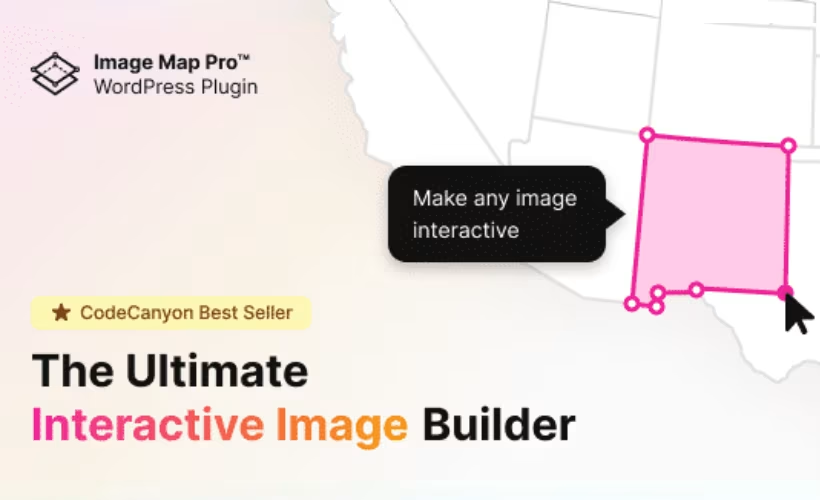
Adding clickable regions to an image on WordPress usually means fighting with custom CSS, JavaScript libraries, or a bloated page builder plugin that was never designed for the job. This Image Map Pro review looks at a plugin built specifically to solve that problem: a no-code editor for placing pins, shapes, and tooltips directly on images, then exporting them as scalable SVG maps. The question is whether a single-purpose, paid-only tool earns its place over more general alternatives.
Quick Verdict
Image Map Pro suits WordPress site owners who need clickable, tooltip-enabled image maps and don’t want to write code or manage extra add-ons to get there. It’s a poor fit for anyone wanting a free trial before buying, or a broader visual content toolkit beyond image maps.
Pros
- No-code visual editor for adding pins, shapes, and tooltips to images
- Generates SVG-based image maps that scale responsively across devices
- Works as a standalone plugin using WordPress’s built-in jQuery, with no required add-ons
- Lightbox-style popups can display text, images, and embedded video from a pin
- Fast, straightforward installation directly from the plugin zip file
Cons
- Support is included for only 6 months from purchase
- Single-purpose tool focused only on image maps, not a broader media or page builder
- One-time proprietary Envato license rather than a subscription with ongoing free updates
Core Features
Clickable Pins for Hotspot Navigation
Image Map Pro’s central function is letting you drop pins directly onto an image to mark points of interest. Each pin becomes a clickable hotspot, placed through the plugin’s pin and marker placement tool rather than through custom CSS or manual coordinate math.
For a site owner, this turns a static photo, floor plan, or diagram into a navigable surface. A property listing image, a product catalog shot, or an infographic can carry dozens of individually clickable markers without touching a line of code.
Vector Shape Drawing Over Images
Beyond simple pins, the plugin includes a dedicated vector shape drawing tool for marking out areas rather than single points — outlining a region on a map, a section of a floor plan, or a specific part of a larger graphic.
That matters when a single dot isn’t precise enough. A shape can trace the actual boundary of an object in the image, so the clickable zone matches the visual element it represents instead of an approximate circle placed near it.
Tooltips on Image Elements
Every pin or shape can carry a tooltip, built through the plugin’s tooltip creation interface. Tooltips surface supplementary text tied to a specific point on the image, appearing as soon as a visitor interacts with the relevant hotspot.
That gives an image a second layer of information without cluttering the page. A visitor scanning a diagram or map sees labels and context only when they engage with a marker, keeping the base image clean for everyone else.
SVG-Based Image Map Generation
The plugin outputs its interactive maps as SVG, using its SVG image map generation engine rather than raster overlays or fixed pixel coordinates. That vector foundation is what lets the finished map scale proportionally with the base image.
In practice, a map built once displays correctly whether it’s rendered on a desktop monitor or a phone screen, since the underlying shapes and pins scale with the image rather than becoming misaligned or pixelated at smaller sizes.
No-Code Visual Editor
All of the above — pins, shapes, tooltips, and the resulting SVG map — are assembled through a visual editor, with no code required to build or edit a map after installation.
That puts the feature set in reach of site owners without development resources. A marketing team or solo site owner can build and revise an interactive map the same way they’d edit an image gallery, through a visual interface rather than a code editor.
The plugin’s zip file, codecanyon-2826664-image-map-pro-for-wordpress-interactive-image-map-builder-wordpress-plugin.zip, installs directly through Plugins → Add New Plugin → Upload Plugin without needing to extract it first.
Also included: lightbox-style popups triggered from pins or hotspots, capable of displaying text, images, and embedded video alongside the core pin, shape, and tooltip tools.
Installation and Setup
- Purchase and download Image Map Pro from the CodeCanyon marketplace. The download arrives as a single zip file — there is no need to extract it before installing.
- Log in to the WordPress dashboard and navigate to Plugins → Add New Plugin → Upload Plugin.
- Select the downloaded zip file and click Install Now. The plugin installs directly from the compressed archive without requiring manual extraction or FTP access.
- Click Activate once installation finishes.
- Configure the plugin through its settings screen to begin adding pins, vector shapes, and tooltips to your images.
Image Map Pro does not depend on any companion plugins. It works as a standalone tool by hooking into the jQuery library that ships with WordPress core, so no secondary extensions need to be installed or activated for it to function.
On a test install running WordPress 6.5 with PHP 8.4, the entire process — from uploading the zip to having an active plugin ready to configure — took about two minutes.
Compatibility and Requirements
| Requirement | Details |
|---|---|
| WordPress version | 7.0.x, 6.9.x, 6.8.x, 6.7.x, 6.6.x, 6.5.x, 6.4.x, 6.3.x, 6.2.x, 6.1.x, 6.0.x, 5.9.x, 5.8.x, 5.7.x, 5.6.x, 5.5.x, 5.4.x, 5.3.x, 5.2.x, 5.1.x, 5.0.x, 4.9.x |
| Companion plugins | None required |
| Core dependency | Bundled jQuery library in WordPress core |
This compatibility range is the developer’s stated list of supported WordPress releases, covering everything from the 4.9.x branch through to 7.0.x.
Because Image Map Pro relies only on the jQuery script that WordPress already loads by default, it doesn’t introduce extra plugin dependencies to manage or update separately. It should also sit comfortably alongside most standard themes, since it draws on native WordPress resources rather than a proprietary framework of its own.
The generated image maps use SVG shapes that scale proportionally with the source image, and tooltips reposition automatically for smaller screens — a practical benefit for site owners who need their interactive maps to hold up across desktop, tablet, and mobile visitors without separate configuration.
Image Map Pro Pricing
Image Map Pro is sold exclusively as a paid license through the CodeCanyon marketplace, with no free version available. Two license tiers cover different usage needs:
| Tier | Price | Includes |
|---|---|---|
| Regular License | $49 | 6 months of developer support |
| Extended License | $189 | 6 months of developer support |
Both tiers come with six months of included support from the developer. Once that period ends, a 12-month support extension can be purchased separately for either $38.50 or $16.50, depending on which license tier was originally bought.
Since there’s no free tier, anyone wanting to try Image Map Pro before committing will need to purchase a license directly. For the current price and full license terms, check the listing on CodeCanyon.
👉 Get Image Map Pro at the best available price
Alternatives to Image Map Pro
Image Map Pro fills a narrow niche: a single-purpose, no-code tool for turning static images into interactive SVG maps with pins, shapes, and tooltips. Before buying, it helps to see how its licensing and feature scope stack up against what else is available.
| Product | Key Difference | Best For | Price Tier |
|---|---|---|---|
| Image Map Pro | No-code SVG pin, shape, and tooltip builder as a standalone WordPress plugin with a one-time license | WordPress site owners who need clickable, responsive image maps without a page builder or media suite | Paid (one-time license) |
Competitor data is sourced from publicly available information as of 2026 and may have changed.
Choosing between a dedicated image map plugin and a broader alternative ultimately comes down to scope. If a site only needs clickable pins and tooltips on a handful of images, a focused tool like Image Map Pro keeps things simple; if interactive imagery is one piece of a larger content or e-commerce strategy, a more feature-rich or subscription-based platform may be worth the extra cost.
Frequently Asked Questions
What does Image Map Pro do on a WordPress site?
Image Map Pro lets you add pins, vector shapes, and tooltips to any image to turn it into an interactive SVG image map, all through a no-code visual editor. You can build clickable hotspots on top of images and attach text, links, or other content to each one. It’s aimed at WordPress site owners who want interactive visual content without writing custom code.
Does Image Map Pro require any other plugins to work?
No, Image Map Pro functions as a standalone plugin and doesn’t require any secondary extensions or add-ons. It relies on the jQuery library that ships with WordPress core, hooking directly into that standard script. Because it uses native WordPress resources, it’s built to work without extra dependencies.
Is Image Map Pro mobile responsive?
Yes, Image Map Pro supports responsive design, so the image maps it generates scale and resize automatically across mobile devices, tablets, and desktops. This works because the plugin uses SVG shapes that scale proportionally with the base image. Tooltips also reposition and resize themselves to fit smaller screens without breaking the layout.
How much does Image Map Pro cost?
Image Map Pro is sold under a Regular License for $49 and an Extended License for $189, both through the Envato marketplace. Each tier includes 6 months of developer support. A 12-month support extension can be purchased afterward, priced at $38.50 or $16.50 depending on the license type.
Can Image Map Pro show a popup with images or video when a pin is clicked?
Yes, clicking or hovering over a pin or hotspot can trigger a lightbox-style popup with additional content. These popups can display text descriptions, high-resolution images, and embedded video players. The interface keeps this detail hidden by default, so the main image or map stays uncluttered until a user interacts with it.
How long does Image Map Pro support last after purchase?
Support runs for 6 months from the date of purchase, covered under the developer support included with both license tiers.
Download & Pricing Options
🔍 Try Before You Buy
Image Map Pro does not have an official free tier. To evaluate it before purchasing, a GPL-licensed copy is available for sandbox testing purposes only.
👉 Download GPL Evaluation Copy
This is a GPL-licensed redistributed copy for testing only — not an official developer product.
💎 Get Image Map Pro (Best Available Price)
👉 Check Current Pricing for Image Map Pro
Pricing and availability may change — use the link above for current rates.