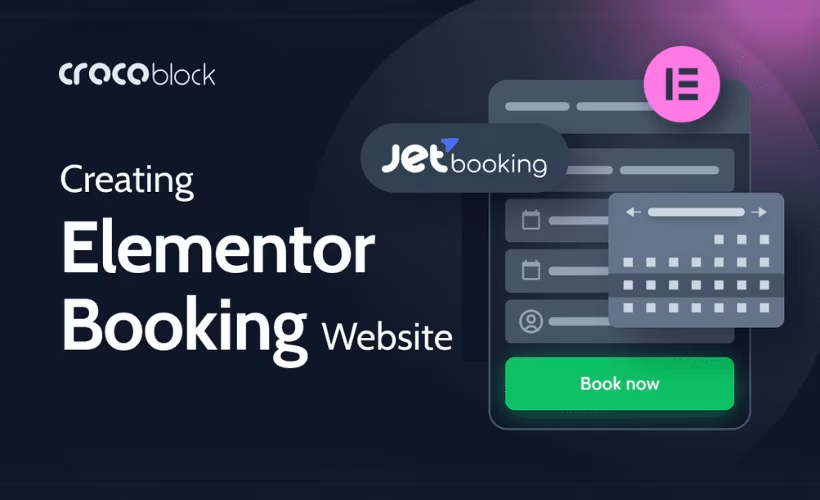
Running a hotel or apartment rental site on WordPress often means stitching together a booking calendar, a payment gateway, and a pricing system that were never built to work together. This JetBooking review looks at Crocoblock’s answer: a plugin that plugs daily availability, dynamic rates, and checkout directly into WooCommerce. For property owners already committed to WooCommerce, the pitch is one connected system instead of three separate ones.
The question is whether that integration is tight enough, and the subscription cost low enough, to beat running a dedicated booking plugin or a standalone system.
Quick Verdict
JetBooking suits property owners and developers who already run WooCommerce and want booking, availability, and dynamic pricing handled inside that same ecosystem rather than bolted onto it. It’s a weaker fit for anyone wanting to test a free version first or who needs a booking tool that doesn’t depend on WooCommerce or JetEngine underneath it.
Pros
- Deep WooCommerce integration lets you manage bookable rooms and apartments as standard products
- Dynamic pricing tools support seasonal and demand-based rate changes without manual overrides
- Compatible with Elementor, Elementor Pro, Gutenberg, and Bricks for building booking pages
- Runs standalone in WooCommerce-based mode or pairs with JetEngine for custom post type setups
- Stripe and PayPal payments run through Crocoblock’s WooCommerce checkout integration
Cons
- Annual cost climbs sharply if you upgrade to the full JetPlugins bundle for extra tools
- Depends on WooCommerce or JetEngine as a foundation rather than working as a true standalone
- Support runs through Zoom and chat sessions rather than a dedicated ticketing system
Core Features
Availability Calendars for Daily Bookings
JetBooking’s calendar system tracks room and apartment availability on a daily basis, blocking out dates as reservations come in to prevent double bookings. Each bookable listing gets its own calendar view, which property managers use to check open dates at a glance rather than cross-checking a spreadsheet.
For an owner running more than a handful of units, this is the difference between manually confirming availability by email and letting the calendar handle it automatically. Guests see accurate open dates in real time, which cuts down on booking inquiries for rooms that are already taken.
Dynamic Pricing Management
Rates in JetBooking aren’t fixed per listing. The plugin supports dynamic pricing rules that adjust cost based on factors like season or demand. A beach apartment can carry a higher nightly rate in summer and drop automatically once the season ends, without the owner logging in to change prices manually each time.
This matters most for operators juggling multiple properties or seasonal swings in demand. Pricing rules set once continue to apply as dates change, which reduces the chance of an underpriced booking slipping through during peak periods.
Property Management for Hotels and Apartments
JetBooking is built around managing hotel rooms and apartment rentals as distinct property types, giving each listing the fields and booking logic that daily-stay accommodations need. It can run standalone in a WooCommerce-based mode, treating regular WooCommerce products as bookable items, or work alongside JetEngine for setups that need custom post types beyond standard WooCommerce products.
That flexibility matters for how a site is structured. A single boutique hotel might only need the WooCommerce-based mode, while an agency managing varied listing types across multiple properties can lean on JetEngine’s custom post types for finer control over how each property is organized and displayed.
In testing on WordPress 6.5 and PHP 8.4, basic setup took about 2 minutes. The plugin file jet-booking-4.1.2.3.zip could be uploaded and installed directly through Plugins → Add New Plugin → Upload Plugin without extracting the archive first, keeping the initial setup straightforward before any property or pricing configuration began.
WooCommerce Booking Integration
Because JetBooking ties bookable rooms and apartments to WooCommerce products, checkout, cart, and order management all run through the WooCommerce flow site owners already use for other purchases. Payment processing connects through Stripe and PayPal by linking booking forms to Crocoblock’s WooCommerce checkout, so payments for a reservation follow the same path as any other WooCommerce transaction.
For a store owner already selling other products, this avoids running two separate checkout systems on the same site. Bookings, payments, and order history all sit inside the WooCommerce dashboard the owner already checks daily.
JetBooking’s booking pages also build with Elementor, Elementor Pro, Gutenberg, and Bricks, so the page-building workflow isn’t locked to a single editor regardless of which core booking feature is in use.
👉 Get JetBooking at the best available price
Installation and Setup
- Purchase a JetBooking subscription through Crocoblock and download the plugin ZIP file (for example, a file named similarly to jet-booking-4.1.2.3.zip) from your Crocoblock account dashboard.
- Log in to your WordPress admin panel and navigate to Plugins → Add New Plugin → Upload Plugin.
- Select the downloaded ZIP file and click Install Now. The archive doesn’t need to be extracted first — WordPress handles the ZIP directly during upload. On a standard setup, this step takes only a couple of minutes from upload to activation.
- Activate the plugin once installation finishes, then enter your license key when prompted to unlock updates and support access.
- Choose how JetBooking will run on your site. It operates in one of two modes:
- WooCommerce-based mode, which works standalone once WooCommerce is installed and active, treating regular WooCommerce products as bookable items.
- Custom post type mode, which pairs JetBooking with JetEngine to build bookable listings from custom post types instead of WooCommerce products.
This product requires WooCommerce for the WooCommerce-based mode, or JetEngine for the custom post type mode — install and activate whichever plugin matches the mode you intend to use.
- Set up your bookable properties, define availability calendars, and configure dynamic pricing rules for seasons, weekends, or special periods.
- If building booking pages with a page builder, confirm your editor of choice — Elementor, Gutenberg, or Bricks — is active, then design the booking form and property listing pages using JetBooking’s widgets or blocks.
- If accepting online payments, connect your booking forms to WooCommerce checkout so gateways such as Stripe and PayPal can process reservations.
Compatibility and Requirements
| Component | Tested version / support |
|---|---|
| WordPress | 6.5 |
| PHP | 8.4 |
| Page builders | Elementor, Gutenberg, Bricks |
JetBooking’s WooCommerce-based mode depends on WooCommerce being installed for standalone bookable products, while its alternative mode depends on JetEngine for custom post type listings. Payment processing runs through WooCommerce checkout, with Stripe and PayPal confirmed as supported gateways.
The listed WordPress and PHP figures reflect the versions the plugin has been tested against rather than strict minimums, so sites running the current stable WordPress release and a currently supported PHP version should be well within range. As a practical note, hosting environments still on end-of-life PHP branches should upgrade before installing any actively maintained commercial plugin, since unsupported PHP versions carry unpatched security risks regardless of plugin compatibility.
JetBooking Pricing
JetBooking is sold exclusively as a premium product. There’s no free version and no free tier to fall back on if you’re not ready to commit. Crocoblock offers two ways to license it.
Custom Subscription — $75 per year. This tier is available with either a 1-site license or an unlimited-sites option, and it covers JetBooking on its own, including updates and support for the plugin.
All-Inclusive Plus — $249 per year. This is Crocoblock’s bundle tier, covering 22 JetPlugins in total, with JetBooking included alongside the rest of the Crocoblock plugin lineup rather than as a standalone purchase.
Both tiers are billed annually, and Crocoblock backs purchases with a 30-day money-back guarantee, giving you a window to test the plugin on a live site before committing to a full year.
For property owners running a single booking site, the Custom Subscription is the more direct route. Developers or agencies managing multiple client sites with varied JetEngine or Elementor workflows may find the All-Inclusive Plus tier better value, since it spreads the cost across the full plugin suite rather than JetBooking alone.
Check the official JetBooking pricing page for the current rate and site-count breakdown before purchasing, since annual subscription pricing can change.
Alternatives to JetBooking
JetBooking’s WooCommerce-first approach won’t suit every property owner, especially those who want a booking system that runs independently of an online store. Two established alternatives cover different ends of that spectrum.
| Product | Key Difference | Best For | Price Tier |
|---|---|---|---|
| JetBooking | Deep WooCommerce integration with dynamic pricing and Elementor, Gutenberg, and Bricks support | Property owners and developers already building on WooCommerce or the Crocoblock ecosystem | Subscription-based |
| MotoPress Hotel Booking | A WooCommerce-independent hotel booking plugin offering room management and booking calendars as a standalone system | Hotel owners who want booking functionality without depending on WooCommerce | Paid |
| WP Hotel Booking | A budget-friendly hotel booking plugin with a simpler feature set aimed at small property owners | Small property owners needing basic booking tools on a limited budget | Freemium |
Competitor data is sourced from publicly available information as of 2026 and may have changed.
The right pick depends on how much weight you put on WooCommerce integration versus running a standalone system, and how much budget you’re willing to commit before scaling up features.
Frequently Asked Questions
What is JetBooking used for?
JetBooking is a WordPress and WooCommerce plugin built for managing daily bookings on hotel and apartment listings. It handles availability calendars, dynamic pricing, and property management, making it suited to coordinating multiple bookable units from a single site.
Does JetBooking require WooCommerce to work?
JetBooking operates in one of two modes: a WooCommerce-based mode where it works standalone once WooCommerce is installed, treating WooCommerce products as bookable items, or a mode paired with JetEngine for custom post types. So while WooCommerce isn’t strictly the only path, one of these two systems is needed to run it.
Is JetBooking compatible with Elementor?
Yes, JetBooking is fully compatible with both the free version of Elementor and Elementor Pro for building booking pages. It’s also compatible with Gutenberg and Bricks, giving users several page-building options for designing property listings.
What payment gateways does JetBooking support?
JetBooking supports Stripe and PayPal by connecting booking forms to Crocoblock’s WooCommerce checkout. This lets property owners collect payments through established gateways rather than building custom checkout logic.
Is there a free version of JetBooking?
No, JetBooking has no free tier and is sold entirely as premium, commercial software. Buyers need an active subscription to install and use the plugin, with no trial version to test beforehand.
How much does JetBooking cost per year?
The Custom Subscription tier is listed at $75 per year, with options covering one site or unlimited sites. Property owners who want the broader JetPlugins bundle can instead choose the All-Inclusive Plus tier at $249 per year, which includes 22 JetPlugins along with JetBooking, and both tiers carry a 30-day money-back guarantee.
Does JetBooking work with Gutenberg and Bricks builder?
Yes, JetBooking is compatible with Gutenberg and Bricks in addition to Elementor. This gives users flexibility to build booking pages with whichever editor their site already relies on.
Download & Pricing Options
🔍 Try Before You Buy
JetBooking does not have an official free tier. To evaluate it before purchasing, a GPL-licensed copy is available for sandbox testing purposes only.
👉 Download GPL Evaluation Copy
This is a GPL-licensed redistributed copy for testing only — not an official developer product.
💎 Get JetBooking (Best Available Price)
👉 Check Current Pricing for JetBooking
Pricing and availability may change — use the link above for current rates.