

Hoomah – Architecture & Design Interior Elementor Pro Template Kit
Updated on: October 22, 2025
Version 1.0.0

Single Purchase
Buy this product once and own it forever.
Membership
Unlock everything on the site for one low price.
Product Overview
Elevate your architectural and interior design projects with the Hoomah Elementor Pro Template Kit. This meticulously crafted template offers a modern and elegant design, perfect for showcasing your portfolio, services, and expertise. Whether you're an architect, interior designer, or a creative agency, Hoomah provides a seamless way to present your work online. Its user-friendly interface allows for effortless customization, so you can tailor every aspect to fit your brand. Plus, with responsive layouts, your website will look stunning on any device. Stand out in the competitive design industry with Hoomah.
Key Features
- Fully customizable layouts to match your unique style.
- Responsive design ensures your site looks great on all devices.
- Includes multiple pre-designed pages for portfolios, services, and contact.
- Compatible with Elementor Pro for easy drag-and-drop editing.
- Modern typography and color schemes to enhance visual appeal.
- SEO-friendly structure to help you rank better in search engines.
- Fast loading times to improve user experience.
- Documentation and support to guide you through the setup process.
Installation & Usage Guide
What You'll Need
- A Template Kit .zip file.
- Elementor and the Template Kit Import plugin installed and activated.
Download the Template Kit
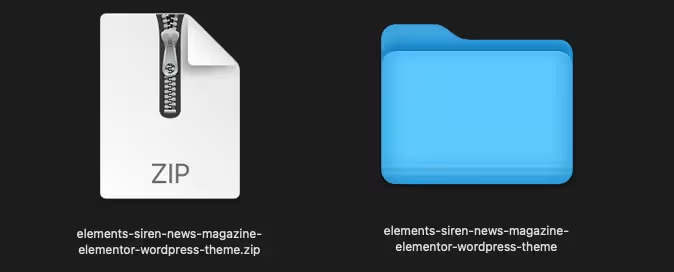
First, you need to have your Elementor Template Kit file ready. It should be a single .zip file that you have downloaded to your computer.
Install Template Kit Import Plugin
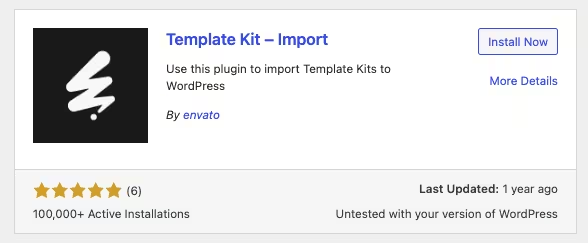
Log in to your WordPress dashboard. Navigate to Plugins > Add New and search for "Template Kit Import." Install and activate this plugin.
Import the Template Kit
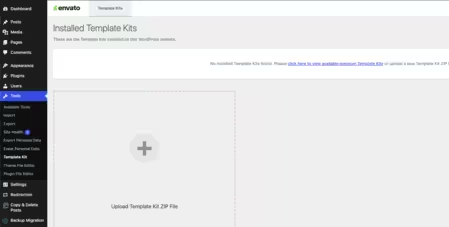
In your WordPress dashboard, go to Tools > Template Kits. Click on the "Template Kits tab and then click the "Upload a Template Kit" button to upload your .zip file.
Import Individual Templates
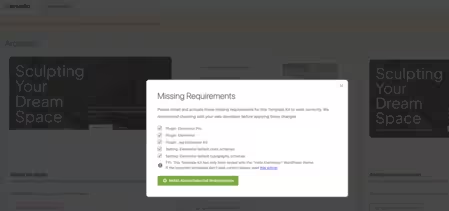
After the kit has been imported, you will see a button to View Kit. Click it, and you'll see all the pages and templates in the kit. You can import them one by one.
PureGPL ensures you have all the tools and support you need for seamless installations and updates!
For any installation or technical-related queries, Please contact via Live Chat or Support Ticket.