

EventoZilla – Event Calendar – Addon For WPBakery Page Builder
Updated on: January 24, 2026
Version 1.4.2

Single Purchase
Buy this product once and own it forever.
Membership
Unlock everything on the site for one low price.
Product Overview
EventoZilla is the perfect solution for anyone looking to create a stunning event calendar using WPBakery Page Builder. This powerful addon allows you to effortlessly showcase your upcoming events in a visually appealing way. With its intuitive interface, you can easily customize the layout and style to match your website’s theme. Plus, it offers a variety of display options, including monthly, weekly, and daily views, ensuring your audience can find the information they need. What makes it stand out is its responsive design, making your events accessible on any device. Whether you're managing a small gathering or a large conference, EventoZilla has got you covered.
Key Features
- Multiple calendar views: Monthly, weekly, and daily layouts for flexible presentation.
- Easy customization options: Tailor the appearance to fit your website’s style effortlessly.
- Responsive design: Ensures your event calendar looks great on any device.
- Seamless integration: Works smoothly with WPBakery Page Builder for quick setup.
- Event details display: Showcase event information like time, location, and description clearly.
- Recurring events support: Easily manage and display events that happen regularly.
- User-friendly interface: Simplifies the process of adding and managing events.
- Shortcode support: Utilize shortcodes to insert calendars anywhere on your site.
- Customizable event colors: Make your events stand out with personalized color options.
Installation & Usage Guide
What You'll Need
- After downloading from our website, first unzip the file. Inside, you may find extra items like templates or documentation. Make sure to use the correct plugin/theme file when installing.
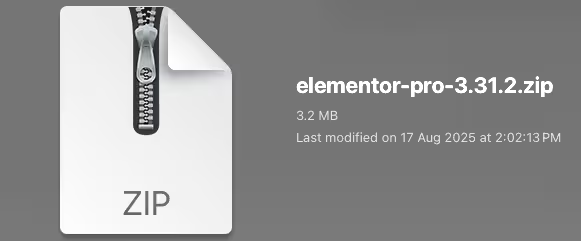
Unzip the Plugin File
Find the plugin's .zip file on your computer. Right-click and extract its contents to a new folder.
Upload the Plugin Folder
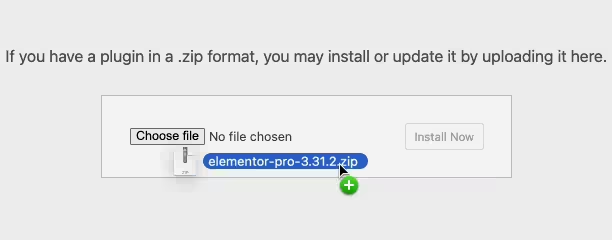
Navigate to the wp-content/plugins folder on your website's side. Then, drag and drop the unzipped plugin folder from your computer into this directory.
Activate the Plugin
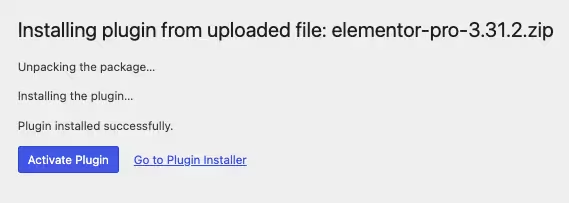
Finally, log in to your WordPress dashboard. Go to the Plugins menu. You should see your new plugin listed. Click Activate to finish the installation.
PureGPL ensures you have all the tools and support you need for seamless installations and updates!
For any installation or technical-related queries, Please contact via Live Chat or Support Ticket.