

Digits : WordPress Mobile Phone Number OTP Signup and Login Form
Updated on: November 4, 2025
Version 8.6.3.9
Single Purchase
Buy this product once and own it forever.
Membership
Unlock everything on the site for one low price.
Product Overview
Digits is a powerful WordPress plugin designed to streamline the signup and login process for your website by utilizing mobile phone number OTP (One-Time Password) verification. With its user-friendly interface and seamless integration, you can enhance user experience while ensuring a secure registration and login process. Say goodbye to traditional email confirmations and embrace the simplicity of mobile authentication. On top of that, Digits is customizable, allowing you to tailor the look and feel to match your brand. Plus, it supports multiple countries, making it a versatile choice for global websites.
Key Features
- Easy mobile number registration and login with OTP verification.
- Fully customizable forms to align with your website's design.
- Supports multiple countries and international phone formats.
- Seamless integration with popular WordPress themes and plugins.
- User-friendly dashboard for managing users and settings.
- Option to enable social login for a more convenient experience.
- Robust security measures to protect user data and prevent fraud.
- Responsive design ensures optimal performance on all devices.
- Comprehensive documentation and support for easy setup.
Installation & Usage Guide
What You'll Need
- After downloading from our website, first unzip the file. Inside, you may find extra items like templates or documentation. Make sure to use the correct plugin/theme file when installing.
Unzip the Plugin File
Find the plugin's .zip file on your computer. Right-click and extract its contents to a new folder.
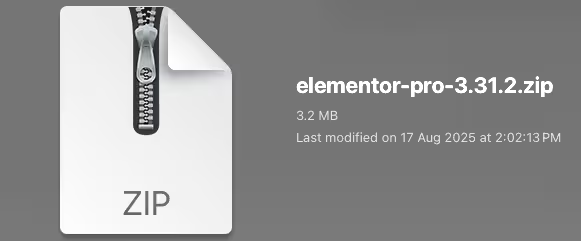
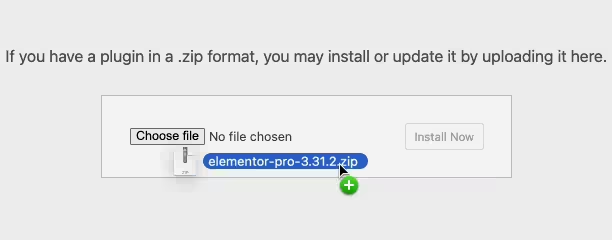
Upload the Plugin Folder
Navigate to the wp-content/plugins folder on your website's side. Then, drag and drop the unzipped plugin folder from your computer into this directory.
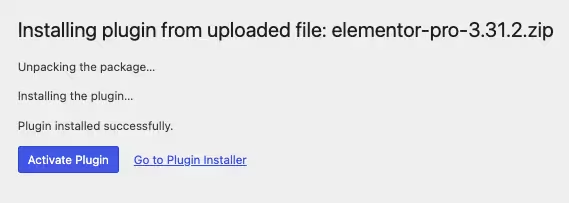
Activate the Plugin
Finally, log in to your WordPress dashboard. Go to the Plugins menu. You should see your new plugin listed. Click Activate to finish the installation.
PureGPL ensures you have all the tools and support you need for seamless installations and updates!
For any installation or technical-related queries, Please contact via Live Chat or Support Ticket.