WPFunnels Review 2026: WordPress Sales Funnel Builder Tested

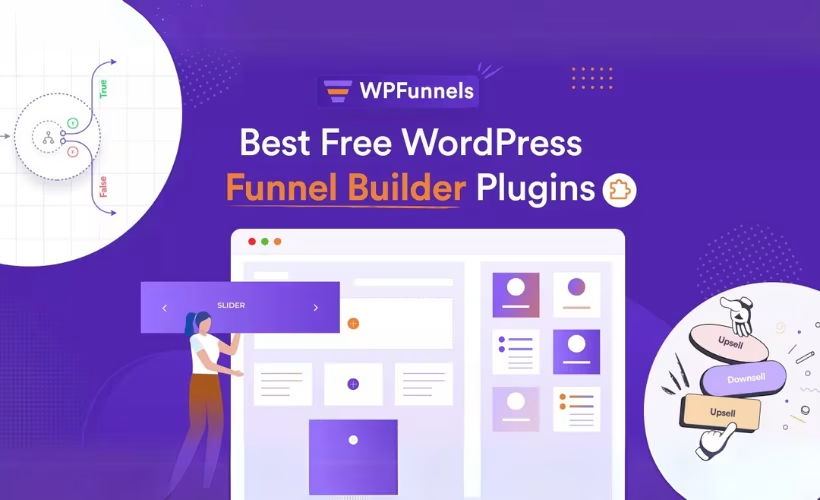
Building a sales funnel in WordPress usually means duct-taping together a landing page plugin, a checkout customizer, and a separate upsell tool on top of WooCommerce. This WPFunnels review looks at a plugin built to replace that stack with one drag-and-drop builder for funnel steps, order bumps, and post-purchase upsells. The question is whether its funnel logic and analytics justify adding another plugin, or whether the free tier already covers what most stores need.
Quick Verdict
WPFunnels suits WooCommerce store owners and marketers who want visual control over checkout flows, order bumps, and upsells without hiring a developer. It’s less useful for anyone running a store without WooCommerce, or for those who only need a single static landing page rather than a multi-step funnel.
Pros
- Visual drag-and-drop builder for both sales and lead generation funnels
- Works natively with WooCommerce and page builders including Elementor, Gutenberg, Divi, Bricks, and Oxygen
- Built-in order bumps, post-purchase upsells, and conditional offer logic without extra plugins
- Funnel analytics and A/B split testing available for every step in a funnel
- Free tier lets you test the core builder before committing to Pro
Cons
- Conditional upsell paths and split testing take time to learn for anyone new to funnel design
- Deeper checkout customization and analytics likely require upgrading past the free version
Core Features
Visual Drag-and-Drop Funnel Builder
WPFunnels centers on a visual canvas where funnel steps are planned and connected without touching code. Store owners map out landing pages, checkout steps, order bumps, upsells, and thank-you pages as a flow, then drag elements into place rather than working through a series of disconnected page edits.
For anyone building a multi-step offer, this turns funnel design into a layout task instead of a technical one. A marketer can sketch an entire funnel — from opt-in to post-purchase upsell — on a single screen before building out the individual pages.
Sales Funnel Creation
The plugin is built specifically for constructing sales funnels: sequences of pages designed to move a visitor from initial interest to a completed purchase. This covers the core commercial use case for WooCommerce stores running product launches, tripwire offers, or multi-step checkouts.
Because the funnel structure and the checkout logic live in the same tool, a store can chain a landing page into a checkout step and then into an upsell without stitching together separate plugins for each stage.
Lead Generation Funnel Creation
Alongside sales funnels, WPFunnels supports funnels built purely around lead capture — opt-in pages, squeeze pages, and follow-up sequences that don’t necessarily end in a WooCommerce transaction. This gives content creators and marketers a path to build list-building funnels using the same visual canvas as sales funnels.
Running both funnel types through one interface means a single site can operate a lead magnet funnel for list growth and a separate sales funnel for product revenue without switching tools.
Checkout Page Customization
WPFunnels ships checkout customization tools that let store owners rebuild the WooCommerce checkout page layout and add conversion elements directly on it. Order bumps can be placed on the checkout page itself, offering a low-friction add-on that customers accept with a single checkbox, and post-purchase upsells can present a related offer immediately after payment, charging the same saved payment method without forcing a second checkout.
Conditional logic ties these together: buyers can be routed to different upsell or downsell offers depending on whether they accepted or declined the previous step. That gives a store more paths through the checkout without building each variation as a separate page.
WooCommerce Integration
Checkout customization, order bumps, upsells, and downsells in WPFunnels all run on top of WooCommerce, and WooCommerce needs to be installed and active for the plugin to process eCommerce checkouts. This makes the integration foundational rather than optional — the funnel and checkout tools are built to extend WooCommerce’s existing order and payment processing rather than replace it.
For a store already running WooCommerce, this means funnel steps plug into the same product catalog, cart, and payment gateways already in use, rather than requiring a parallel checkout system.
Page Builder Integration
WPFunnels connects with Elementor, Gutenberg, Divi, Bricks, and Oxygen, so the funnel pages themselves can be designed with whichever builder a site already uses. No single builder is mandatory — the funnel logic and checkout tools sit on top of the page design layer.
This matters for sites with an existing design workflow: a team invested in Elementor templates, or one using Bricks for its main site, can keep that builder for funnel pages instead of learning a new page-building interface just to use WPFunnels.
Beyond the funnel and checkout tooling, WPFunnels Pro also includes built-in funnel analytics and A/B split testing across every funnel step, letting store owners track step-by-step performance and test variations of a funnel without a separate analytics plugin.
Installation and Setup
- Download the WPFunnels Pro plugin file from your account on the official site, or grab the free version directly from the WordPress Plugin Repository if you want to try the core builder before purchasing.
- Log in to your WordPress dashboard and navigate to Plugins → Add New Plugin → Upload Plugin.
- Select the plugin zip file and click Install Now. In first-hand testing, the file wpfunnels-pro-2.10.0.zip installed correctly through this upload screen without needing to be extracted beforehand — the WordPress uploader handled the zip archive directly.
- Click Activate once the upload finishes.
- If you plan to build eCommerce funnels, install and activate WooCommerce as well.
- Open the new WPFunnels menu item in the dashboard to launch the visual funnel canvas and start mapping out funnel steps.
- Assign a page builder to design individual funnel steps. WPFunnels works with Elementor, Gutenberg, Divi, Bricks, and Oxygen — pick whichever builder your site already uses rather than installing a new one.
The full process — from upload to a working funnel canvas — took about two minutes on a WordPress 6.5 site running PHP 8.4.
Compatibility and Requirements
| Category | Details |
|---|---|
| Page builder integrations | Elementor, Gutenberg, Divi, Bricks, Oxygen |
| eCommerce integration | WooCommerce (needed for checkout, order bumps, and upsells) |
| Support | Priority Support |
WPFunnels doesn’t force you onto a specific page builder — it plugs into whichever of the supported builders is already active on the site, which keeps the setup lightweight if you’re not starting from scratch.
Installation went through cleanly with no compatibility issues on a WordPress 6.5 site running PHP 8.4. That said, if your host is still running an end-of-life PHP release, it’s worth upgrading before installing any actively developed funnel plugin, since older PHP versions no longer receive security patches.
WPFunnels Pricing
Current pricing details are not available in this review. Check the official developer website for up-to-date pricing information.
WPFunnels operates on a freemium model, with a free version available through the WordPress Plugin Repository. The free plan gives users a visual, drag-and-drop canvas for planning funnel steps, along with core pages such as landing pages, WooCommerce-optimized checkout pages, and thank you pages. It also includes basic order bumps and upsells for stores looking to add extra offers at checkout.
The Pro version builds on this foundation with additional funnel flow options, deeper checkout customization, and features like built-in funnel analytics and A/B split testing across funnel steps.
👉 Get WPFunnels at the best available price
Alternatives to WPFunnels
WPFunnels is not the only WordPress-native option for building sales funnels and customizing checkout flows. Store owners comparing tools typically weigh it against other WooCommerce-focused funnel builders and broader marketing suites.
| Product | Key Difference | Best For | Price Tier |
|---|---|---|---|
| WPFunnels | Drag-and-drop funnel builder with native WooCommerce checkout customization, order bumps, upsells, and built-in A/B testing | WooCommerce store owners wanting funnel logic built directly into WordPress | Freemium |
| CartFlows | WooCommerce-focused funnel builder centered on checkout page templates and one-click upsell flows | Store owners prioritizing a straightforward checkout and upsell setup | Freemium |
| FunnelKit | WooCommerce funnel builder (formerly WooFunnels) with its own checkout editor, order bumps, and automation add-ons | Merchants who also want built-in email/CRM automation alongside funnels | Freemium |
| Thrive Suite | Broader WordPress marketing toolkit bundling page building, quizzes, and opt-in forms alongside funnel-style landing pages | Marketers wanting an all-in-one content and conversion toolkit, not just checkout funnels | Subscription-based |
| ClickFunnels | Standalone SaaS funnel platform that runs independently of WordPress and WooCommerce | Users who want a hosted funnel builder without managing a WordPress site | Subscription-based |
Competitor data is sourced from publicly available information as of 2026 and may have changed.
The right pick depends on whether you need funnels layered on an existing WooCommerce store, a broader marketing toolkit, or a fully hosted platform outside WordPress altogether.
Frequently Asked Questions
Does WPFunnels require WooCommerce to work?
Yes, WooCommerce must be installed and active for WPFunnels to process eCommerce checkouts, order bumps, and upsells. Without it, the plugin’s checkout-related features have nothing to run on, since WPFunnels relies on WooCommerce for order processing.
Is there a free version of WPFunnels?
Yes, a free version of WPFunnels is available directly from the WordPress Plugin Repository. It includes a visual drag-and-drop canvas for planning funnel steps, core pages such as landing pages and optimized WooCommerce checkout and thank you pages, plus order bumps and upsells.
Does WPFunnels work with Elementor?
Yes, WPFunnels integrates with Elementor. It also works with Gutenberg, Divi, Bricks, and Oxygen, so store owners can build funnel pages using whichever builder they already use.
Does WPFunnels Pro include A/B testing and analytics?
Yes, WPFunnels Pro includes built-in detailed funnel analytics along with A/B split testing for every step in a funnel. This lets users track visitor behavior and test variations of individual funnel steps rather than relying on a separate analytics tool.
What page builders is WPFunnels compatible with?
WPFunnels integrates with Elementor, Gutenberg, Divi, Bricks, and Oxygen. This gives users flexibility to design funnel pages within the builder ecosystem they are already familiar with rather than learning a new interface.
Can WPFunnels add order bumps and upsells to checkout?
Yes, WPFunnels supports order bumps and post-purchase upsells directly on the checkout flow. Order bumps let buyers add a complementary product with a single checkbox, while post-purchase upsells present a higher-value or related offer immediately after payment, charging the saved payment method without a second checkout. Conditional logic can also direct buyers to different upsells or downsells based on whether they accept or reject a previous offer.
Download & Pricing Options
🆓 Free Version
👉 Download the Free Version of WPFunnels
💎 Get WPFunnels (Best Available Price)
👉 Check Current Pricing for WPFunnels
Pricing and availability may change — use the link above for current rates.
If you would rather not pay WPFunnels’s renewal every year, a GPL membership is the usual alternative. We compared the options in our our GPL site comparison breakdown, including where each one falls short.


