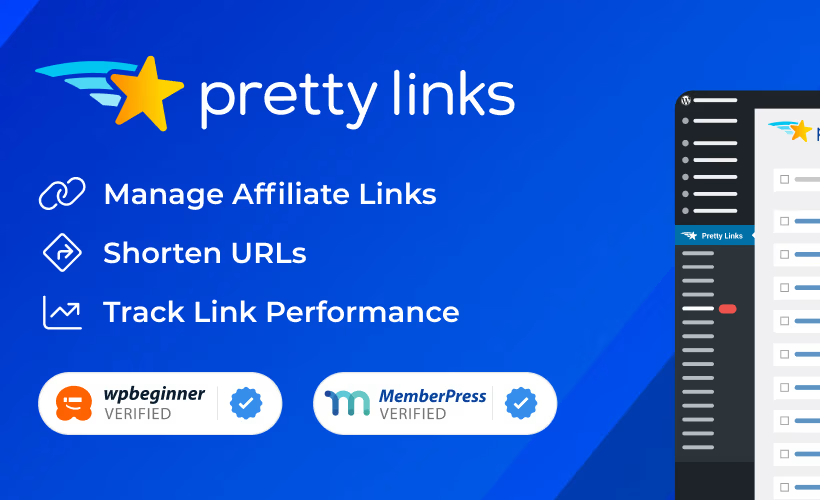
Affiliate marketers juggling dozens of partner links often end up with messy, unbranded URLs that are hard to track and even harder to update when a destination changes. This Pretty Links review looks at whether a dedicated shortener and cloaking plugin solves that mess better than piecing together separate tools. For anyone managing affiliate links across a blog, podcast, or course platform, the promise is fewer broken links and clearer data on what actually converts.
The real question is whether Pretty Links’ combination of cloaking, auto-linking, and tracking is worth an annual subscription, or whether a free alternative covers the same ground.
Quick Verdict
Pretty Links suits affiliate marketers, bloggers, and course creators who manage enough links to need branding, cloaking, and click data in one place. Solo bloggers with just a handful of affiliate links should weigh whether the added cost is justified before subscribing.
Pros
- Combines link shortening, cloaking, and branded URL creation in a single plugin
- Auto-linking tool turns chosen keywords into affiliate links automatically
- Built-in dashboard tracks clicks and conversions without extra tools
- Connects to Google Analytics through UTM parameters for deeper campaign insight
- Installs and configures quickly, taking about two minutes in hands-on setup
Cons
- Sold only as an annual subscription, with price scaling by the number of licensed sites
- Google Analytics tracking requires manually building UTM parameters rather than automatic setup
- Focused purely on link management rather than a broader marketing toolkit
- Made by Caseproof, whose portfolio includes Easy Affiliate and ThirstyAffiliates, so feature overlap is worth checking first
Core Features
Link Shortening and Cloaking
Pretty Links combines link shortening and cloaking into a single interface, letting you take a long, unwieldy affiliate URL and turn it into a short, branded link that lives on your own domain. The cloaking function hides the destination URL and any tracking parameters attached to it, so what visitors see in the address bar is your link, not the merchant’s raw affiliate string.
For anyone posting affiliate links across blog posts, emails, and social captions, this matters because raw affiliate URLs look untrustworthy and are easy to strip or alter. A cloaked, branded link keeps the destination hidden until someone clicks, and it’s easier to type or share verbally than a string of query parameters.
In our testing on WordPress 6.5 and PHP 8.4, setup took about 2 minutes to install and complete the basic configuration. We also noticed that the plugin file, pretty-link-developer.zip, can be installed directly through Plugins → Add New Plugin → Upload Plugin without needing to extract the archive first.
Affiliate Link Management
Beyond generating individual links, Pretty Links functions as a management layer for a growing affiliate link library. Instead of hunting through old posts to find a URL you created months ago, the plugin keeps every shortened and cloaked link in one place inside the WordPress dashboard.
That distinction separates a one-off shortening tool from something built for ongoing affiliate work. Bloggers, podcasters, and course creators who accumulate dozens or hundreds of affiliate links over time get a searchable record rather than a scattered mess across drafts and spreadsheets.
Auto-Linking of Keywords
The auto-linking keyword tool scans your content and automatically converts selected keywords or phrases into affiliate links wherever they appear. Rather than manually inserting a hyperlink every time a product name or brand comes up in a new post, you set the keyword once and let the plugin apply it going forward.
The time savings add up most for content creators who mention the same handful of products or partners repeatedly. A podcaster who references the same sponsor across dozens of show notes, for example, avoids re-linking that sponsor’s name in every single post.
Click Tracking and Conversion Tracking
Pretty Links includes a click and conversion tracking dashboard built directly into the plugin, so link performance data doesn’t require a separate analytics tool to view at a glance. Click tracking records how many times each shortened link is followed, while conversion tracking ties clicks to actual outcomes.
For affiliate marketers, this closes the loop between publishing a link and knowing whether it actually earns anything. Instead of guessing which posts or placements drive results, you can see click and conversion numbers per link inside the same dashboard used to create them.
Branded URL Creation
Branded URL management lets you shorten links using your own domain rather than a generic shortening service, so every link you share reinforces your site’s name instead of a third-party brand. The same interface handles this alongside the shortening and cloaking tools.
For influencers and course creators building recognition around a personal or business brand, this consistency matters more than raw click-through rates. A link that reads as yourdomain.com/go/product looks more credible to an audience than an unfamiliar shortener domain.
Installation and Setup
- Purchase and download Pretty Links from your account on the official site, saving the plugin file (a .zip archive) to your computer.
- In your WordPress dashboard, go to Plugins → Add New Plugin → Upload Plugin.
- Select the downloaded .zip file and click Install Now. The file can be uploaded directly without extracting the archive first.
- Click Activate once installation completes.
- Enter your license key when prompted, so the plugin can check for updates and unlock Pro features.
- Configure your preferred short domain or URL slug structure under the Pretty Links settings menu.
- Set up auto-linking rules, click tracking, and conversion tracking options to match how you plan to use affiliate or branded links.
Setup and basic configuration typically takes only a couple of minutes on a standard WordPress install.
Compatibility and Requirements
Setup was tested on WordPress 6.5 running PHP 8.4, where the plugin installed and configured without issues.
| Component | Confirmed working version |
|---|---|
| WordPress | 6.5 |
| PHP | 8.4 |
Pretty Links Pricing
Current pricing details are not available in this review. Check the official developer website for up-to-date pricing information.
Pretty Links is sold as a paid subscription with no free tier. A separate free version of the plugin exists under the Pretty Links name in the WordPress.org repository, but the Pro edition covered in this review is premium-only and requires a license to unlock affiliate link cloaking, auto-linking, and conversion tracking.
👉 Get Pretty Links at the best available price
Alternatives to Pretty Links
Pretty Links isn’t the only option for managing affiliate links on WordPress, and several established tools compete for the same audience. The right pick often comes down to whether you need pure link cloaking, broader affiliate program management, or something outside the WordPress ecosystem entirely.
| Product | Key Difference | Best For | Price Tier |
|---|---|---|---|
| Pretty Links | Combines link shortening, cloaking, auto-linking, and click/conversion tracking in one WordPress plugin | Affiliate marketers and bloggers managing links directly inside WordPress | Paid |
| ThirstyAffiliates | WordPress plugin focused on link cloaking with categorization and health-check features for broken links | Bloggers who want a dedicated cloaking tool with a free entry point | Freemium |
| Easy Affiliate | Manages an entire in-house affiliate program, including recruiting and paying affiliates, rather than just cloaking outbound links | Site owners who want to run their own affiliate program, not just track outbound clicks | Paid |
| Bitly | Standalone link shortening service that works outside WordPress, with its own analytics dashboard | Users who need shortened links across multiple platforms, not just one WordPress site | Freemium |
| Redirection | Free WordPress plugin for managing redirects and monitoring 404 errors, without dedicated affiliate cloaking features | Site owners who mainly need redirect and error-log management rather than affiliate link tracking | Free |
Competitor data is sourced from publicly available information as of 2026 and may have changed.
Which of these makes sense depends on the job at hand. If the goal is cloaking and tracking affiliate links inside WordPress, Pretty Links and ThirstyAffiliates are the closest match, while Easy Affiliate suits anyone building their own affiliate program rather than just linking to one.
Frequently Asked Questions
Who develops Pretty Links?
Pretty Links is developed by Caseproof, the same company behind the WordPress membership plugin MemberPress. Caseproof also owns other affiliate and marketing tools, including Easy Affiliate and ThirstyAffiliates, so there is some overlap in functionality across its product lineup worth checking before you buy.
Does Pretty Links integrate with Google Analytics?
Yes, Pretty Links integrates with Google Analytics through UTM parameters built into its Affiliate Link Tracking dashboard. You can add source, medium, and campaign values directly when creating a link, and Pretty Links attaches them automatically so click data flows into your Google Analytics reports.
How long does it take to set up Pretty Links?
Setup and basic configuration takes about two minutes. The plugin file can be installed directly through Plugins → Add New Plugin → Upload Plugin without needing to extract the archive first, which keeps the process quick even for first-time users.
Is Pretty Links priced per website?
Yes, Pretty Links is sold as a yearly subscription with pricing that scales based on the number of WordPress websites you plan to use it on.
Download & Pricing Options
🔍 Try Before You Buy
Pretty Links does not have an official free tier. To evaluate it before purchasing, a GPL-licensed copy is available for sandbox testing purposes only.
👉 Download GPL Evaluation Copy
This is a GPL-licensed redistributed copy for testing only — not an official developer product.
💎 Get Pretty Links (Best Available Price)
👉 Check Current Pricing for Pretty Links
Pricing and availability may change — use the link above for current rates.