Wordfence Premium
Wordfence Premium is your ultimate security solution for WordPress websites. Designed to protect against malware and…
- Instant download
- Unlimited domains
- Virus-scanned files
Version history
2 releases available — use the latest unless you need an earlier build.
- v9.0.0 Current 14 Aug 2026
- v8.2.2 2 Jul 2026
Earlier builds are available to customers who own this product — sign in to download them.
What you’re getting
Wordfence Premium is your ultimate security solution for WordPress websites. Designed to protect against malware and hacking attempts, it offers real-time threat intelligence and robust firewall features. With automatic updates and a powerful malware scanner, you can rest easy knowing your site is safe from emerging threats. Plus, the user-friendly dashboard provides easy access to critical security metrics and reports. What makes it stand out is its comprehensive approach to security, ensuring that you not only defend against attacks but also enhance your site’s overall performance.
Key Features
- Real-time firewall protection to block malicious traffic instantly.
- Advanced malware scanning that detects and removes threats effectively.
- Country blocking feature to restrict access from specific regions.
- Login security enhancements including two-factor authentication.
- Scheduled scans and automatic updates for peace of mind.
- Detailed security reports and alerts to keep you informed.
- Live traffic views to monitor active visitors and potential threats.
- Support for multi-site installations, perfect for network administrators.
Up and running in minutes
What you’ll need
- After downloading, unzip the package first. It may contain extras such as documentation or bundled templates — make sure you install the correct plugin file.
-
Unzip the Plugin File
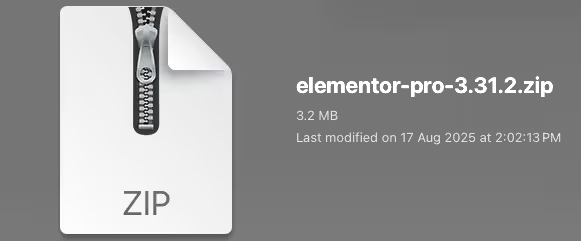
Find the downloaded .zip file on your computer. Right-click it and extract its contents to a new folder.
-
Upload the Plugin Folder
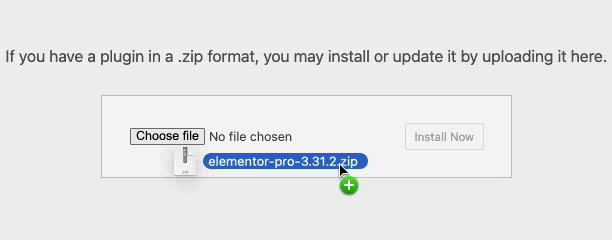
Navigate to the wp-content/plugins folder on your website, then drag and drop the unzipped plugin folder into it.
-
Activate the Plugin
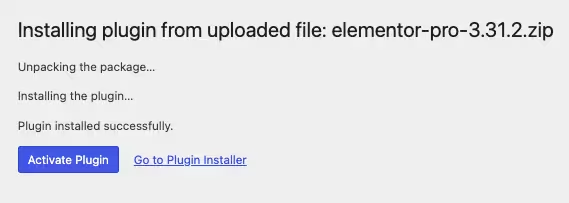
Log in to your WordPress dashboard and open the Plugins menu. Your new plugin will be listed — click Activate to finish.
Questions, answered
Is this the original product?
Yes. You receive the original files, redistributed under the GNU General Public License that WordPress products are built on. Files are not modified by us; every upload is virus-scanned before release.
How many websites can I use it on?
The GPL places no limit on the number of sites. You can install this plugin on as many domains as you like.
How do updates work?
When the vendor releases a new version we update the package on our site. Download the latest version from your account and install it over the previous one, or use the Request Update button to nudge us if a version looks stale.
Do I need a license key?
No license key is required for normal use. A small number of products need extra activation for premium API features — when that applies, a note is shown on this page with exact instructions.
What if something doesn’t work?
Open a support ticket from your account and we’ll help you out. If you find a broken file, and we’ll fix it quickly.
Or get all 16,000+ products
$14/month — every plugin, theme and template on the site, this one included. Cancel anytime.