

Mindco – Life Coach & Counseling Elementor Template Kit
Updated on: December 3, 2025
Version 1.0.0

Single Purchase
Buy this product once and own it forever.
Membership
Unlock everything on the site for one low price.
Product Overview
Introducing Mindco, the ultimate Elementor Template Kit designed specifically for life coaches and counseling professionals. This thoughtfully crafted template offers a sleek, modern interface that resonates with your clients while enhancing your online presence. Each section is tailored to showcase your services, testimonials, and expertise effortlessly. Plus, with easy customization options, you can make it your own without any coding skills. What makes it stand out is its user-friendly design that not only captivates but also guides visitors to take action. Elevate your practice and connect with your audience through a stunning website built with Mindco.
Key Features
- Beautifully designed layouts specifically for coaching and counseling services.
- Fully responsive and mobile-friendly to reach clients on any device.
- Easy-to-use Elementor drag-and-drop interface for hassle-free customization.
- Pre-designed sections for services, testimonials, and contact forms.
- SEO-optimized to help you rank higher and attract more visitors.
- Integration options for booking systems and social media platforms.
- Comprehensive documentation to guide you through setup and customization.
- Regular updates and support to ensure your site runs smoothly.
Installation & Usage Guide
What You'll Need
- A Template Kit .zip file.
- Elementor and the Template Kit Import plugin installed and activated.
Download the Template Kit
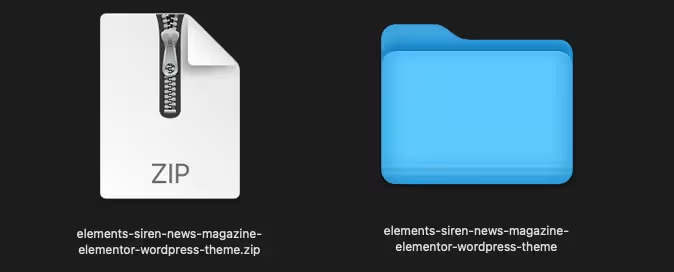
First, you need to have your Elementor Template Kit file ready. It should be a single .zip file that you have downloaded to your computer.
Install Template Kit Import Plugin
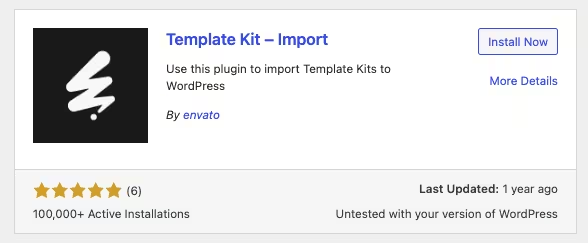
Log in to your WordPress dashboard. Navigate to Plugins > Add New and search for "Template Kit Import." Install and activate this plugin.
Import the Template Kit
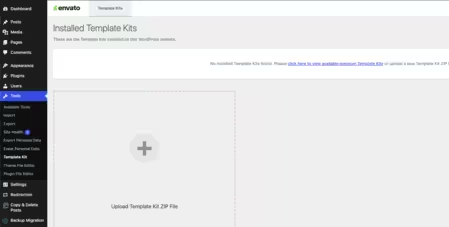
In your WordPress dashboard, go to Tools > Template Kits. Click on the "Template Kits tab and then click the "Upload a Template Kit" button to upload your .zip file.
Import Individual Templates
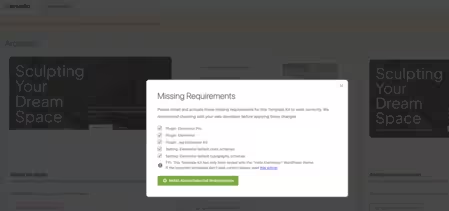
After the kit has been imported, you will see a button to View Kit. Click it, and you'll see all the pages and templates in the kit. You can import them one by one.
PureGPL ensures you have all the tools and support you need for seamless installations and updates!
For any installation or technical-related queries, Please contact via Live Chat or Support Ticket.