

Ganache – Wedding Cake Bakery Elementor Template Kit
Updated on: January 9, 2026
Version 1.0.0

Single Purchase
Buy this product once and own it forever.
Membership
Unlock everything on the site for one low price.
Product Overview
Introducing the Ganache – Wedding Cake Bakery Elementor Template Kit, the perfect solution for pastry chefs and bakery owners looking to showcase their delectable creations. This beautifully crafted template kit offers a stunning visual experience, designed to capture the essence of your wedding cake business. With a modern and elegant layout, you can effortlessly present your services, highlight your portfolio, and attract potential customers. Plus, it's fully customizable, allowing you to make it truly your own without needing any coding skills. Transform your online presence and let your cakes shine with Ganache.
Key Features
- Elegant and modern design tailored for wedding cake businesses.
- Fully customizable with Elementor for easy editing.
- Pre-designed pages for services, about us, and contact information.
- Responsive layout ensuring a flawless appearance on all devices.
- Gallery section to beautifully showcase your cake creations.
- SEO-friendly structure to help you rank higher in search engines.
- Includes high-quality images and graphics to enhance your brand.
- Easy to install and set up, saving you valuable time.
- Compatible with all major browsers for wider accessibility.
Installation & Usage Guide
What You'll Need
- A Template Kit .zip file.
- Elementor and the Template Kit Import plugin installed and activated.
Download the Template Kit
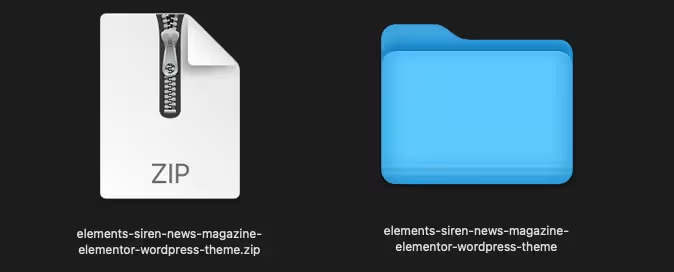
First, you need to have your Elementor Template Kit file ready. It should be a single .zip file that you have downloaded to your computer.
Install Template Kit Import Plugin
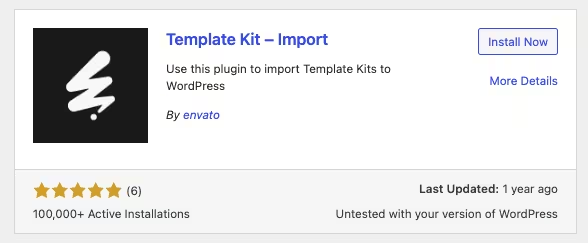
Log in to your WordPress dashboard. Navigate to Plugins > Add New and search for "Template Kit Import." Install and activate this plugin.
Import the Template Kit
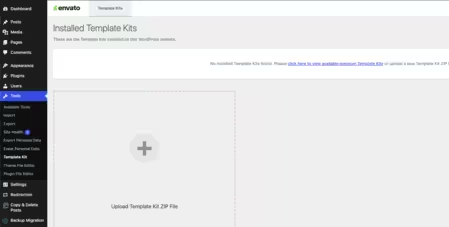
In your WordPress dashboard, go to Tools > Template Kits. Click on the "Template Kits tab and then click the "Upload a Template Kit" button to upload your .zip file.
Import Individual Templates
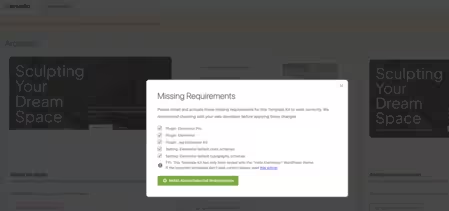
After the kit has been imported, you will see a button to View Kit. Click it, and you'll see all the pages and templates in the kit. You can import them one by one.
PureGPL ensures you have all the tools and support you need for seamless installations and updates!
For any installation or technical-related queries, Please contact via Live Chat or Support Ticket.