

BWD Private Content Locker Addon For Elementor
Updated on: January 9, 2026
Version 1.8
Single Purchase
Buy this product once and own it forever.
Membership
Unlock everything on the site for one low price.
Product Overview
Unlock the potential of your website with the BWD Private Content Locker Addon for Elementor. This powerful tool allows you to restrict access to specific content, ensuring that only authorized users can view it. Perfect for membership sites, online courses, or premium content areas, this addon seamlessly integrates with Elementor, enhancing your design capabilities. Plus, its user-friendly interface makes it easy to set up and manage locked content without any coding knowledge. What makes it stand out is its versatility—whether you're aiming to protect sensitive information or create exclusive offers, this addon has you covered.
Key Features
- Simple integration with Elementor for effortless content locking.
- Customizable lock icons and messages to match your site's style.
- Flexible access controls for different user roles and membership levels.
- Responsive design ensures a seamless experience on all devices.
- Easy-to-use settings panel for quick configuration and management.
- Supports various content types, including posts, pages, and custom post types.
- Analytics tracking to monitor user engagement and access patterns.
- Regular updates and dedicated support to keep your site running smoothly.
Installation & Usage Guide
What You'll Need
- After downloading from our website, first unzip the file. Inside, you may find extra items like templates or documentation. Make sure to use the correct plugin/theme file when installing.
Unzip the Plugin File
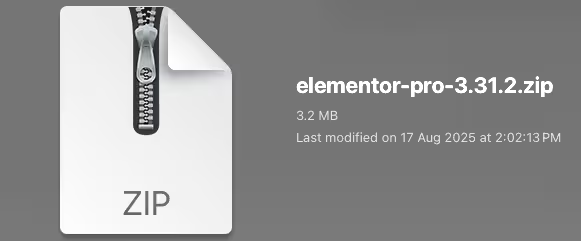
Find the plugin's .zip file on your computer. Right-click and extract its contents to a new folder.
Upload the Plugin Folder
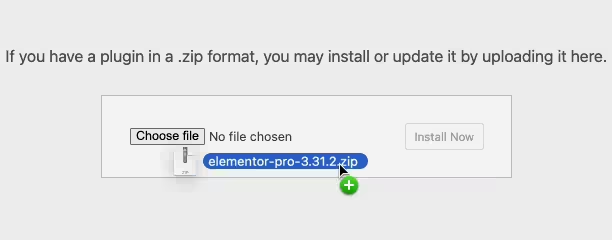
Navigate to the wp-content/plugins folder on your website's side. Then, drag and drop the unzipped plugin folder from your computer into this directory.
Activate the Plugin
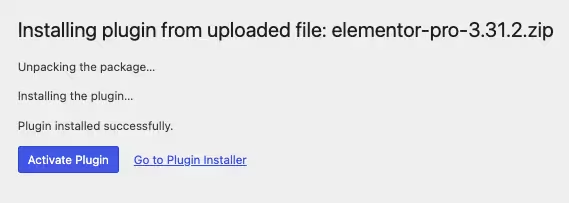
Finally, log in to your WordPress dashboard. Go to the Plugins menu. You should see your new plugin listed. Click Activate to finish the installation.
PureGPL ensures you have all the tools and support you need for seamless installations and updates!
For any installation or technical-related queries, Please contact via Live Chat or Support Ticket.