

Barn2 | WooCommerce Bulk Variations
Updated on: January 1, 2026
Version 2.4.7
Single Purchase
Buy this product once and own it forever.
Membership
Unlock everything on the site for one low price.
Product Overview
Barn2's WooCommerce Bulk Variations plugin is a game-changer for online store owners. It streamlines the process of managing product variations, allowing you to display all variations of a product on a single page. No more tedious dropdowns or multiple clicks for customers! With this plugin, you can enhance the shopping experience, making it easier for customers to compare options and make informed choices. Plus, it supports bulk purchasing, which means customers can select multiple variations at once. This not only boosts your sales potential but also improves customer satisfaction.
Key Features
- Show all product variations on one page for effortless shopping.
- Enable bulk purchasing, allowing customers to select multiple variations simultaneously.
- Customizable display options to match your store's branding.
- Supports variable pricing, giving customers clear pricing on each variation.
- Seamless integration with WooCommerce, ensuring a smooth setup process.
- Mobile-friendly design for an optimal shopping experience on all devices.
- Easy-to-use interface for quick configuration without technical skills.
- Regular updates and support from the Barn2 team to keep your store running smoothly.
Installation & Usage Guide
What You'll Need
- After downloading from our website, first unzip the file. Inside, you may find extra items like templates or documentation. Make sure to use the correct plugin/theme file when installing.
Unzip the Plugin File
Find the plugin's .zip file on your computer. Right-click and extract its contents to a new folder.

Upload the Plugin Folder
Navigate to the wp-content/plugins folder on your website's side. Then, drag and drop the unzipped plugin folder from your computer into this directory.
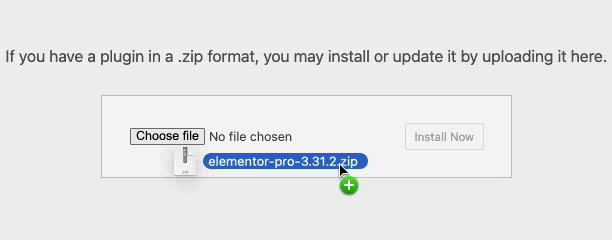
Activate the Plugin
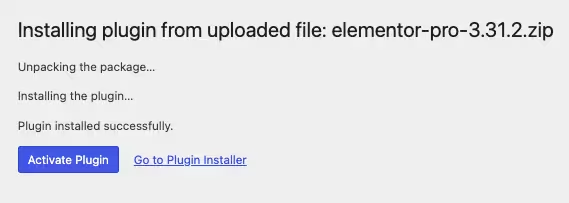
Finally, log in to your WordPress dashboard. Go to the Plugins menu. You should see your new plugin listed. Click Activate to finish the installation.
PureGPL ensures you have all the tools and support you need for seamless installations and updates!
For any installation or technical-related queries, Please contact via Live Chat or Support Ticket.