

Hostiko WordPress WHMCS Hosting Theme
Updated on: January 13, 2026
Version 94.3.7
Single Purchase
Buy this product once and own it forever.
Membership
Unlock everything on the site for one low price.
Product Overview
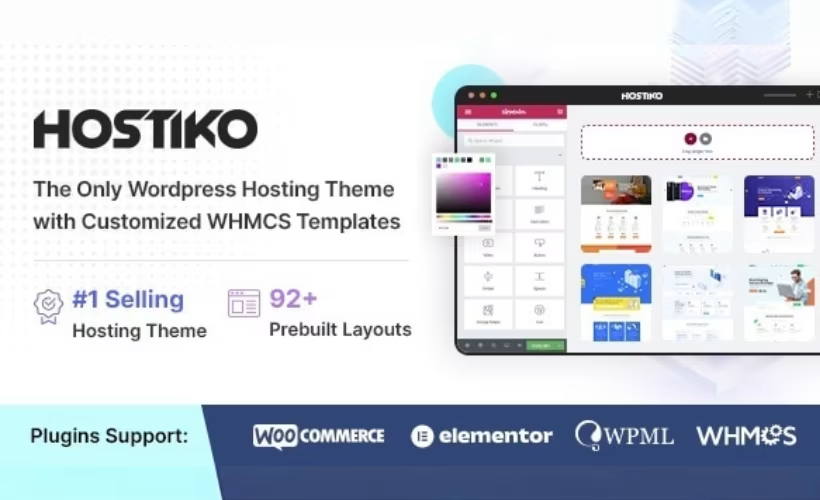
Hostiko is a stunning WordPress theme designed specifically for WHMCS hosting businesses. It combines elegance with functionality, making it a perfect choice for web hosting companies looking to enhance their online presence. With its responsive design, Hostiko ensures a seamless experience across all devices, allowing your customers to access your services anytime, anywhere. Plus, the theme’s customizable features let you easily tailor the look and feel to match your brand identity. On top of that, it integrates smoothly with WHMCS, streamlining your operations and improving user experience.
Key Features
- Fully responsive design for optimal viewing on all devices
- Seamless integration with WHMCS for effortless management
- Multiple demo layouts to kickstart your website development
- Customizable color schemes and fonts to match your branding
- SEO-friendly structure to enhance your online visibility
- User-friendly interface for easy navigation and accessibility
- Included support for popular page builders for additional flexibility
- Fast loading times to improve user engagement and retention
- Regular updates and dedicated support to ensure optimal performance
Installation & Usage Guide
What You'll Need
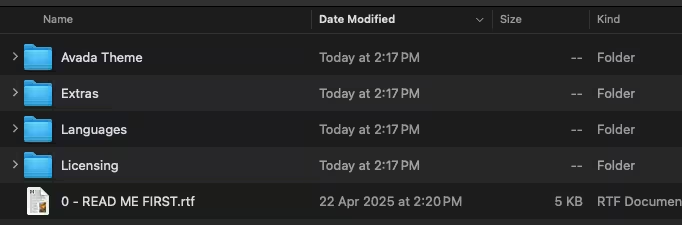
- After downloading from our website, first unzip the file. Inside, you may find extra items like templates or documentation. Make sure to use the correct plugin/theme file when installing.
Unzip the Theme File
Find the theme's .zip file on your computer. Right-click and extract its contents to a new folder.
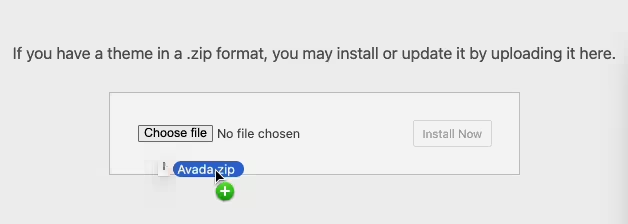
Upload the Theme Folder
Navigate to the wp-content/themes folder on your website's side. Then, drag and drop the unzipped theme folder from your computer into this directory.
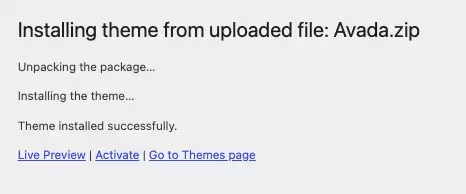
Activate the Theme
Finally, log in to your WordPress dashboard. Go to the Themes menu. You should see your new theme listed. Click Activate to finish the installation.
PureGPL ensures you have all the tools and support you need for seamless installations and updates!
For any installation or technical-related queries, Please contact via Live Chat or Support Ticket.